Predictor
It’s a buildfile-friendly average statter. This program will take data straight from your class and character CSVs and predict a unit’s stats at a certain class and level.
Here are some example screenshots of the script in action
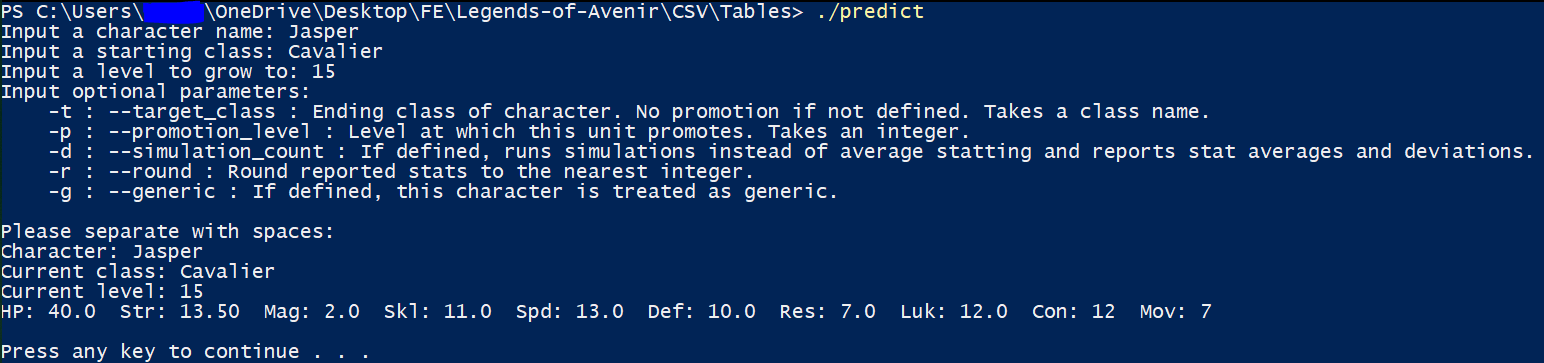
This is running a “wrapper” batch script that actually calls the executable. I’m running from the command line, but you can also double click the batch script just the same.
The program will prompt you for some input information and output the average stats.
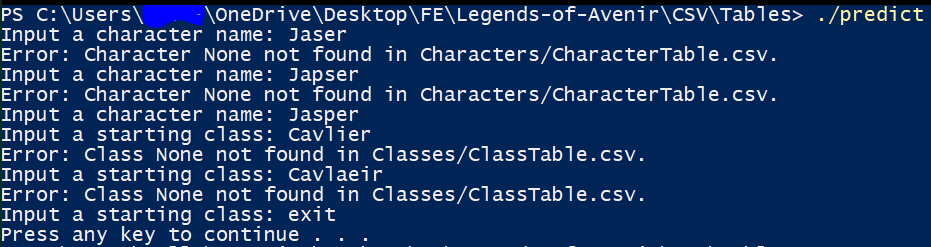
The prompting should be pretty user friendly I hope.

Plenty of extra options to play with including handling promotions.
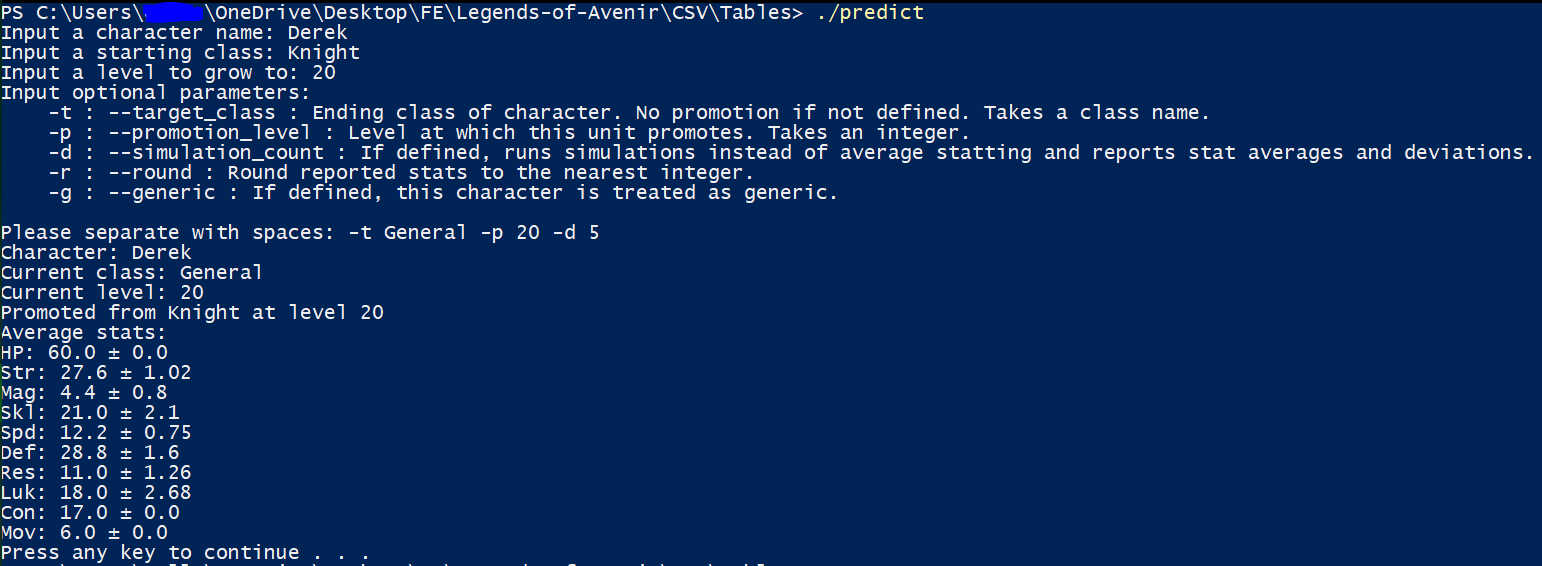
You can also have the program run a number of simulations instead of generating average stats. The program will report the average stats of all simulated units and report standard deviations, letting you know how much certain stats on individual units vary!

You can also use argparse flags to skip the prompt. If you don’t include necessary parameters, you’ll be prompted for them. Use
./predict -h to see these flags!
How to: Actually know how your units will turn out instead of just sneezing stats around
As always, get everything you need from my download link in the OP.
Like I said, the program reads data straight from your class and character CSVs, so it needs some way to be able to know where your CSVs are and what columns and rows to grab stats from. This is performed through an options file which requires one-time setup.
Notice that I’ve been using a wrapper batch script instead of directly calling the executable. That’s because the first parameter of the executable is the filepath to this options file. The batch file then passes in its own parameters into the program.
The default filename for the options file is (in the same directory as the batch script and program) PredictorOptions.s. This can be changed in the batch script. With this options file, whitespace is ignored, and you can line comment with @. Your lines should look like the following:
Filepath/To/CharacterTable.csv
Filepath/To/ClassTable.csv
Stat,Names,For,Reporting,Separated,By,Commas
Character,Bases,Columns,Names
Character,Growths,Columns,Names
BaseLevelColumnNameForCharacter
Class,Bases,Columns,Names
Class,Growths,Columns,Names
Class,Maxes,Columns,Names
Class,Promotion,Bonuses,Columns,Names
A column name of just 0 will represent a column of all 0 data! This is useful… for example… how characters have no movement stats? Use ‘0’ for the character movement base and growth column names in that case. The order of the stats is arbitrary but should be kept consistent.
An example options file is included.
Now you can use the script. Here are the option flags (and how to view them):
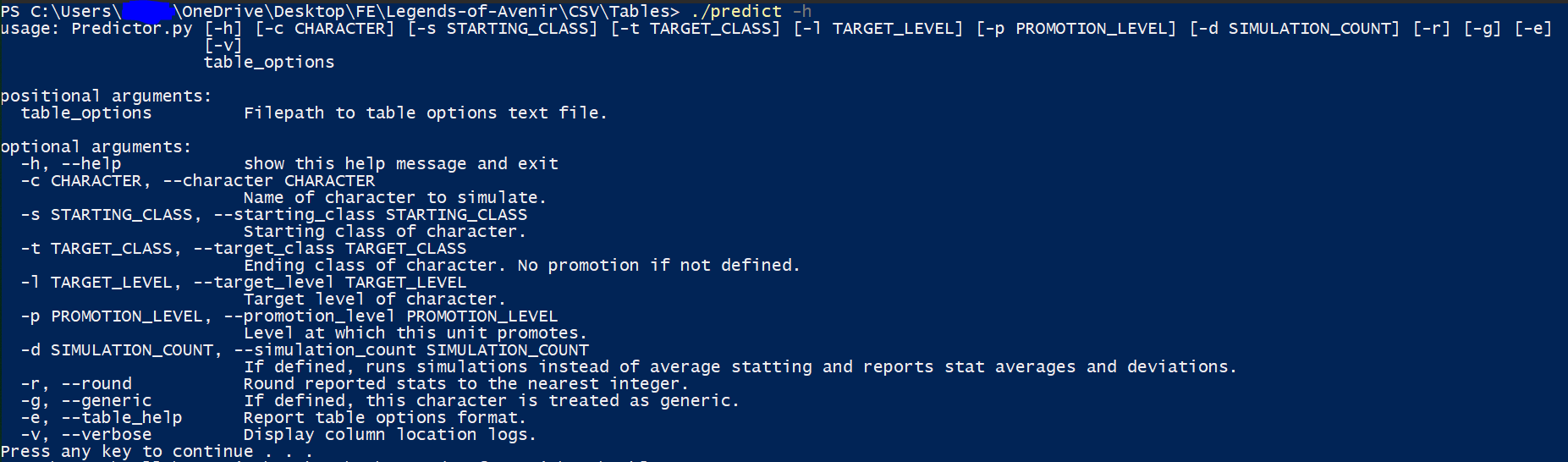
There are only three required inputs: The character name, the starting class, and the target level. The character’s starting level field in the character table is used for starting level. If you do not supply these required inputs, you’ll be prompted.
Any character and class IDs are searched by row name. If I want to refer to
Jasper and Cavalier, I can do this only because my row names for that character and that class are exactly Jasper and Cavalier. This is designed to play nicely with TableManager.The rest of the parameters are optional (and if you are prompted for any required parameters, you’ll be prompted for these as well).
--TARGET_CLASS (class name) indicates that you want to promote to the defined class. Set a promotion level with --PROMOTION_LEVEL (level). Default is 10.--TARGET_LEVEL (level) is the ending simulation level (promoted if a promotion is desired).If
--SIMULATION_COUNT (count) is not defined, average statting as you’d expect will be used. If it IS defined, then the defined number of simulated units will be generated, and their average stats will be displayed along with standard deviations for each stat.--round rounds average stats.If
--generic is used, then the unit is treated as generic. Class growths are used instead of character growths.--table_help outputs help for the table options file, and --verbose is really for debug.
I’ve written this mostly for myself, and this is how I would want my own tool to behave. I’m open to feedback and requests, though. I hope someone makes good use of this. Have a nice day!
Edit: Thanks to @Huichelaar for reporting: I’ve also fixed a bug in TableManager associated with improper output with certain options.