Worked perfectly! Thanks a lot.
1 Like
I added a quick asmc to this to silently reclass a unit and adjust stats based on the class bases, including magic if you have skillsys.
- Insert ea the reclass hack
- Open the .sym file that appears in the folder with your rom
- Copy the address of
SilentReclassUnit_ASMC

- Put the unit id in memory slot 1, the new class in memory slot 3, and use the asmc command in your events

Here I turned Seth into a general:
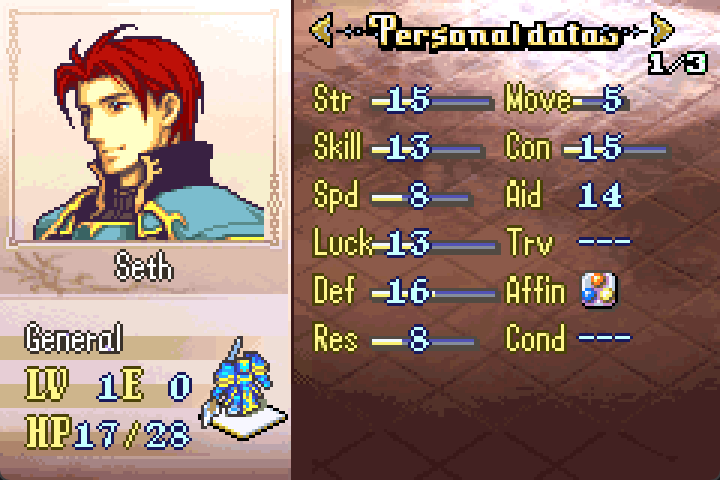
If memory slot 3 is 0, it’ll use the default reclass option based on what you write in the installer.
UnitReclassPromoted(Seth, Paladin, General, 0, 0, 0, 0, 0)
This would allow you to reclass by the active unit instead. Seth would become a general if he’s a paladin, and become a paladin if he’s a general.
There are already dismount patches out there, but @Darrman was having an issue, so hopefully this asmc is helpful.
13 Likes
I think this fix broke after the commit you made in November.
1 Like
Thanks for catching that, I think I’ve fixed it now. 
I also just added this functionality to the silent reclass command:
4 Likes
It is fixed, but now I’m noticing lag sometimes when selecting a unit after another has ended their action.
1 Like
It shouldn’t be any laggier than before. If you do actions very quickly, then you’ll notice the lag.
To minimize this lag, it works behind the scenes, chipping away at the work each frame that you idle. Each frame you idle it checks one enemy, and when you select a unit, it calculates the danger ranges for the rest of the enemies that it hadn’t calculated yet. When it calculates the rest of them, it’s faster than 1 enemy per frame, but it is laggy enough to notice when completing inputs quickly.
1 Like
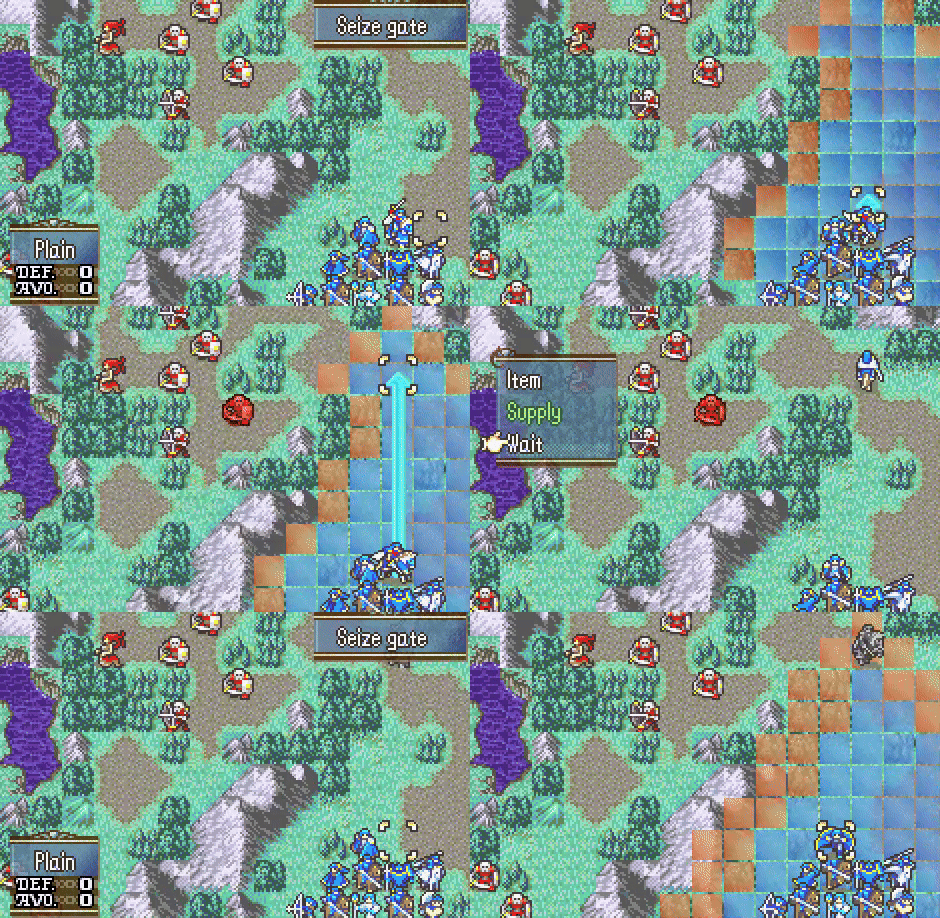
Before:
After:
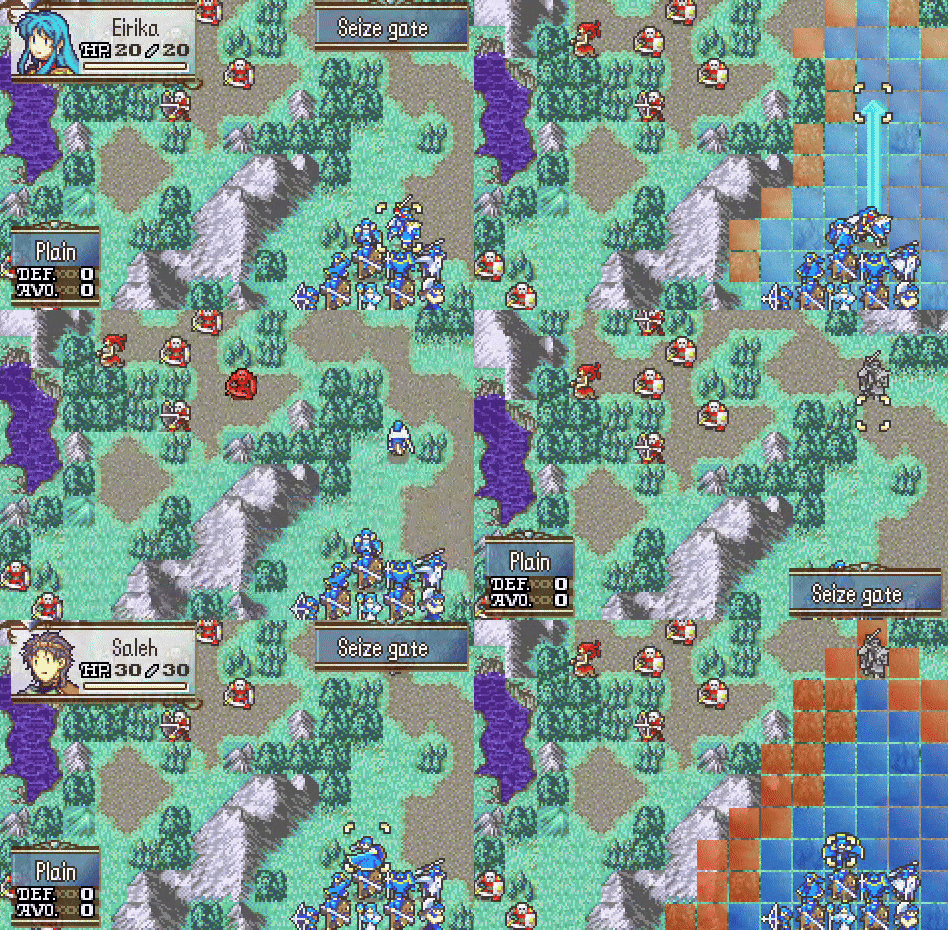
From my point of view, it looks laggier than before.
1 Like
That definitely is laggy. I’ve fixed the issue now.
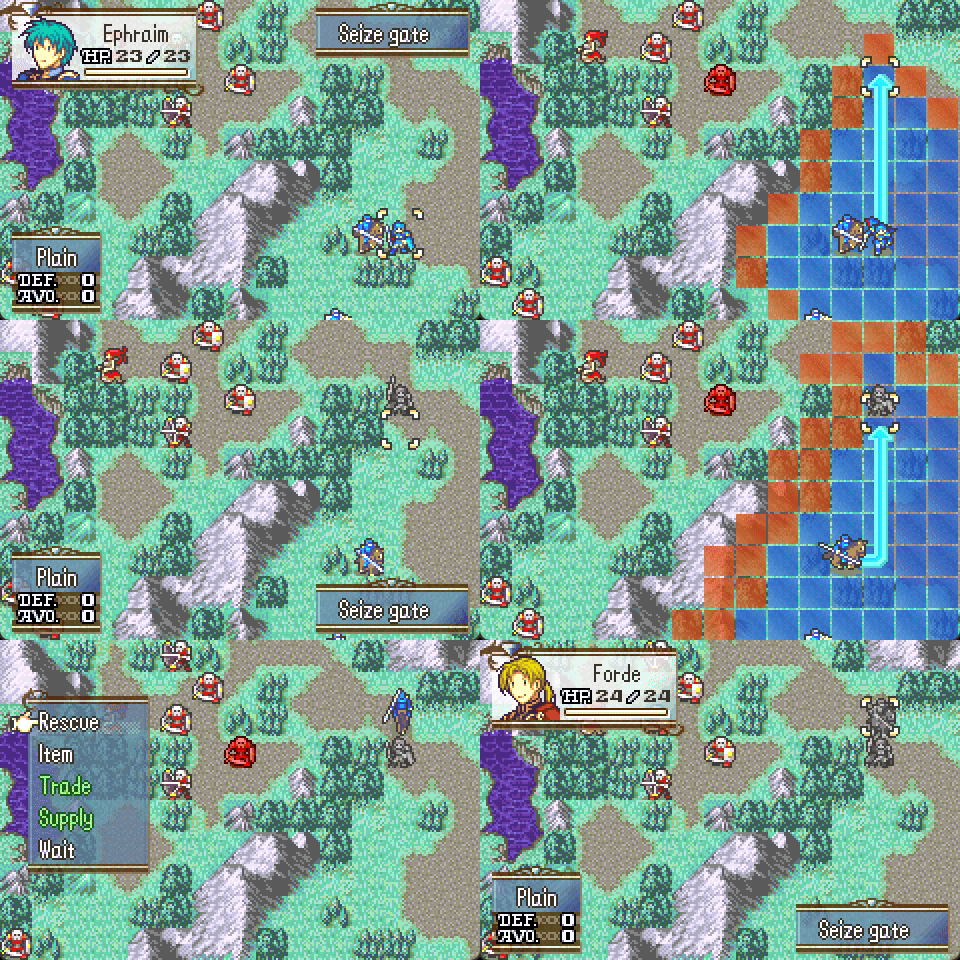
Sorry I didn’t believe you initially - in my testing environment there was no lag, so I figured you were performing actions quicker than it could keep up.
Here I press L and A immediately after selecting Wait with Ephraim, and the lag is visible. There’s nothing I can really do about this lag, but thankfully most players don’t always press L and A after each action.
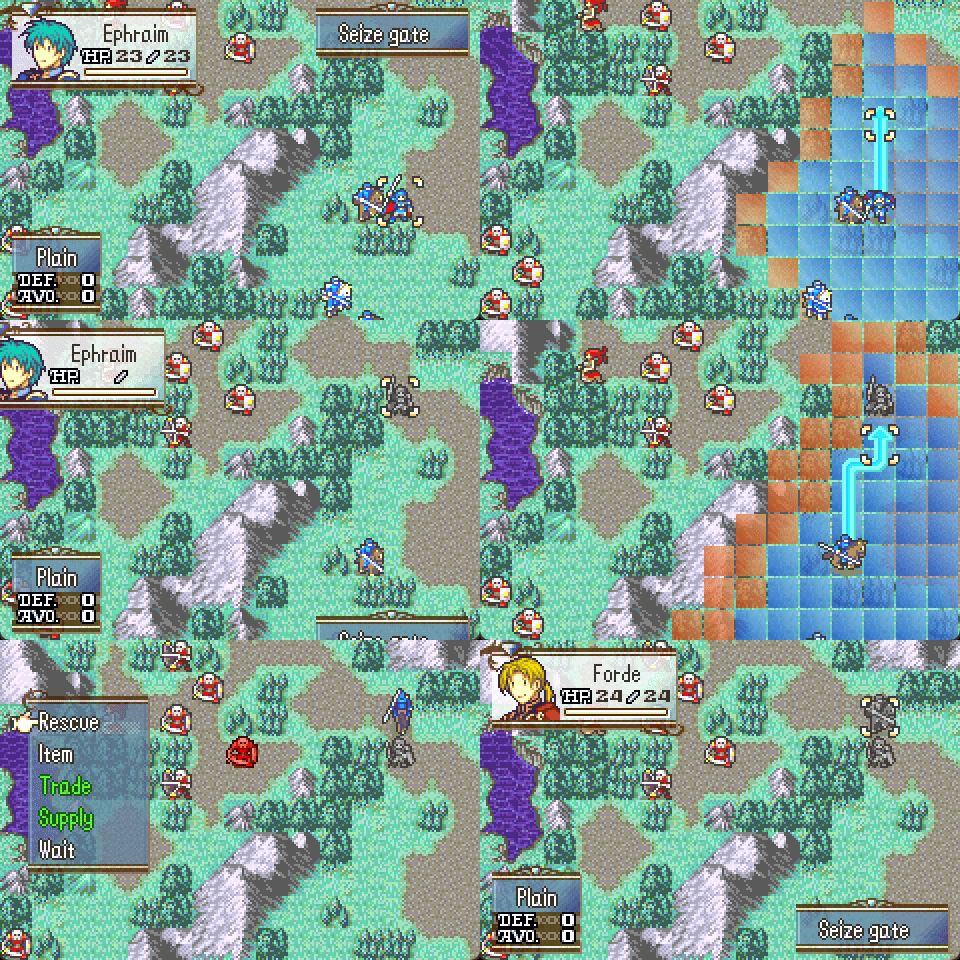
(And this lag is dependent on the number of enemies / complexity of the map, so quickly pressing L and A will often be less laggy than this.)
5 Likes
Walk Calc Loop
-
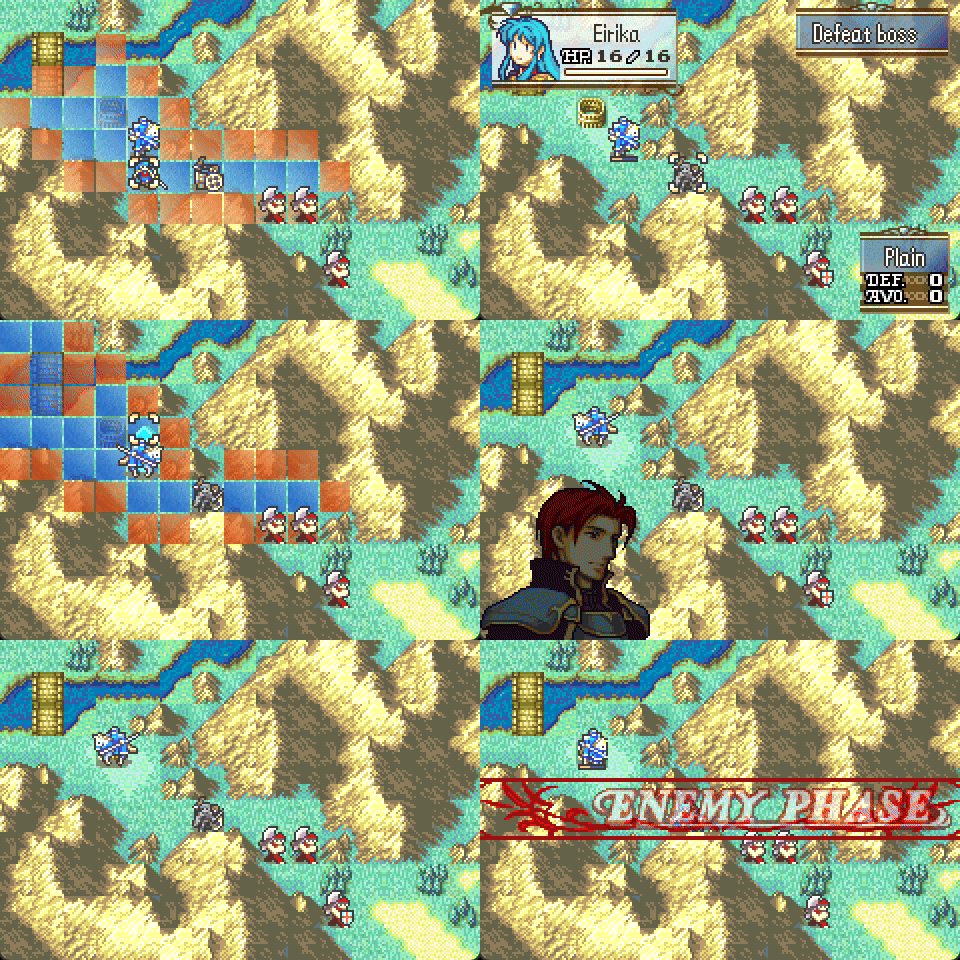
Interrupt movement when passing through certain terrain or traps:
-
Run range events when passing through certain terrain or traps:
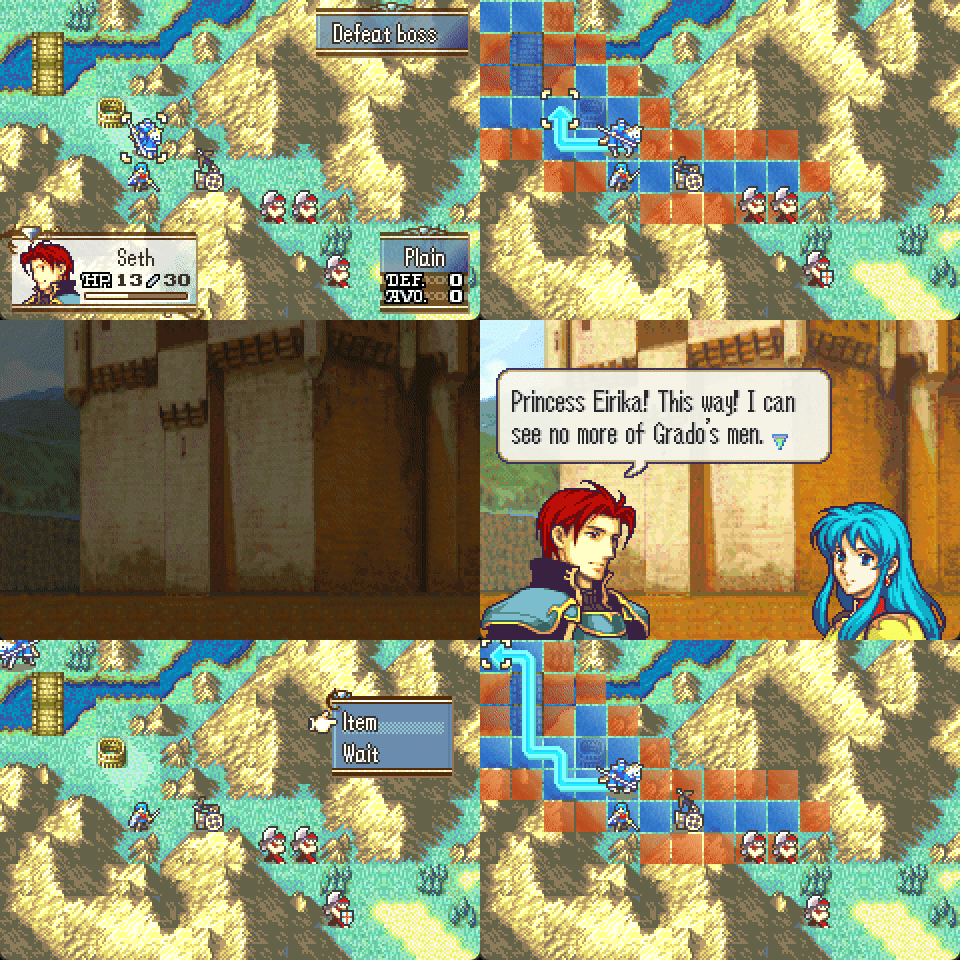
These range events should have a completion flag, as passing through a large range event area can trigger the event multiple times.
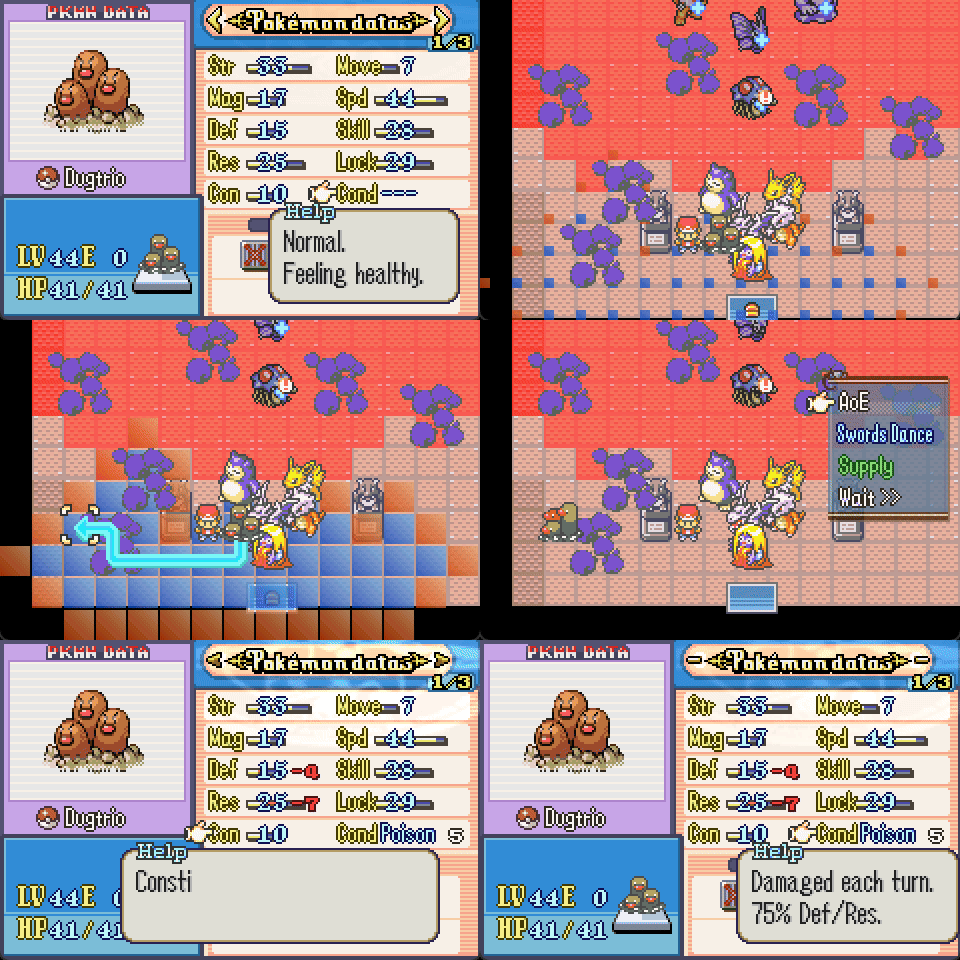
If you have the Less Annoying Fog patch by Leonarth installed, then the unit menu will open when you’re interrupted.
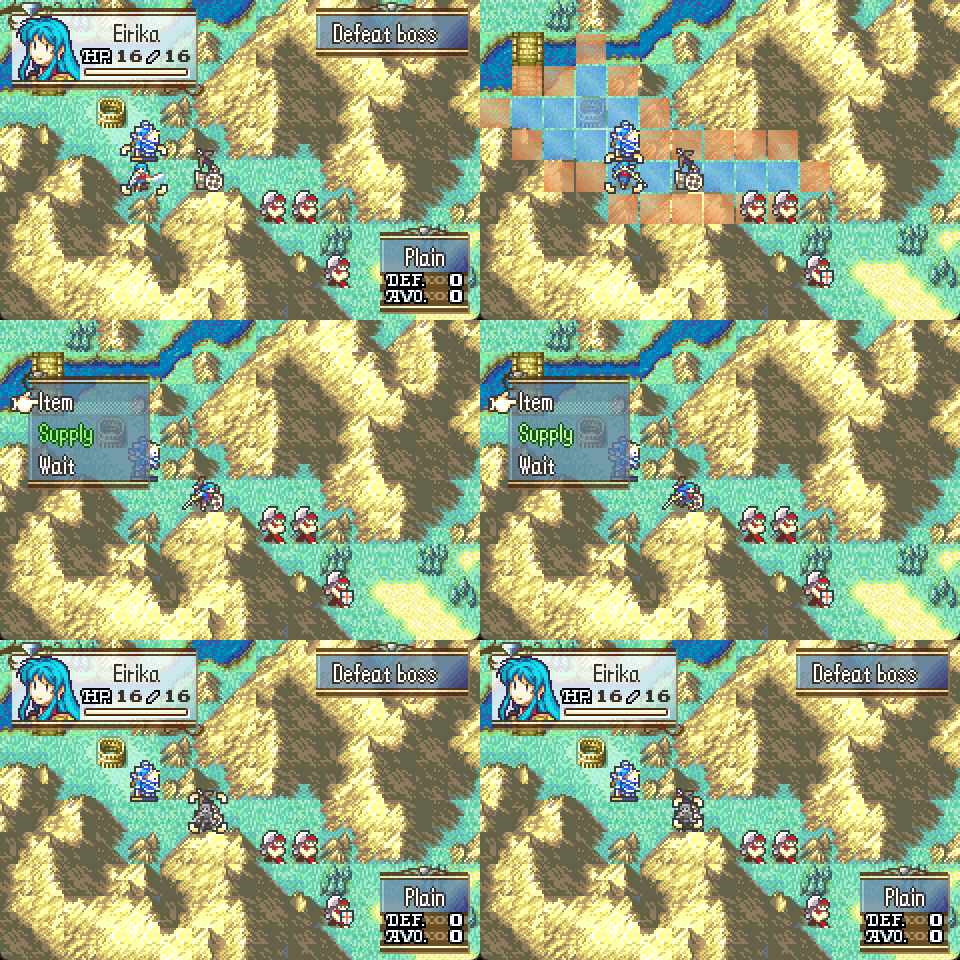
If the PreventGoingBack config is true, then you can’t go back to the start of your unit’s action by pressing B if you triggered a range event by passing through it. (The menu only opens if you have the Less Annoying Fog patch.)
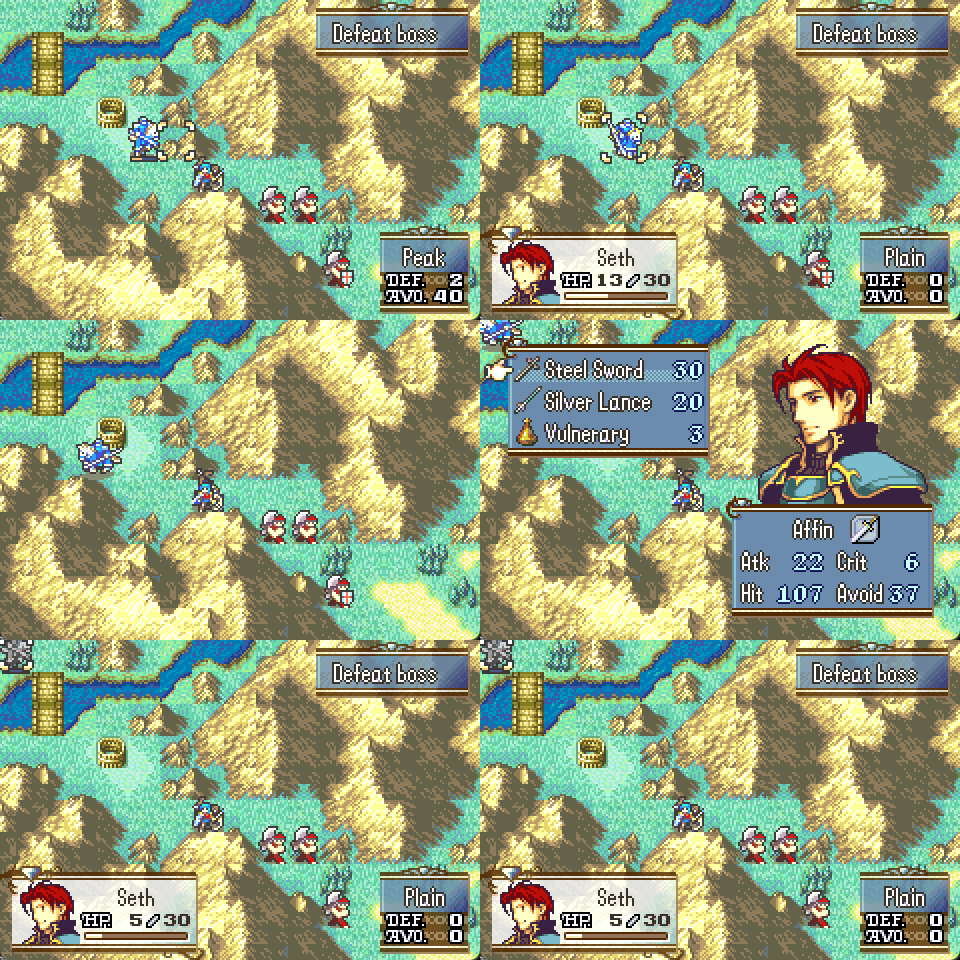
Not all event commands will work while units are moving. For example, the self damage poison patch looks like this when called this way:
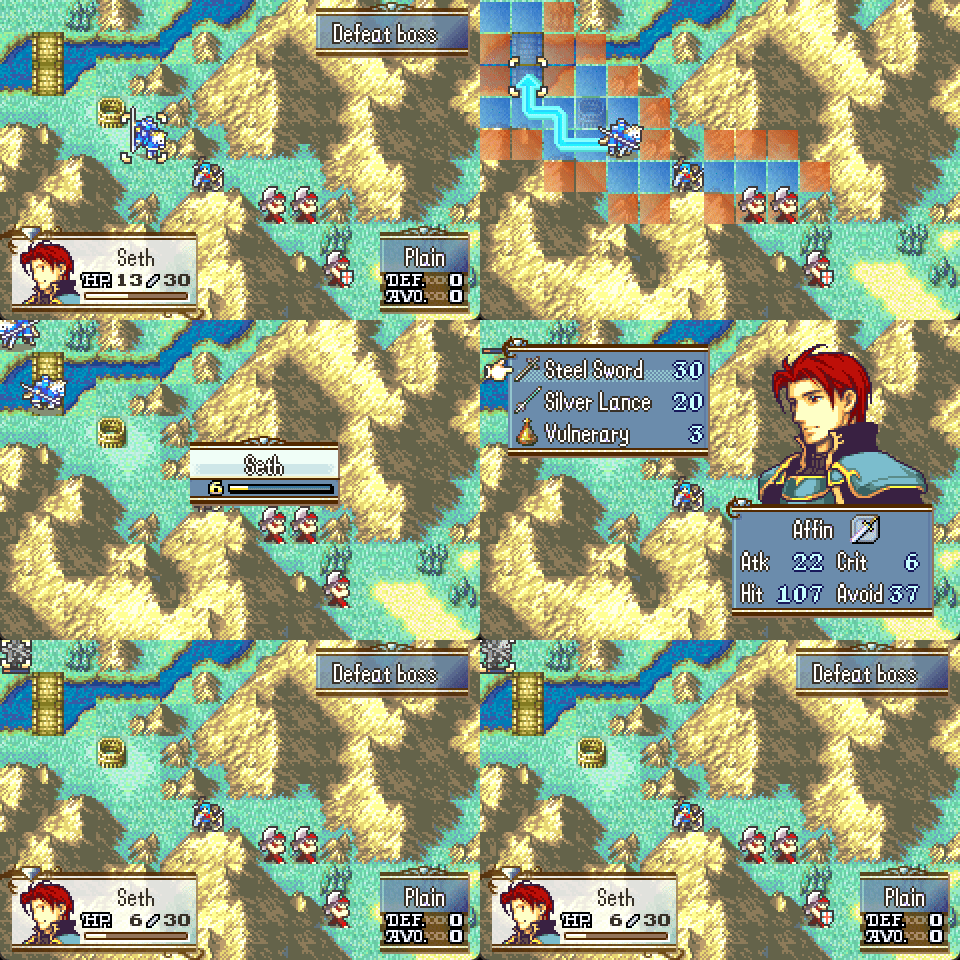
Even though it has some limitations, I think it could be useful for some event spaghetti 
19 Likes
Hi there Vesly! Just to confirm if I’m doing it right, when implementing the Stat / Class Expansion patch for FE7, opening ‘Installer.event’ there’s a line called ‘#define statCap 60’.
In this case you would simply change it from 60 to 30, so it has the same caps as vanilla?
2 Likes
Yeah, then the purpose of it would be just to expand the number of classes.
3 Likes
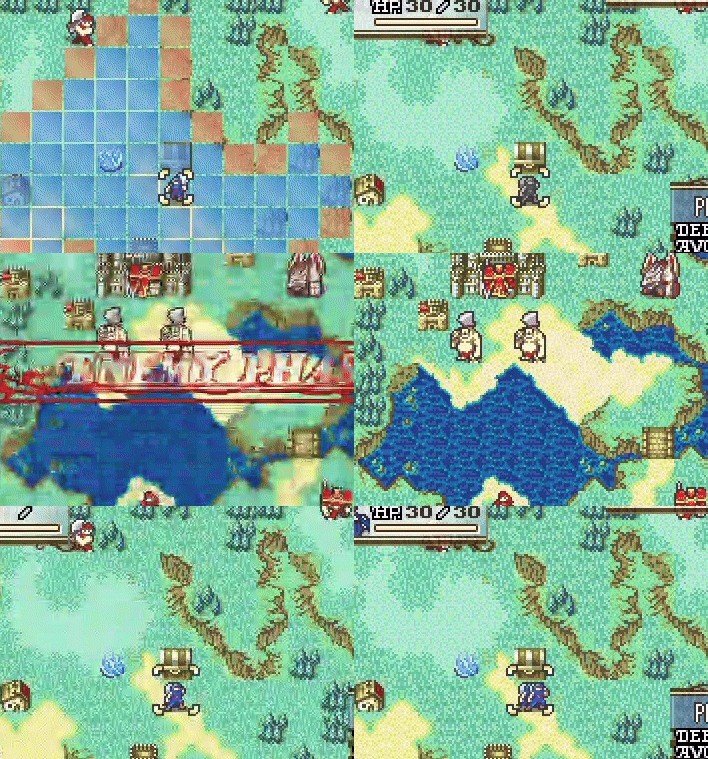
I found another Danger Bones related bug:
5 Likes
Woah, it’s like afterimages
1 Like
I spent a long time trying to make AoE and Danger Bones use the same palette, but I can’t seem to get that to work without issues, so instead, I’ve changed the palette id for danger bones.
Here’s a summary of the sprite palettes when showing the map:
MMB interface & Myrrh's transformation map sprite: 8
Transformed Myrrh when attacked: 9
Flames weather / AoE damage numbers: 10
LightRune / LinkArena / AoE anims: 11
BlueSMS: 12
RedSMS: 13
GreenSMS: 14
GreySMS: 15
I’ve made the default palette ID for danger bones as 9 now. Danger Bones is off on enemy phase anyway, so the only impact might be if you have enemy Myrrh manaketes:
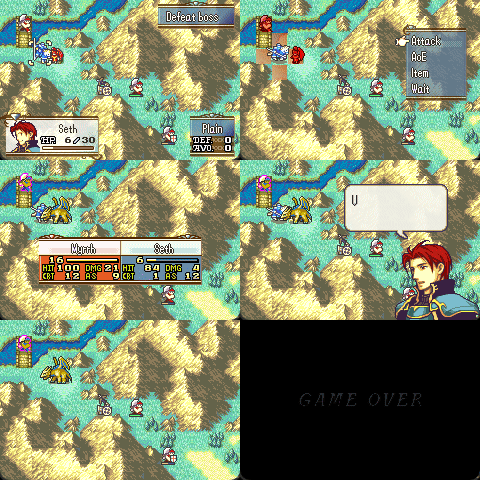
(The fighter above Seth has the wrong palette during the battle. This seems to be the least disruptive option, but users can choose an alternative id if desired by changing DB_Pal_ID in the installer.)
Now that I’ve changed the palette ID used, the conflicts with AoE are no longer an issue, and I can remove RefreshUnitSprites that was causing after-image problems.
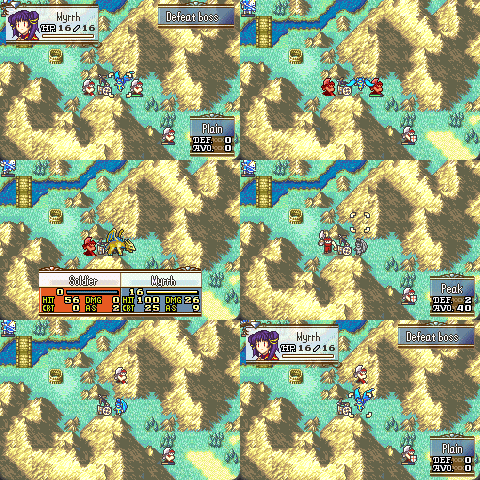
Thanks for your help with finding these issues, @Someone.
3 Likes
Crossposting my avatar / my unit hack to make it easy to find in the future. If you wish to post about it, please do so on that thread.
Additionally, I want to explain some changes to my Replace Text hack.
It’s now been moved into the Avatar folder, although each can be installed without the other.
It now only searches for text starting with < to avoid lag, unless you change ControlCodesStartWithBracket to 0. I don’t recommend this. The default setup is for some common pronouns to go with the avatar hack.
But I’ve now also added these codes to make conditional dialogue easier:
<ifFlagXXX><endif> // replace XXX with flag e.g. 0B0 is casual mode
<ifAliveXX><endif> // replace XX for 01 for Eirika
<ifDeadXX><endif>
<ifMissingXX><endif>
This functionality already exists in the event engine, but doing so is an inconvenience:

<ifFlag01>[OpenMidRight]Flag 1 is on...[A]
<ifMissing03>[OpenMidRight]Gilliam is unrecruited...[A]<endif><endif>
<ifAlive03>[OpenMidRight]Gilliam is alive...[A]<endif>
<ifDead03>[OpenMidRight]Gilliam is dead...[A]<endif>
Here I’ve nested the unrecruited line to only show up if flag01 is also on.
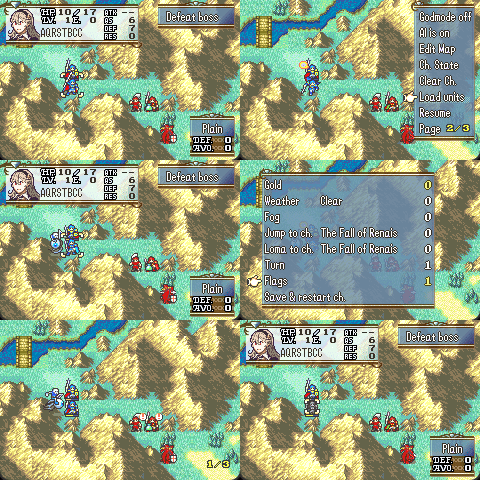
This is all the same conversation, it just varies based on units and flags. I think this makes conditional dialogue much more convenient to handle. Hope this helps 
I’m willing to add a few more conditional <if_> codes if anyone has some suggestions, as long as they are simple enough to check.
8 Likes
Game Over New Game / Event
On game over, optionally show an event based on the chapter ID.
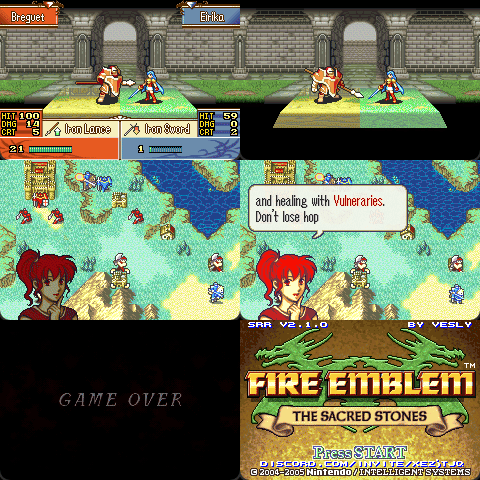
E.g. for hints, or to make fun of the player.
If #define StartNewGameOnGameOver is uncommented, it’ll wipe your saveslot and immediately start a new game (e.g. for roguelikes).
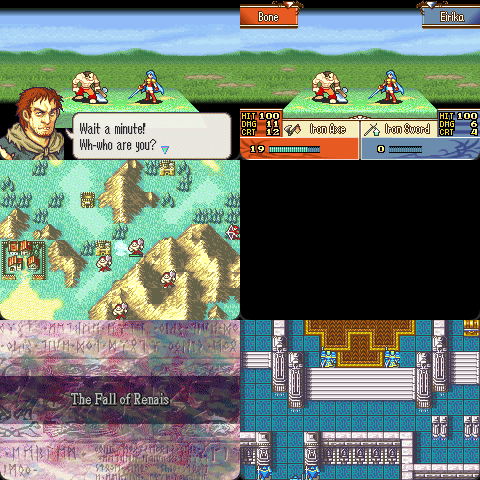
The new game has started already by the time the event displays, so you can send things over if desired. For example, the event could set global flags, add things to convoy, or reward gold. There are also some configs for whether to reset units, supply, and/or gold. That way you could make things carryover from one playthrough to the next. I hope to see something interesting made with these tools.
Edit: And here’s a version that just restarts the chapter:
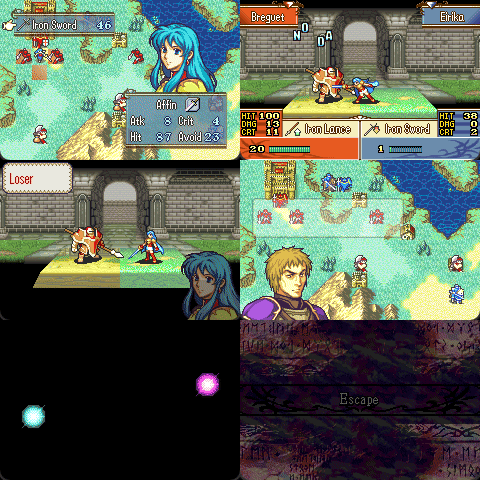
It’ll do this if RestartChapterOnGameOver is defined.
22 Likes
I’m having an issue with the Unit Expansion Patch, where a unit I sent away from the army with the REMU command shows up in the prep screen, until the player presses Select to bring up the unit list, where they then disappear. Is this a known problem, and if it is, is there a way to fix it?
Ingame Sponsors
Includes Paid Promotion
Have you been looking for a way to monetize your hack? Look no further, as I have an exclusive partnership offer for YOU! Simply install this patch on your project, and for every 1000 downloads, you’ll earn real money!
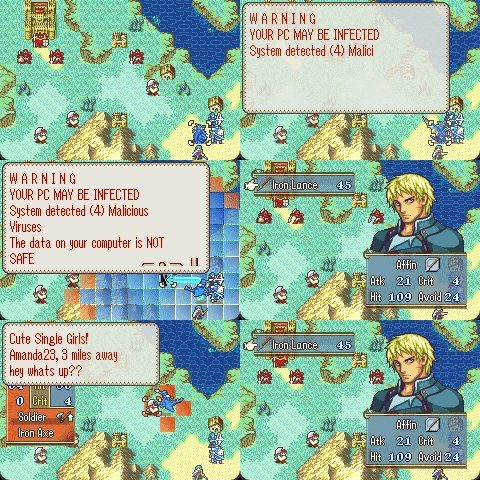
These ads provide content personalized to your playerbase, and are completely non-intrusive.
Download
Thank you to Raid Shadow Legends, Manscaped, Raycons, Displate, Nord VPN, Skill Share, and Factor for sponsoring this patch.
18 Likes
gimme money
I’ve been thinking about adding the revival mechanic to a hack that I’m about to start development of. Am I able to prevent the extra turn on revive? (also in general the fe8 patches here work if I’m working in Buildfiles instead of FEBuilder right?)