SageMatthis's Palace

This is where I will put any assets that I make.
These are free to use and modify with appropriate credits.
Acceptable credits include: “SageMatthis”, “EgalLau37”, or “SageMatthis/EgalLau37”.

These are for FE7.
ASM:
I wrote all of these from scratch (unless otherwise specified).
A set of instructions for how to use these is included in the download.
Download link

Extra character info page

This adds an extra page to the unit R-menu. This is similar to “Personal Info Page” by Runa (Runa Does an ASM).
The differences are that this version has an extra line for “Affiliation”, also allows for a quote, and has built-in conditions for faction and flags. The page also is always displayed but will display blank information for units without any texts assigned to it.

Expanded weapon abilities

This changes how the game interprets various weapon abilities (bytes 0x8~0xB, 0x1F) and splits various abilities into different flags.
The following is a break-down of weapon abilities with this installed; a “->” denotes a change from original to new:

field 1:
01 - equippable
02 - magic
04 - staff
08 - unbreakable
10 - unsellable/undroppable → unsellable
20 - brave
40 - magic weapon/no weapon EXP
80 - uncounterable/force long-range/decrement durability on miss → uncounterable

field 2:
01 - reverse triangle/double triangle effects → reverse triangle
02 - disable hammerne
04 - manakete lock/do not display stats
08 - weapon lock → cannot drop
10 - myrmidon-swordmaster lock → unused
20 - prf
40 - negate fly effectiveness
80 - negate criticals

field 3:
01 - unuseable
02 - negate def/res
04 - eliwood lock → nosferatu
08 - hector lock → eclipse
10 - lyn lock → apocalypse
20 - athos lock → devil
40 - unknown/unused → imhullu
80 - unknown/unused → starlight

field 4:
01 - unknown/unused → ignore triangle
02 - unknown/unused → double triangle effects
04 - unknown/unused → cannot critical
08 - unknown/unused → cannot double
10 - unknown/unused → cannot be doubled
20 - unknown/unused → force short-range
40 - unknown/unused → force long-range
80 - unknown/unused → decrement durability on miss

Byte 0x1F is now only used for determining whether the weapon inflicts poison.
If both Apocalypse and Eclipse are enabled, damage dealt will be equal to the target’s current HP.

Custom army status

This command is called “Fortune” in battle preparations by default.
This hack makes the “Reading” and “Rank” sub-menu commands read from a table rather than checking a specific portrait ID in chapter data. The Lyn-mode restriction has also been removed.

Force ranged animation

This hack changes the hardcoding for forcing ranged animation to instead read from a list of weapons that should force a unit to use ranged animations, even at 1-range.

Weapon type override

This hack changes the hardcoding for specific weapons to use a different weapon type depending on the range (Light brand is Light at range but Sword at melee) to instead read from a table to determine whether a weapon should use a different type, when this alternate typing should be used, and what type of damage should be dealt (magical versus physical).

Negate special effects

This changes character ability 0x8 at field 4 to “negate Luna, Eclipse, and Apocalypse”. Requires the expanded weapon abilities to work in its current form. Luna will not set target def/res to 0, and Eclipse and Apocalypse will deal damage as if they were standard weapons.

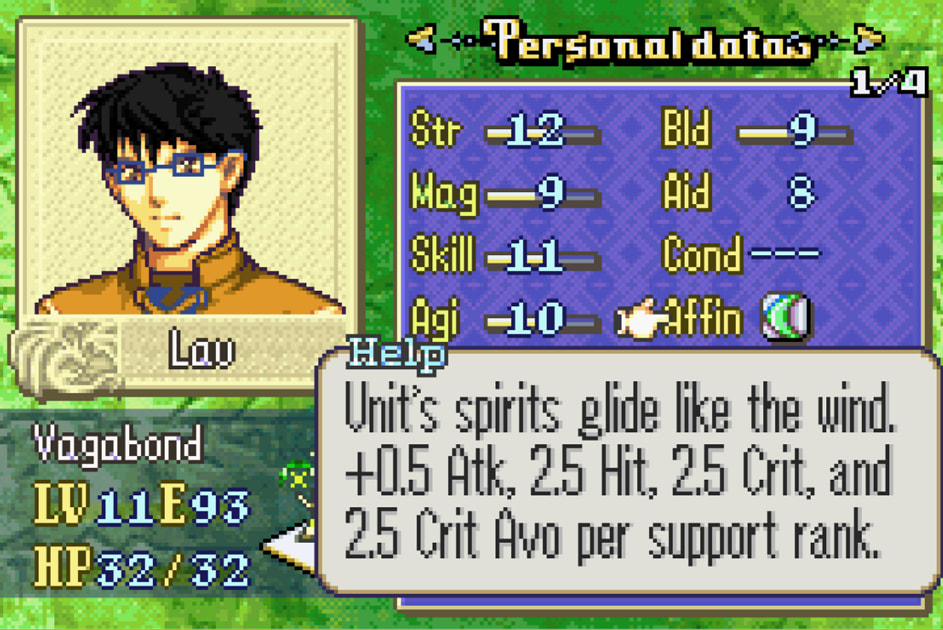
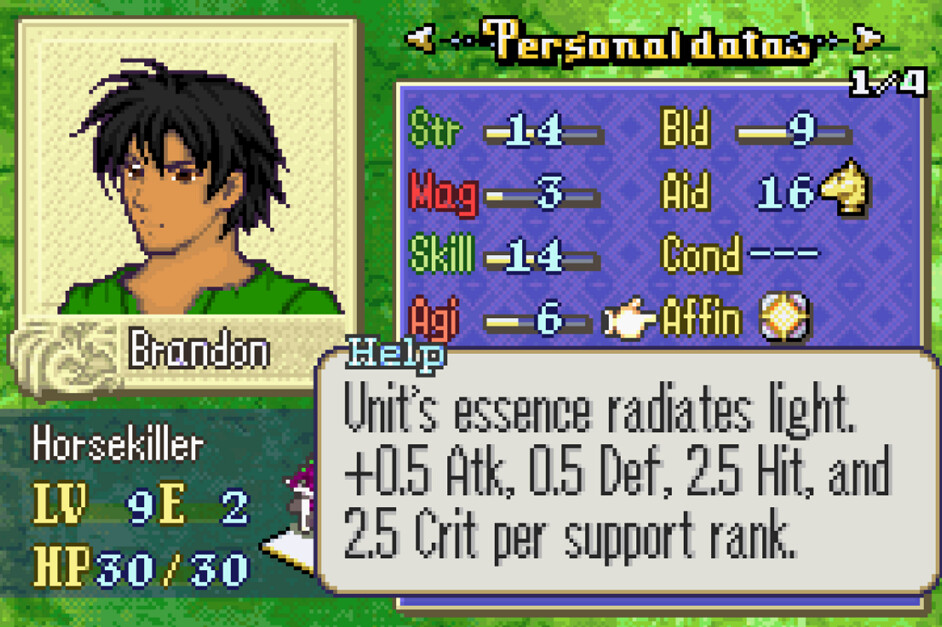
Per affinity texts

This hack adds a routine to the R-button help description for affinity. Each affinity will instead display a different text ID rather than a generic help description.

AI cannot steal

This hack adds an extra check to the AI steal check. If flag 0x80 in AI4 is set, the AI unit will not steal. Useful for bosses that have the steal ability that are intended to guard a specific tile.

Casual mode option

This hack adds coding for a menu option for casual mode. A hack that adds casual mode is required for this menu option to have any gameplay effect. The option ID is 0x10.

Unit conditional texts

This hack adds code to allow a unit to display an alternate name and description if certain conditions are met. If a text ID is not specified, the default text ID will be used instead.
Conditions include: chapter ID, faction, class, mode, flags, and allows use of a custom ASM check routine.

Custom level cap

This hack makes the level cap be based on a table on a per-class basis. I recall seeing this hack somewhere many years ago but decided to just write my own. It should function the same as that one.

Custom unit palettes

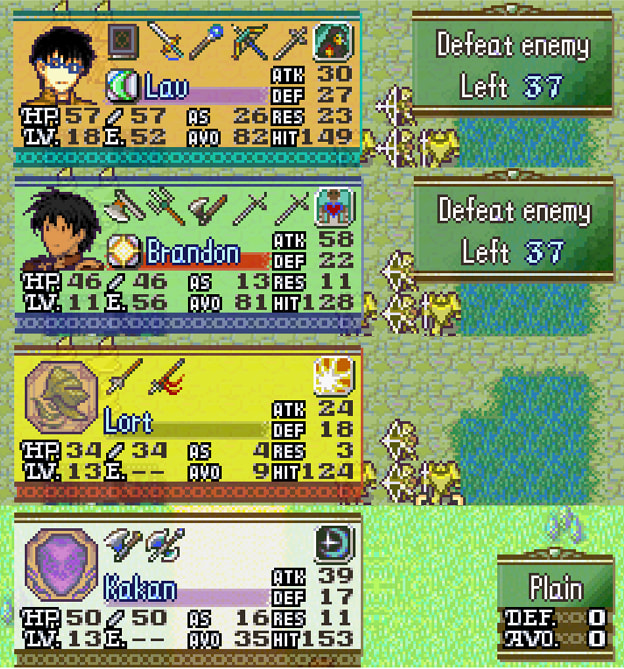
This hack adds code to allow unique palettes for specific units, including palettes for map sprites, HP boxes, map battle stats, and battle forecast. I recall seeing something similar years ago, and the idea for this hack came from that. Not sure if this is the original one I saw, but the filenames look fairly similar to what I saw in the past: Spooky ASM .
The differences include optional conditionals for each palette and the ability to assign an already-existing map sprite palette as a custom sprite color to avoid using the extra map sprite palette if that unit should just use the default map sprite palette for its faction.
Another tweak/fix included with this hack is that Wall/Snag uses the other/fourth palette for map battle stats instead of the player/ally palette.
Conditions include: faction, flag, and allows for custom ASM check routine.

Custom army commander

This hack allows specification of a unit to be designated as the army commander on a per-chapter basis. This affects the status screen and auto-cursor.

Summary

[This text will be hidden]
Tequila fixed the cloud background with regards to the black box in the center and compatibility with HP bars for FE8: ([BUG] Mod: MAP HP Bars + Weather Condition 0x7). I have made an FE7 port of it:
CloudFixFE7.zip - Google Drive

These are for FE8.
ASM:

Invert evbit 0x7 behavior

This inverts the effects of the evbit 0x7 behavior. EVBIT_T 0x7 instead causes the game to fade after an event rather than prevent it.

In a clean FE8 ROM, write 0x40 at 0x592150.
ORG 0x592150 //inverts evbit 7 check
BYTE 0x40

For other effects, the following can be written:
ORG 0x592150
BYTE 0x41 //default value

ORG 0x592150
BYTE 0x45 //always fades, regardless of value

ORG 0x592150
BYTE 0x40
ORG 0x592154
BYTE 0xD //never fades, regardless of value

Just copy-and paste one of the above blocks into a .txt file to insert with Event Assembler/Buildfiles or manually write the appropriate value(s) at the address(es) using a hex editor.

Expanded arena weapons list

By default, the arena weapon list only has up to three weapons per weapon type, with Light magic only having 2 entries and Dark magic having just one. Simply repointing will not successfully increase the number of weapons in the arena weapon list due to how the game copies the list to RAM, then reads from there instead. The following can be used to increase how many weapons are available for enemies in the arena.

PUSH
//FE8 expanded arena weapon list
ORG 0x3181C
BYTE 0x9 //highest weapon ID for weapons (09 = item)

ORG 0x31830
BYTE 0x6 //number of weapon upgrades permissible, default 4

//number of arena weapons to copy, = 1+0x8*(weapons per type+1)
//[terminator]+[number of weapon types]*(weapons per type + [separator])
ORG 0x31BCC
BYTE 0x29 //(0x4+0x1)*0x8+1 = 0x29

ORG 0x31BD8
POIN ArenaWeaponList
ORG 0x31BC2
SHORT 0xB090
ORG 0x31C08
SHORT 0xB010
POP

PUSH
//FE7 expanded arena weapon list
ORG 0x2EA28 //highest weapon ID for weapons (09 = items)
BYTE 0x9

ORG 0x2EA3C
BYTE 0x6 //number of weapon upgrades permissible, default 4

//number of arena weapons to copy, = 1+0x8*(weapons per type+1)
//[terminator]+[number of weapon types]*(weapons per type + [separator])
ORG 0x2EDD0
BYTE 0x29 //(0x4+0x1)*0x8+1 = 0x29

ORG 0x2EDDC
POIN ArenaWeaponList
ORG 0x2EDC6
SHORT 0xB090
ORG 0x2EE0A
SHORT 0xB010

POP

Changing the code to just read from the actual table rather than the copied table might also work, though I have yet to test that.

21 Likes

I recall some years ago seeing this:

At that time, I did not have a need of it(or saw it was FE8 only), so I simply kept it in memory without saving the direct link. I now have need of it and searched for it but realized that this was for FE8. Another search did not yield an FE7 version.
Thus, I downloaded it and tweaked the values so that it works for FE7:


This is an FE7 port of the FE8 cloud fix by Tequila that also implements the adjusted skybox to fill in the void in the center.

Download link:

☼☼☼

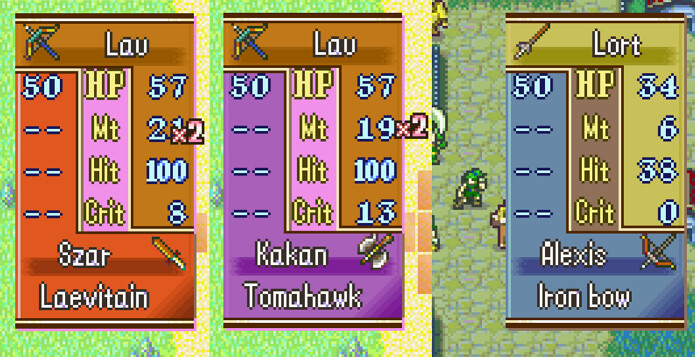
I noticed an oversight in my expanded weapon abilities code; the cannot critical flag only changed the non-combat critical display to 0 but failed to actually set the critical rate to 0 for combat calculations and combat itself. The patch link has been updated.


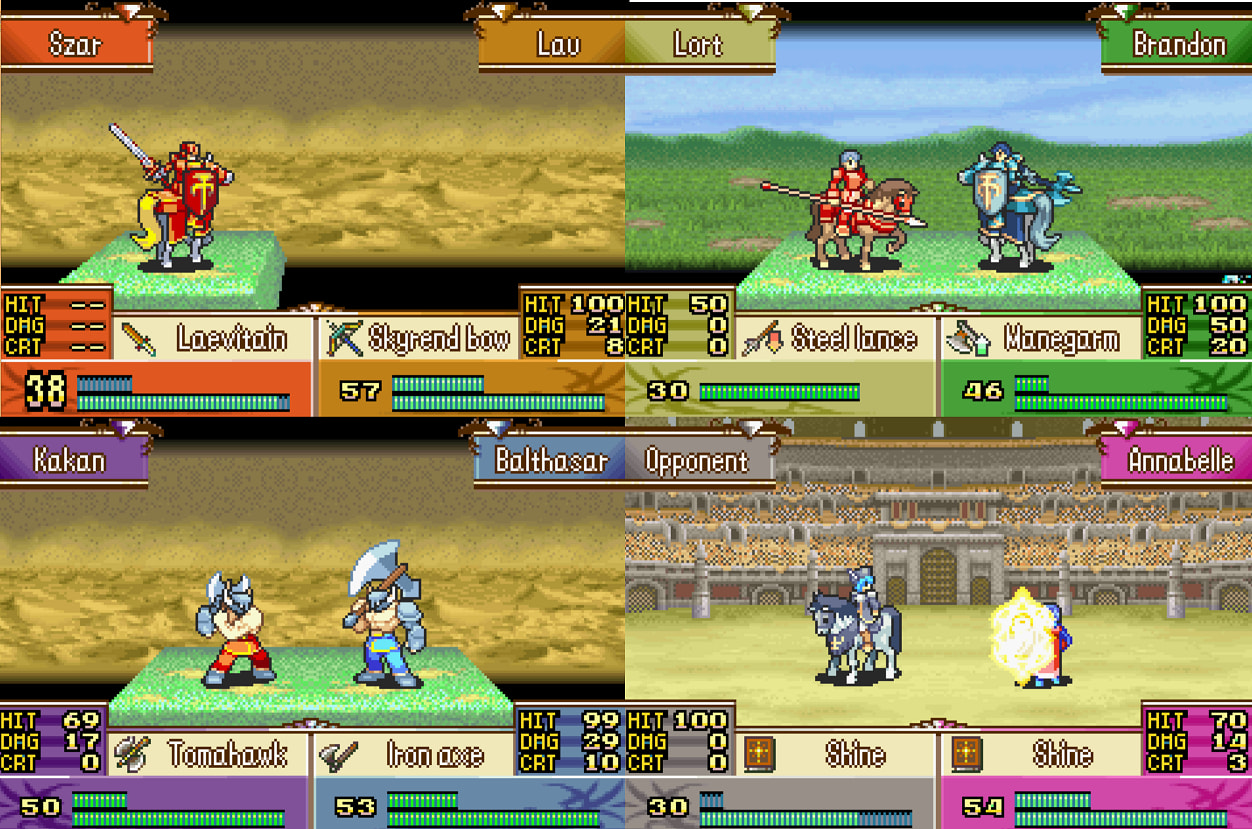
An additional parameter option has also been added with regards to the expanded weapon abilities. For the “Uncounterable” flag, there is now a toggle to choose between three options: vanilla, attackerOnly, and defenderOnly.
Vanilla leaves the uncounterable flag as it appears by default where if either attacker or defender are equipped with a weapon with “Uncounterable”, counters are disabled for that battle.

attackerOnly changes it so that only the wielder cannot be countered if its currently equipped weapon has “Uncounterable”.
Example:
Lau (Xhonzeir) vs. Albert (Tonobogiri [“uncounterable”])
If I initiate an attack against Albert, he can counter back during this attack.
However, when Albert initiates an attack against me during the enemy turn, I am unable to counter him in that attack:

defenderOnly prevents the one equipped with “Uncounterable” from countering.

A bug I noticed with the expanded weapon abilities is that all weapons always decremented durability, even on miss, regardless of what ability flags an item had. This has been fixed.

7 Likes

Nice for some reason I just stumbled on this today

EVBIT_T 0x7
ENDA

A search around this area did not yield what I sought, so I set out to change it on my own.

In FE8, evbit 0x7 dictates whether the game should automatically fade in and out after an event plays. If true, the fade occurs. If false, the fade does not occur.
This always bugged me, and while the simple solution was to just add “EVBIT_T 0x7” at the end of every event (there might be a macro already in common use that combines them, but I have only scratched the surface of FE8 eventing, and that was many years ago) or write a macro to do so, and this still bugged me.
Rather than live with having to always set evbit 0x7 to true, I decided to find a way to invert its effects such that the fade does not occur by default and must be toggled on to do the fading.

After spending several hours over the course of two sessions with a several year split in-between, I found the solution.

In a clean FE8 ROM, write 0x40 at 0x592150.
ORG 0x592150 //inverts evbit 7 check
BYTE 0x40

For other effects, the following can be written:
ORG 0x592150
BYTE 0x41 //default value

ORG 0x592150
BYTE 0x45 //always fades, regardless of value

ORG 0x592150
BYTE 0x40
ORG 0x592154
BYTE 0xD //never fades, regardless of value

Just copy-and paste one of the above blocks into a .txt file to insert with Event Assembler/Buildfiles or manually write the appropriate value(s) at the address(es) using a hex editor.

2 Likes

Hey, question: Will you ever port Per affinity texts to FE8? I would love to use that.

Is there not an FE8 version already? Thought I saw one, but last time I checked was a couple years ago, so I could be mistaken. Would be both surprised and not surprised if one does not exist.

If there is not one, I should be able to make an FE8 version.

1 Like

I have tried searching myself, and couldn’t find it anywhere. I think your FE7 version is the only one.

Located the source of why I thought it already existed for FE8: there apparently are some texts in my local copy of the SkillSystems that contained descriptions for each affinity, though I am not sure what they are referenced by, and I am fairly certain I did not write them.

Regardless, I ported the FE7 version to FE8:

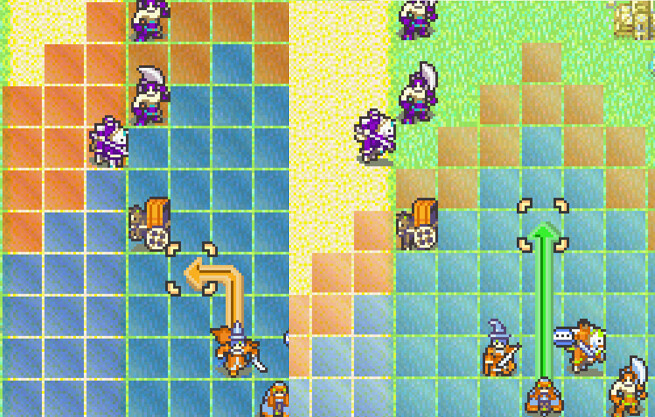
Something else I noticed is that apparently, the camera does not follow units during movement by default and is handled by EVBIT 0x9. Much like EVBIT 0x7, this default behavior annoyed me, so I found a way to invert its effect by default such that it must be toggled on to not follow units.

Include the following in a text file and insert with Event Assembler, or write the relevant values to the relevant addresses:

ORG 0xFCF0
SHORT 0x01D1
ORG 0xFCA2
SHORT 0x0CD1

An installer for toggling the EVBIT 0x9 and EVBIT 0x7 behavior is also included for easier installation.

These can be downloaded from my GitHub: Fire-Emblem/asm/FE8 at main · EgalLau37/Fire-Emblem · GitHub

Further instructions for use and installation are included in the relevant .txt files.

4 Likes

Awesome :sparkling_heart:

Some FE8-related ASM. Not sure if anything I made is duplicative with something that has already been made, but I will post them here anyway.

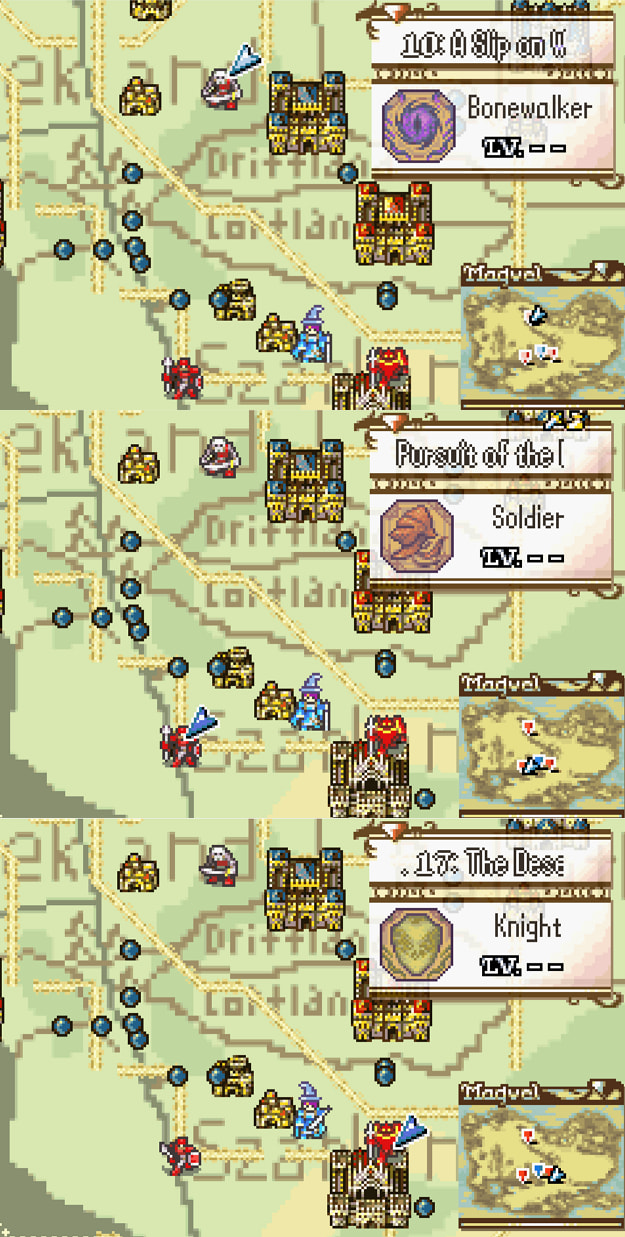
Worldmap-related:

Additional worldmap nodes/paths

This expands the number of worldmap nodes available on the worldmap, as well as the number of paths. Currently, the code allows for 0x27 worldmap nodes and roughly 0x30 paths.

This requires ExpandedModularSave to save the additional data for the worldmap nodes and paths.

Creature Campaign worldmap events

By default, worldmap events do not play during creature campaign. This changes it such that a specific worldmap event ID will play upon re-entering the worldmap, either from exiting a map or starting creature campaign itself. The default is set to 0x3A but can be configured to any other ID.

Table-based worldmap mini-portraits

By default, enemy units on the worldmap are hardcoded to use generic mini-portrait ID 0x4. This changes it such that the mini-portrait is based on the node, then the class ID. Useful if worldmap skirmish units are from different factions/alliances from one another.

Palette-related:

Custom unit palettes

Based on the FE7 version I originally wrote; also EA-compatible unlike the FE7 version.

Allows specifying unit palettes based on specified parameters.

Special palettes include: map sprite, HP minibox, battle forecast, battle screen, map battle stats, arrow path.

Parameters include: unit ID, class ID, faction allegiance, event flag, and a custom ASM check.

Also changes Snag/Wall to use fourth allegiance palettes instead of player faction palettes.

All ASM above available from my GitHub: Fire-Emblem/asm/FE8 at main · EgalLau37/Fire-Emblem · GitHub

Instructions for specific use are included in the text files. Otherwise, they are assembled using Event Assembler from the respective text files.

3 Likes

For world map nodes and paths, are the vanilla numbers in hex or decimal?

Which numbers are you referring to/The numbers located where?

1 Like

The vanilla values are 0x1C and 0x1F, respectively, as those are how many nodes/paths exist in vanilla.

Yes. But in yoir post you said the MAX values are 27 and 30.

I was asking for clarification. Whether these max values, 27 and 30, are in hex or decimal.

But now I assume it’s Hex. Right? Because 1c and 1f in hex are 28 and 31. Which would be over the max if you meant decimal.

He didn’t say 27 and 30. He said 0x27 and 0x30. That means hex.

1 Like

The new maximums are 0x27 and 0x44 for nodes and paths, hexadecimal.

The node maximum could probably theoretically be increased to 0x4F if someone needed that many, as long as there is enough space in save data for it. The current node/path quantities could also be shifted around as needed, as long as the sum of: “(nodes*2)+paths” does not exceed 0x94.

1 Like

Thank you! Sorry for the confusion on my part.

A few things I forgot to include here:

The fix for extended moving map sprites seems to still have some issues on the worldmap for 16x16 sized sprites (the sprites animate once, then freeze indefinitely) if their ID is greater than 0x7F. The following should fix that issue:

Worldmap sprite freeze fix

ORG 0x26978
BYTE 0x00 0x20

The cursor on the worldmap moves at a particular speed. This speed can generally be adjusted using below. Lower numbers are faster while higher numbers are slower. The default is 0x4.

Worldmap cursor speed

ORG 0xB940C
BYTE 0x4

The cursor on the worldmap is hardcoded to stop approximately one “cursor unit“ or a distance of roughly 0x1000+0x800 units from the edges of the map itself on both the x and y-axes in each direction. The following can be used to adjust how far or close from the edges the cursor is permitted:

Worldmap cursor edge adjustment

//x-coordinate
ORG 0xB94E6
//BYTE 0x03 0xDC 0x01 0x22 //min 1
BYTE 0x03 0xDA 0x00 0x22 //min 0
ORG 0xB9502
BYTE 0x12+1 0x28 0x00 0xDD 0x12+1 0x24 //max

//y-coordinate
ORG 0xB94FC
//BYTE 0x01 0xDC 0x01 0x24 //min 1
BYTE 0x01 0xDA 0x00 0x24 //min 0
ORG 0xB94F0
BYTE 0x1C+1 0x28 0x00 0xDD 0x1C+1 0x22 //max

A constant value is added to the base distance. The following can be used to adjust the base constant. Not sure the exact distance unit, might be pixels. 0x8 results in a shift of 0x800 plus the base cursor unit (cursor at “[1,1] will have a precise position of [0x1800, 0x1800]“).

ORG 0xB952C
BYTE 0x8 //y-constant
ORG 0xB9532
BYTE 0x8 //x-constant

The Link Arena uses chapter slot 0x3A. This value is hardcoded. It can be changed using the below:

Link arena chapter ID

ORG 0x496CE //link arena map ID, 0x3A default
BYTE 0x3A
ORG 0x496E8 //link arena chapter for map, 0x3A default
BYTE 0x3A

When randomizing levels for monsters, the maximum level is 20. This can be changed using the below:

Monster random level cap

//max level, monster level random-shift
ORG 0x78310
BYTE 30
ORG 0x78314
BYTE 30