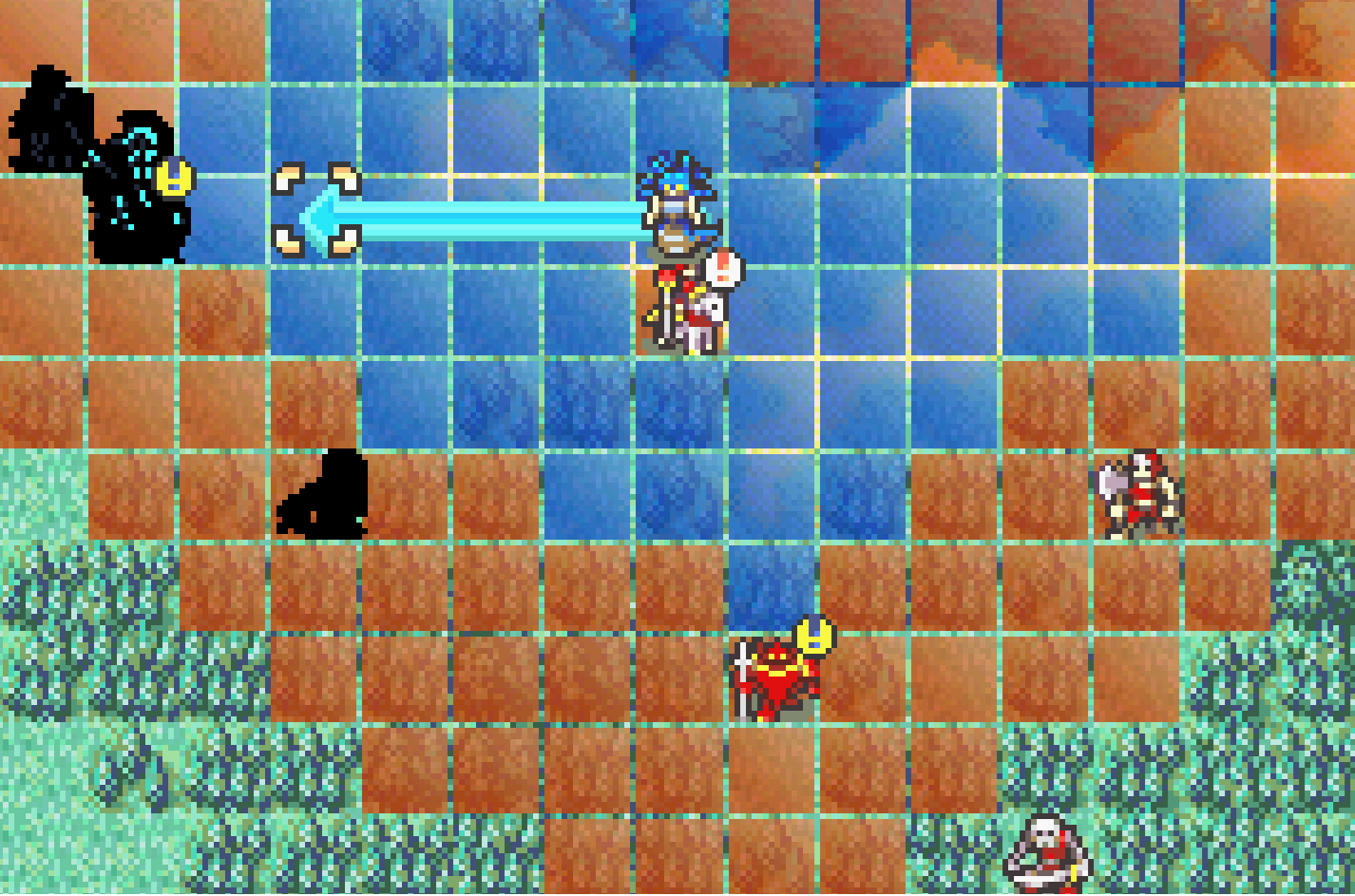
@Someone Fixed.
Before:
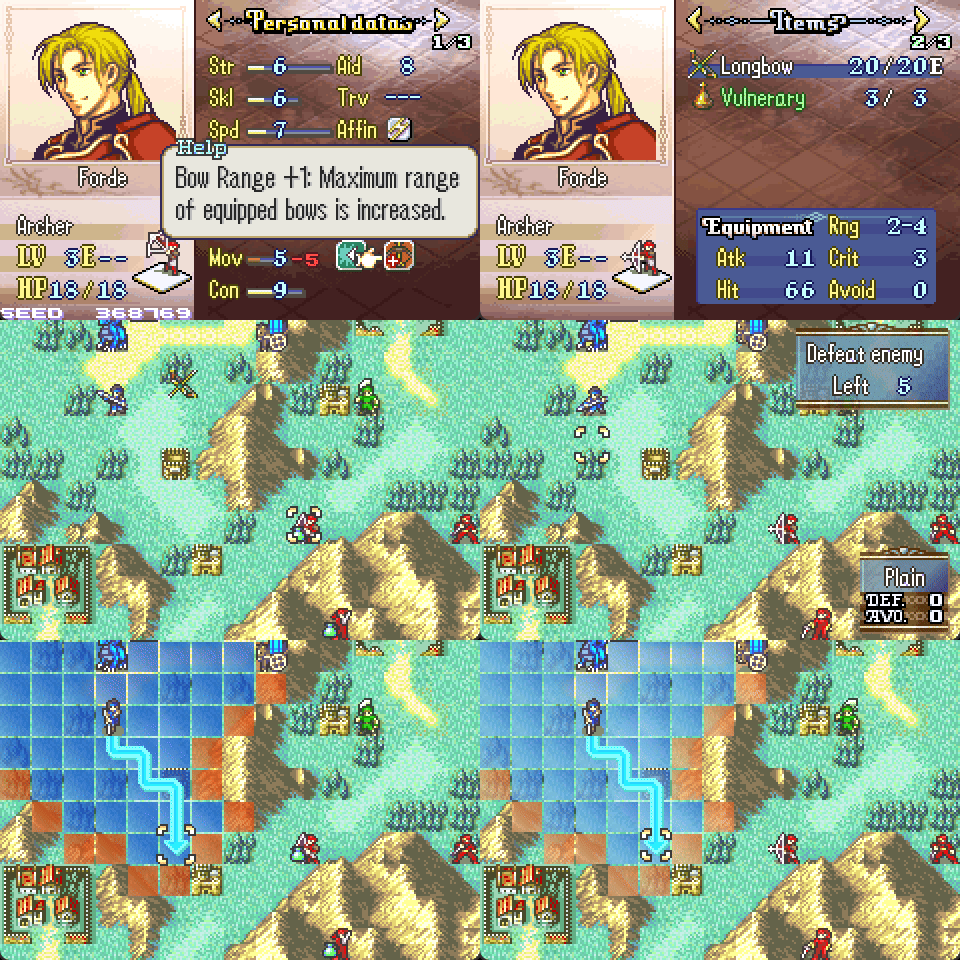
After:
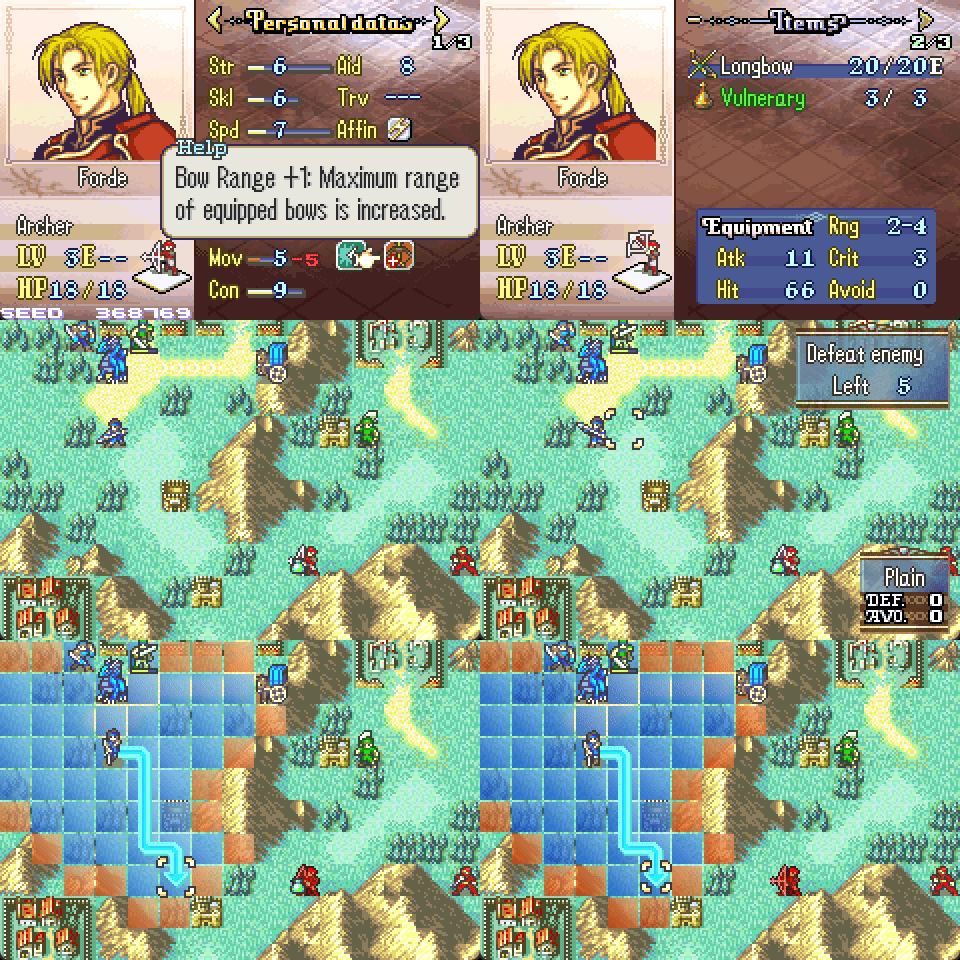
This issue was only on stationary enemies using non-vanilla weapon ranges. Let me know if you find anything else.
@Someone Fixed.
Before:
After:
This issue was only on stationary enemies using non-vanilla weapon ranges. Let me know if you find anything else.
Originally by 7743, I rewrote this in C.
(The purpose of this patch is to allow the player to speedup animations without disrupting BGM, as emulator speed up does.)
Ported to fe7:
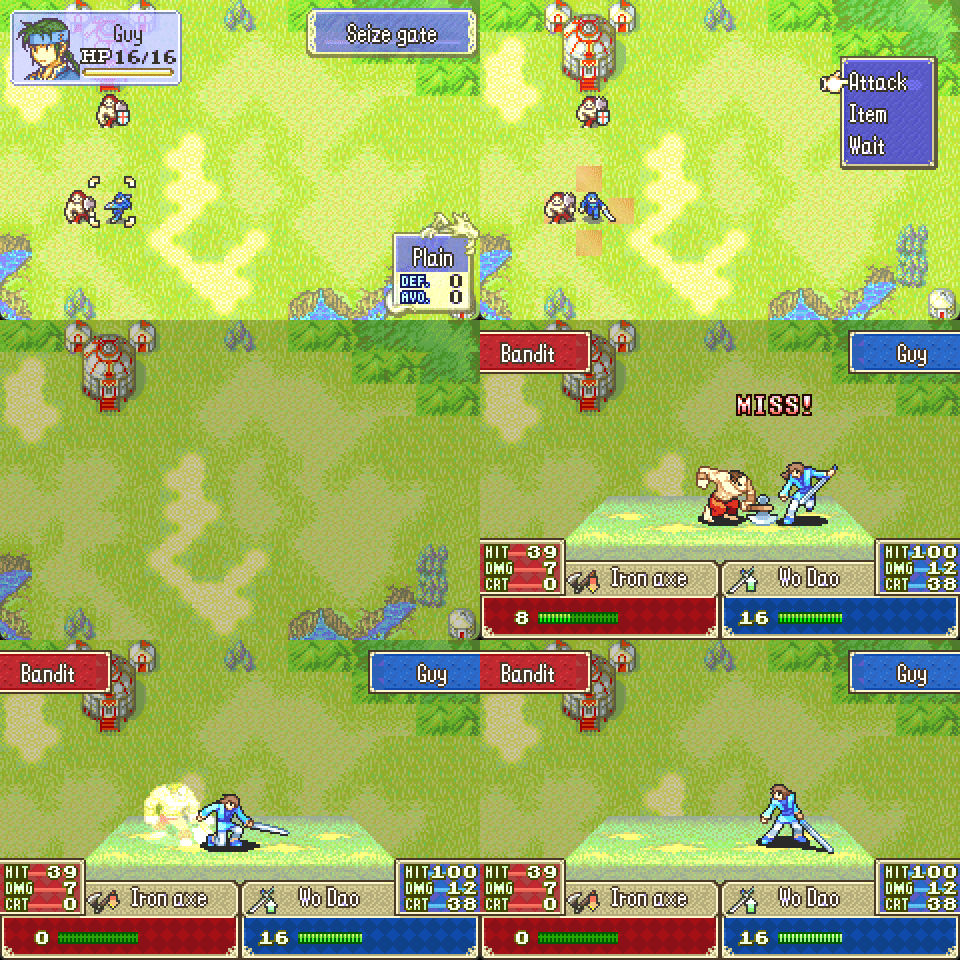
(I’m not holding down the button to speed up the animation the entire time.)
Ported to fe6:
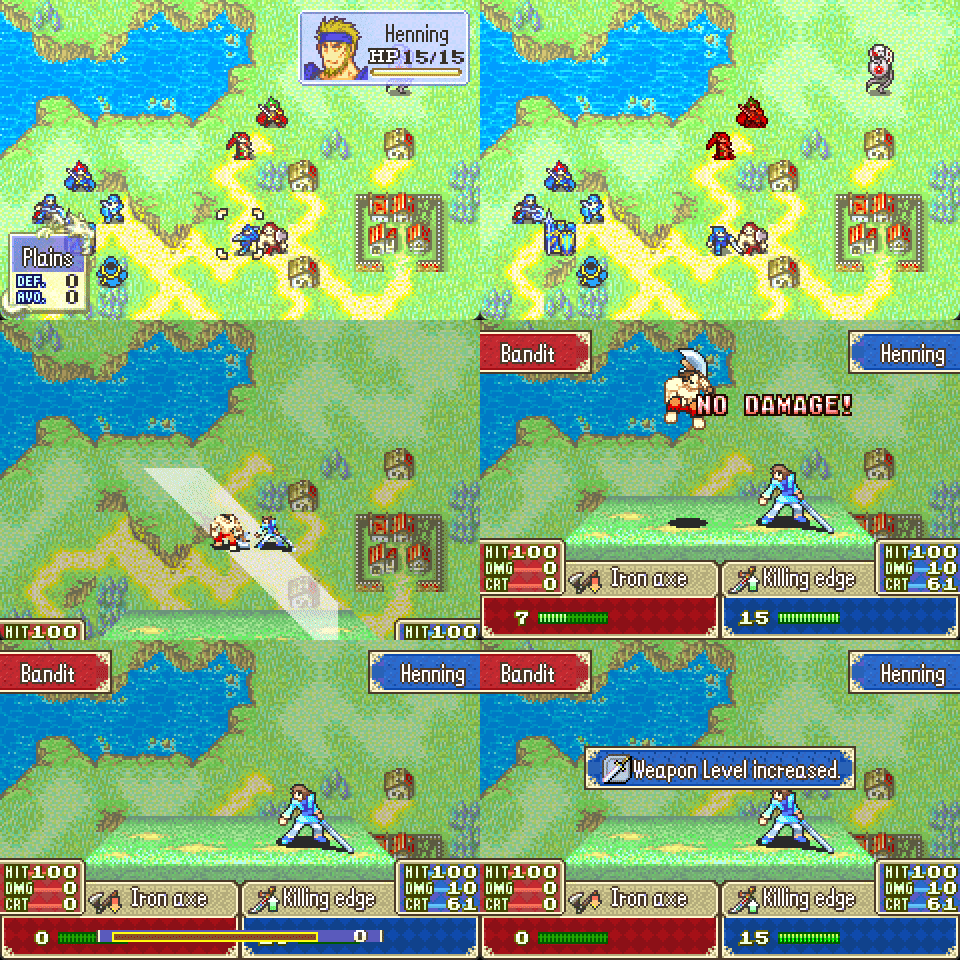
I also rewrote the Switch:Animation on / off with L button patch, originally by Aera, which I bundled with this.
The only thing I added to these was a global flag to have animations as player phase only, as well as a flag to always have battles sped up. They’re 0 by default, so you can choose your own flag if you want this functionality.
Context: I have installed both DangerBones and your Draw patch. One of my units recovered HP due to Renewal at the beginning of the turn… then this happened.
I believe what happened here is:
The best solution would be to edit the draw patch to not load that light rune palette, but instead I can just make danger bones reload the palette whenever you select a unit.
Edit: Should be fixed now 
Edit2: oops.. now fixed
You are awesome
Hey, sorry to be a bother, I downloaded the files from your github, in the same file format as you had them there. how exactly do i install them into a rom? I’m a novice to this haha
There’s a guide in the op @amrobbins
you sir, are def going to heaven someday
I was annoyed with how vanilla uses images for the credits sequence, so I made my own sequence.
Edit: new gif
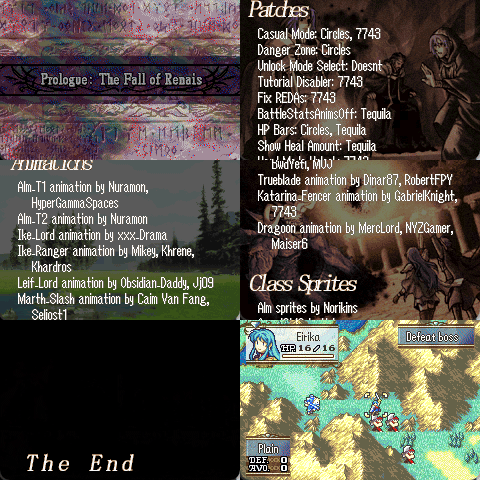
(Holding a button speeds it up.)
Everything is text, so it’s a lot easier to deal with than vanilla.
Note that headers can only be up to 16 letters.
It doesn’t have to be used for credits. It could also be used as a star wars styled intro to your world, I suppose.
The installer is a bit unintuitive.
Are you able to define specific background IDs? Or does it cycle at random?
Also, why not display the CGs instead of the backgrounds?
I kind of mentioned that in the Discord I’m surprised someone else was reading the same wavelengths it would make it more like the Fire Emblem 7 Lyn mode credits
Another thing to consider is. Does this overwrite the vanilla Credits sequence? If not, then I think it can have interesting use cases
I think it’s supposed to overwrite vanilla sequence
I’ve tidied it up a little so make it easier to understand.
Each entry in gCreditsData looks like this:
CreditsEntryBG(header, body, bgID, darkenAmount)
darkenAmount can be omitted to use the default. There’s also CreditsEntryCG.
If you want to use random backgrounds, you can put RandomBG for the bgID. You can define more numbers for your BGs / CGs if desired. E.g.
#define LyonStoneCG 2
If you want to keep the current BG/CG, use:
CreditsEntry(header, body)
No, this patch has no effect on your rom (except that it forcibly installs a fix to display more than 1 cg in events), and it adds an event command to start this credits sequence.
Grab the address for StartCreditsProc_ASMC from romname.event_assembler.sym after you use insert ea.
In my case, it’s: 09008A99 StartCreditsProc_ASMC.
Then in your events, use the ASMC command to start the credits sequence:
FADI 4 // slow fade to black (optional)
ASMC StartCreditsProc_ASMC
If you want a fade from the map to the credits sequence, use FADI beforehand:
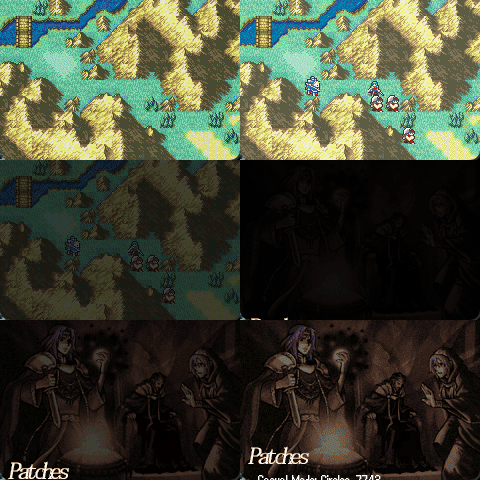
After calling the ASMC, it will be faded to black. You could set a background and display text, return to the map with CLEAN + FADU, or go directly to the title screen with MNTS.


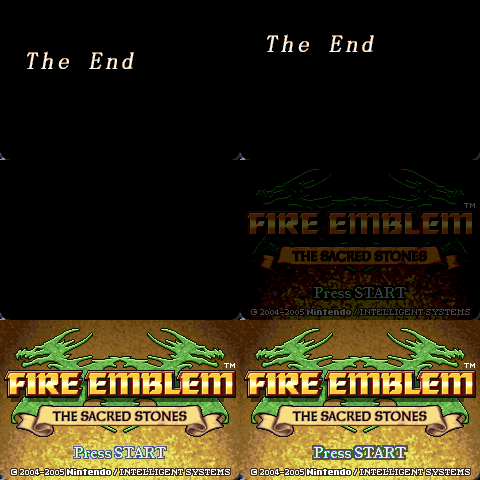
Could it faded into the character ending screen/ the turn completion screen(for hacks that have those)
Yes, you can go to whatever you like. I was just noting some possibilities after it finishes. It’s essentially the same as when you set a background in events - you just need to use CLEAN afterwards if you want to go back to the map.
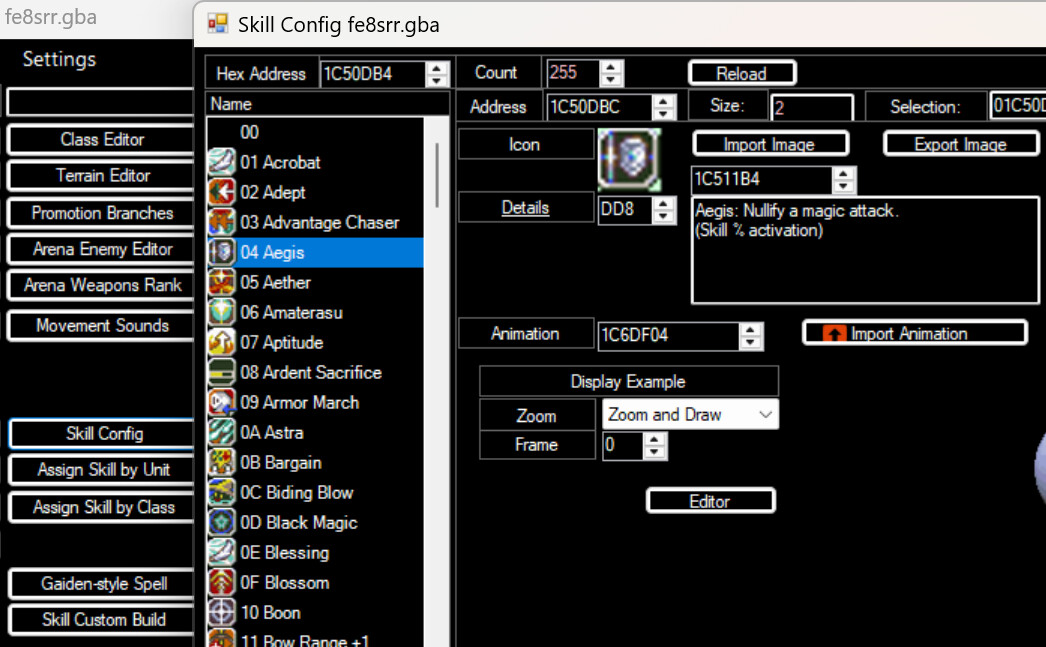
Here’s an installer to make FEBuilder recognize asm skillsys versions other than the exact patches from years ago. I did this so the self randomizer can now have skill icons / lists edited more easily, although I figured some people would want this.
// This all needs to be in the 0xB00000 - 0xC00000 area for FEBuilder to recognize your skill data!
PUSH
ORG 0xBFFED4 // hopefully nobody uses 0x12C bytes here
// https://github.com/FEBuilderGBA/FEBuilderGBA/blob/594248a580b935a8146f68192be2abf465d255f2/FEBuilderGBA/SkillConfigSkillSystemForm.cs#L203
// FEBuilder magic identifier
ALIGN 4
BYTE $38 $00 $00 $F0 $FB $F9 $80 $22 $0E $49 $16 $48 $16 $4B $00 $F0 $F5 $F9 $2B $34 $29 $00 $38 $00 $14 $4B $00 $F0 $EF $F9 $26 $70 $F8 $BC $01 $BC $00 $47 $01 $33 $CD $E7 $C0 $46
POIN SkillIcons // ICON 4
WORD 0 0
POIN SkillDescTable


ALIGN 4
BYTE $29 $1C $FF $F7 $FA $FF $01 $1C $08 $78 $00 $28 $EF $D0 $01 $31 $FA $E7 $00 $00
WORD 0 0 0 0
POIN PersonalSkillTable // ASSIGN 2
POIN ClassSkillTable
// POIN GetInitialSkillList|1 // idk if needed

ALIGN 4
BYTE $07 $49 $40 $00 $40 $18 $00 $88 $00 $28 $00 $D1 $06 $48 $21 $1C
// 07 49 40 00 40 18 00 88 00 28 00 D1 06 48 21 1C
WORD 0 0 0 0
POIN SkillDescTable // TEXT 1

ALIGN 4
BYTE $F0 $E7 $02 $2B $12 $D0 $03 $2B $06 $D1 $0D $48 $42 $21 $41 $5C $20 $22 $11 $42 $0A $D1 $E5 $E7 $04 $2B $06 $D1 $08 $48 $14 $21 $41 $5C $40 $22 $11 $42 $01 $D1 $DC $E7 $DB $E7 $63 $78 $33 $70 $01 $36 $D7 $E7 $00 $20 $30 $70 $06 $BC $F1 $BC $70 $47 $00 $00 $F0 $BC $02 $02
POIN ClassLevelUpSkillTable
POIN CharLevelUpSkillTable // LEVELUP 5


// anime (can't find full match for whatever reason)
// the $FF $FF $FF $FF is a bl bxr3
// BYTE $00 $D1 $33 $1C $01 $33 $38 $1C $00 $FF $FF $FF $FF $BC $11 $48 $00 $47 $F0 $BC $10 $48 $00 $47 $F0 $BC $10 $48 $00 $47 $18 $47 $6D $A1 $05 $08 $35 $8A $05 $08 $00 $08 $00 $00 $00 $04 $00 $00 $10 $E3 $06 $08 $8C $E5 $06 $08 $C4 $AE $02 $08 $55 $A1 $05 $08

ALIGN 4
BYTE $00 $D1 $33 $1C $01 $33 $38 $1C
// BYTE $F0 $09 $F8 $F0 // bl bxr3
BYTE $FF $FF $FF $FF
BYTE $F0 $BC $11 $48 $00 $47 $F0 $BC $10 $48 $00 $47 $F0 $BC $10 $48 $00 $47 $18 $47 $6D $A1 $05 $08 $35 $8A $05 $08 $00 $08 $00 $00 $00 $04 $00 $00 $10 $E3 $06 $08 $8C $E5 $06 $08 $C4 $AE $02 $08 $55 $A1 $05 $08
WORD 0 0 0 0 // anime3
POIN SkillAnimationTable
ASSERT 0x8C00000 - CURRENTOFFSET
POP
If you’re not using a buildfile for this, then you’ll need to provide the addresses for all the POINs yourself.
Oooo, this looks nice.
If I’m understanding this correctly, a person could pull down the ASM skill system from Github (not the custom build), make some changes to the skills and then use your installer to get it in FEBuilder?
If so, this has been long overdue. Hopefully this results in fewer new hacks relying on the default skill lists.
Funny how 7743 never wrote a guide for this process.
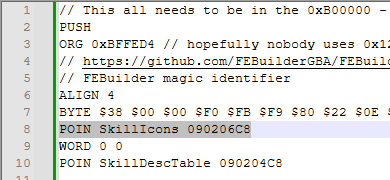
I’m trying to get this to work, but perhaps I am doing something wrong.
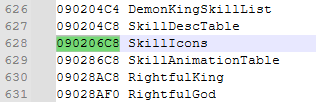
I assemble the modern SkillSystem Buildfile onto a clean ROM, and I copy all the addresses from the generated .sym file into the installer, as such:
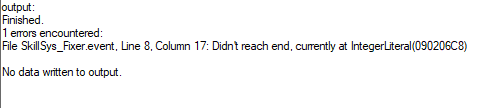
But I keep getting this error:
If I install it without modifying anything, I get an error stating that the POINs aren’t in scope.
What am I doing wrong? Could you provide more clear instructions on how to use this?
POIN 0x90206C8