How do I expand the class list? There’s no button for it.
First, you will need to install the Expanded Modular Save (ExModularSave/EMS) patch, as without it the game’s save data is incapable of recording units in classes with IDs beyond the length of the vanilla list. WARNING: EMS restructures the save file to allow this and other things, but therefore makes any previous save files incompatible. But it is necessary for class expansion.
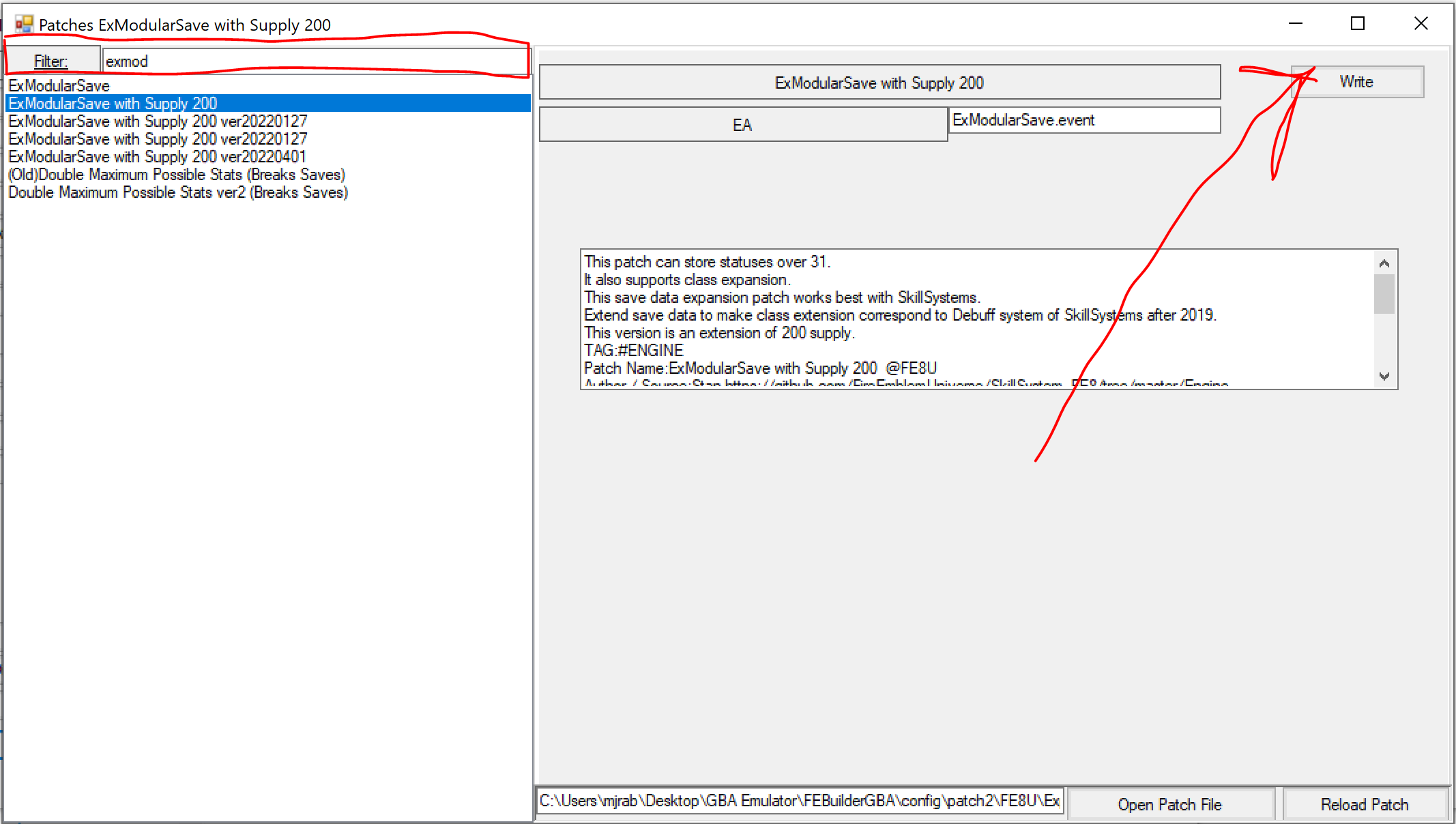
EMS is included with the SkillSystem if you want to use the SkillSystem (it has a bunch of extra features and quality-of-life stuff beyond just adding skills). It is also available as a standalone patch if you’re not using SkillSys. To install SkillSys, click the “Skill Config” button on the Advanced Editors screen and you’ll be prompted to install it (or you can find it in the Patches list). To install EMS by itself, go to the Patches list, search for ExModularSave, and choose the version you want (make sure it says compatible with class expansion in the description).
ONLY ONCE YOU’VE INSTALLED EMS, you will now be able to expand classes without causing errors in game. To reveal the class list expansion button, go to Builder’s Settings (top-left of the main screen) and in Options, under one of the Function tabs, there’s an option to un-hide the class expansion button.
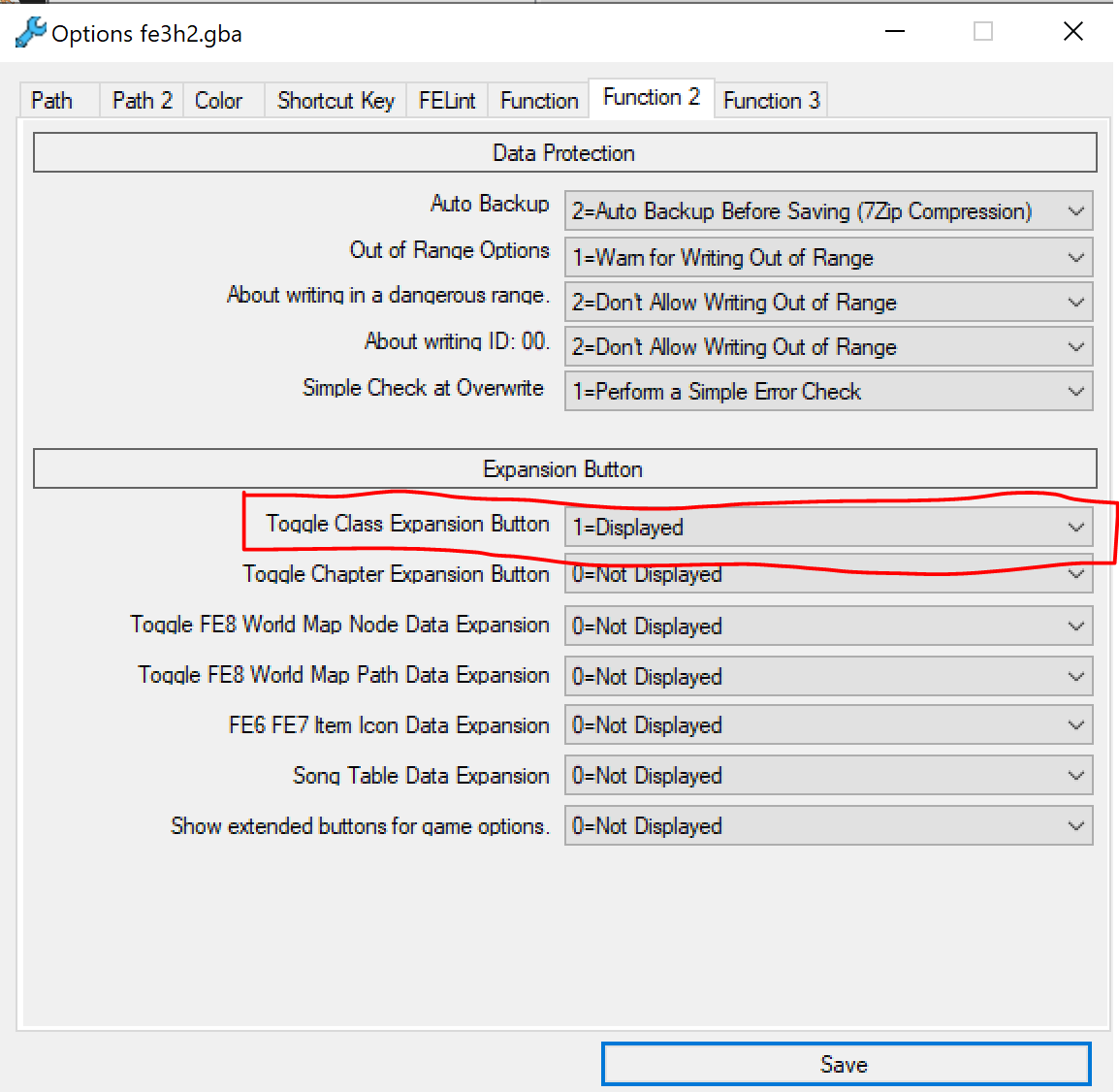
These others are also hidden for similar reasons! Mouse over the label to see why, and don’t enable them unless you know what you’re doing!
Expanding the class list is dangerous if you do not follow the proper steps, hence why the button to expand it is hidden by default. Even with the button being hidden and multiple warnings popping up when you do it telling you what you need to do, way too many people somehow manage to ignore all of it and end up with a million bugs because they expanded classes without EMS.
I’m getting a bunch of weird errors. …character suddenly becoming the wrong class… Here’s a report.
So… question before I even look at the report, because some of this is sounding familiar-ish: did you expand the list of classes? (Yes.) Did you install ExModularSave like the three layers of warnings told you to? (No.)
(Facepalms audibly over text.)
Expanding classes without EMS results in a whole host of game-breaking and seemingly-inexplicable bugs because of the game’s inability to save the expanded class data – the “shows up as the wrong class in preps” was what tipped me off. Luckily, it’s fixable by just installing EMS. Don’t ignore the warnings next time.