Thanks. Is there a way to make a weapon or item undroppable, like Lyn’s Mani Katti for example?
Yes, mark them as Unsellable in the item editor.
How do you give units leadership stars?
So, I made a cutscene promotion, but it bugged out the whole map and made all the units invisible.
Umm… how can I fix this? Is something wrong with the event?
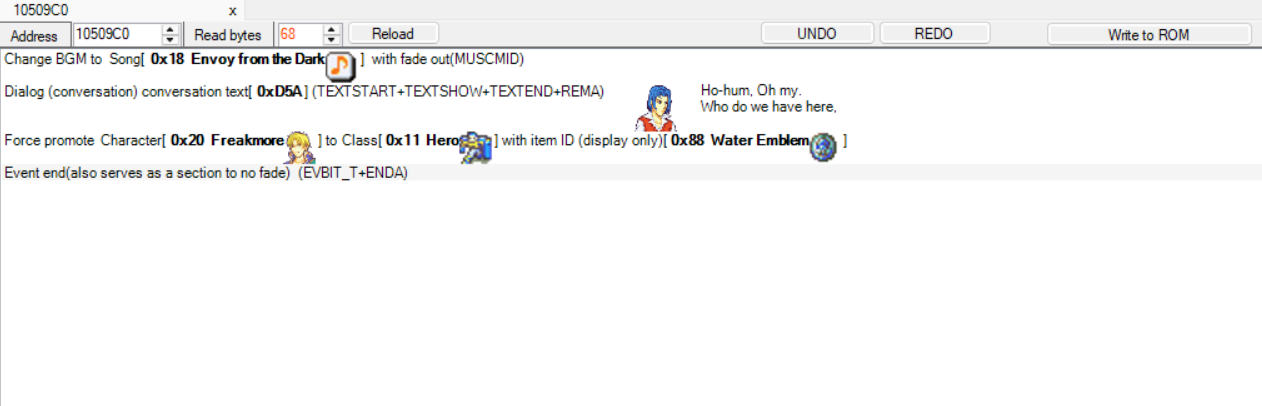
The glitchy map and invisible enemies go away if I soft reset.
I wonder what I’m missing…
You can set them in patches.
For the other post, you need to use the command that erases the background.
Alright, so I have this map with multiple bosses, but the boss quotes only trigger for one of the bosses. Do I need all the bosses to have the “boss quote” trigger on for all of the bosses, or does each boss need a temporary flag? Currently, I have each boss set onto a temporary flag, but that doesn’t seem to work. (All the bosses and boss quotes are set to the correct chapter ID, by the way.)
Yes, if a flag is already on, the battle quote won’t trigger. It works the same way for events. So if you want to trigger multiple quotes, give each of them different flags.
I have them all set to different flags, but the boss quotes still don’t trigger, except for the one that uses the boss quotes flag.
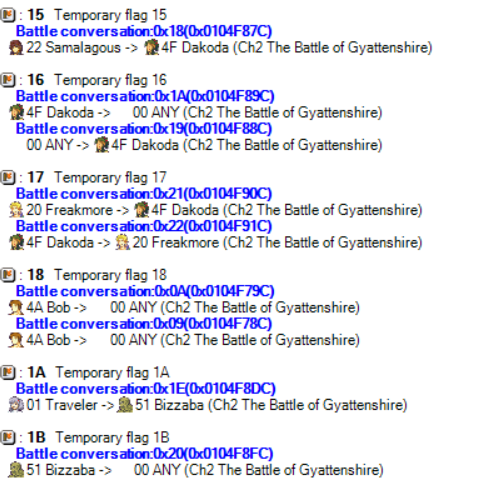
The only one not pictured is the one with the boss quotes flag, and that works.
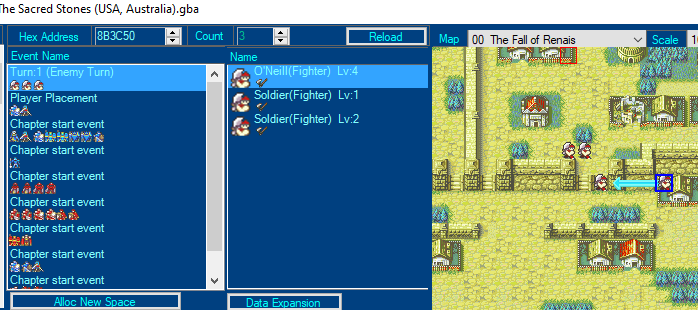
I tried reporting an issue on the discord server but got ignored really hard, I don’t know where to report problems if no one gives a response
You were not ignored. Repeating the answer here, you have units moving through unwalkable terrain in your prologue.
Wait, there’s an FEU discord?
Hi. Does anyone know how to tighten the growth rate display on SkillSystems? I want to incorporate growth-rate modifying items into my hack, but the numbers are not displaying properly. The item here is supposed to give +20% Skill, +10% Spd, and inflict -15% Def/Res. Thanks.
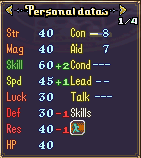
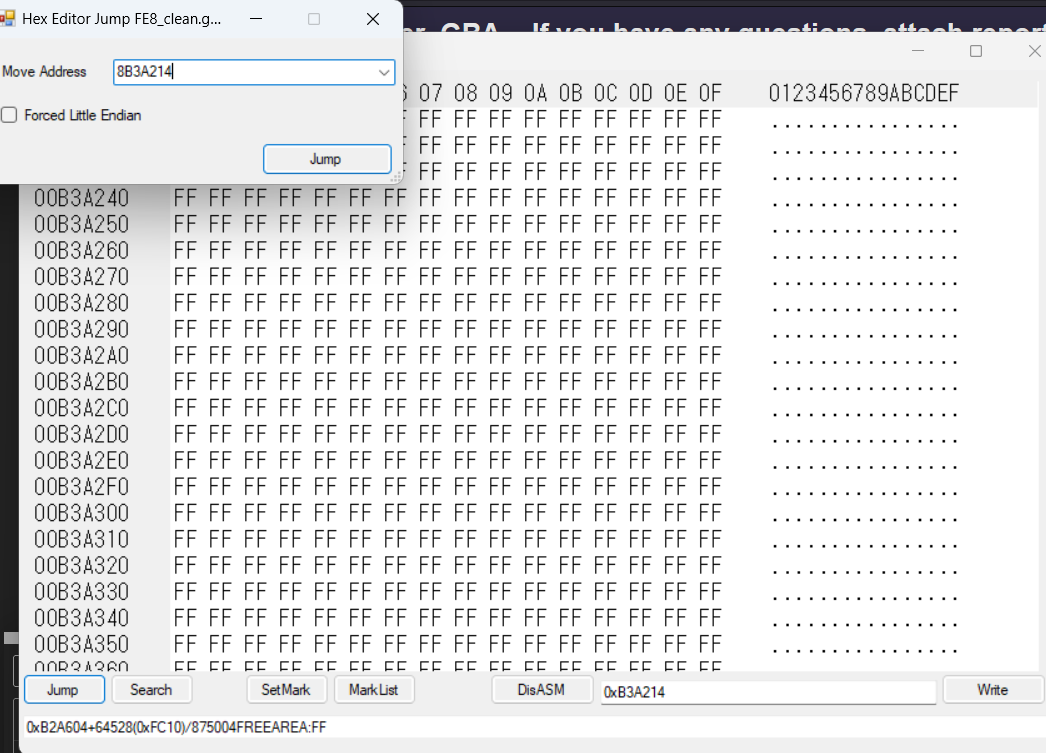
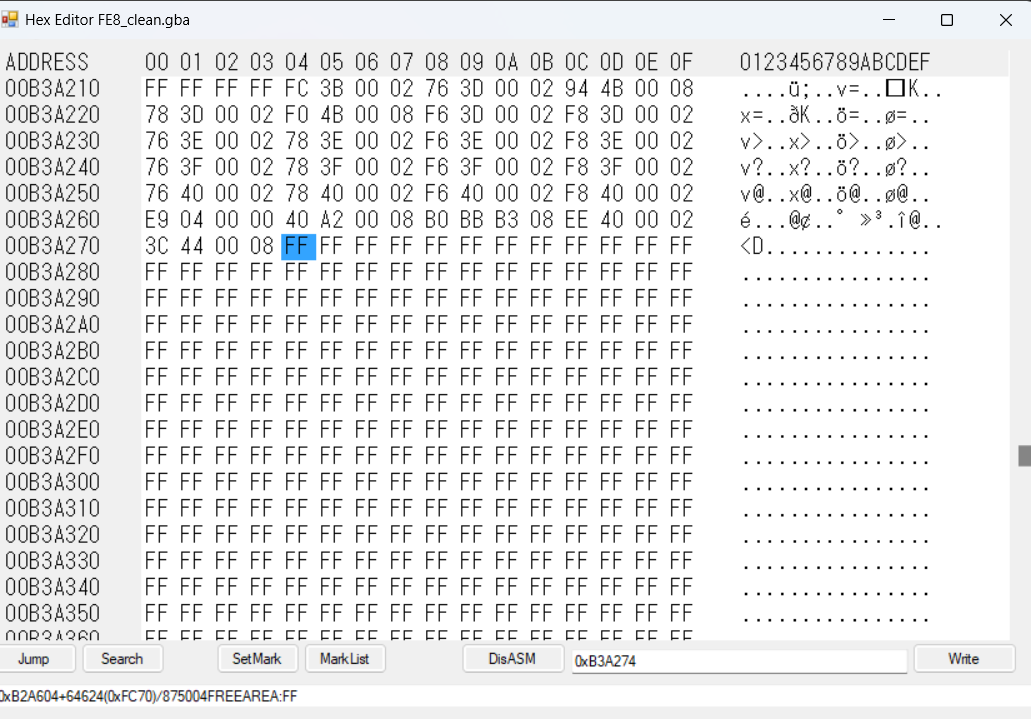
According to @Shuusuke if you’re using the skill system, if you go to 8B3A214 in the hex editor in FEBuilder, then paste the following it’ll shift all growths to the left by 1 tile. So double digit bonuses display properly.
FC 3B 00 02 76 3D 00 02 94 4B 00 08 78 3D 00 02 F0 4B 00 08 F6 3D 00 02 F8 3D 00 02 76 3E 00 02 78 3E 00 02 F6 3E 00 02 F8 3E 00 02 76 3F 00 02 78 3F 00 02 F6 3F 00 02 F8 3F 00 02 76 40 00 02 78 40 00 02 F6 40 00 02 F8 40 00 02 E9 04 00 00 40 A2 00 08 B0 BB B3 08 EE 40 00 02 3C 44 00 08
5 Likes
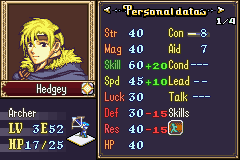
how do you copy/paste hex editor data?
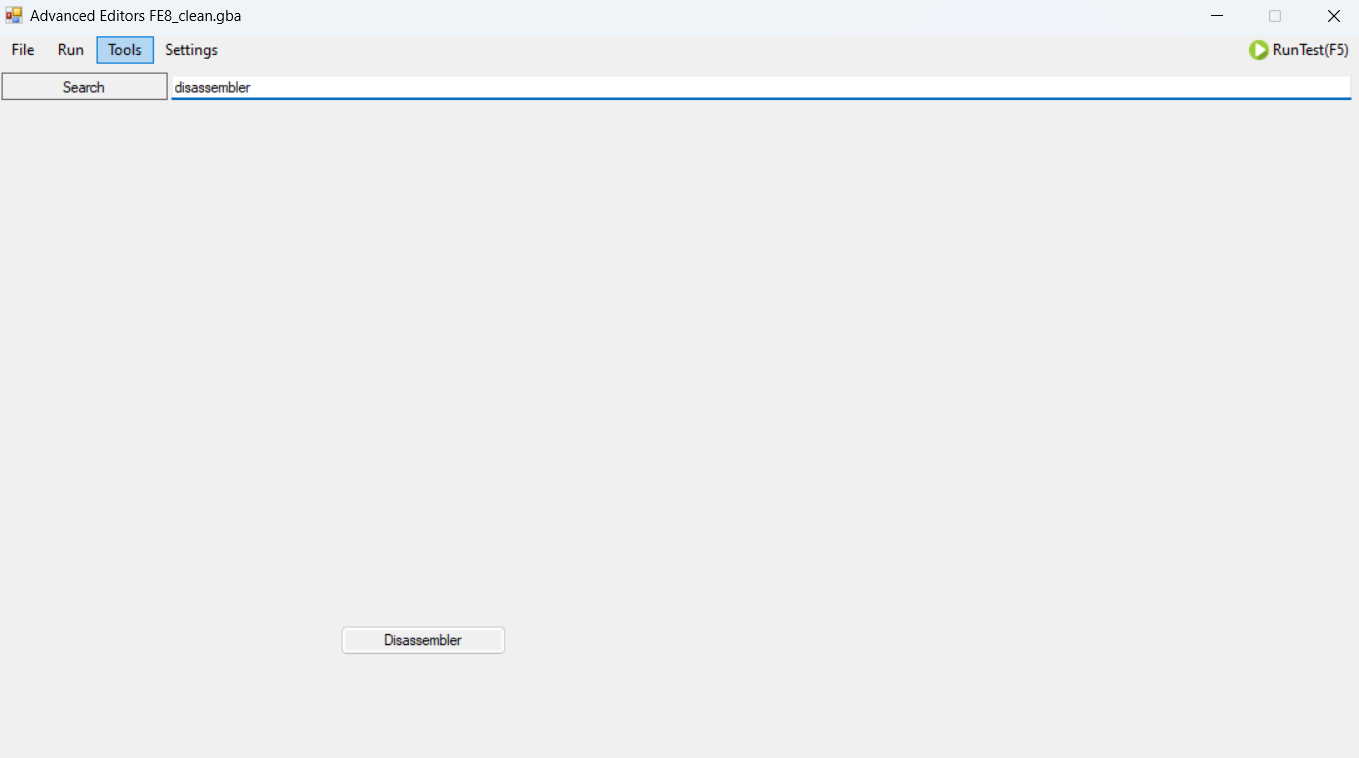
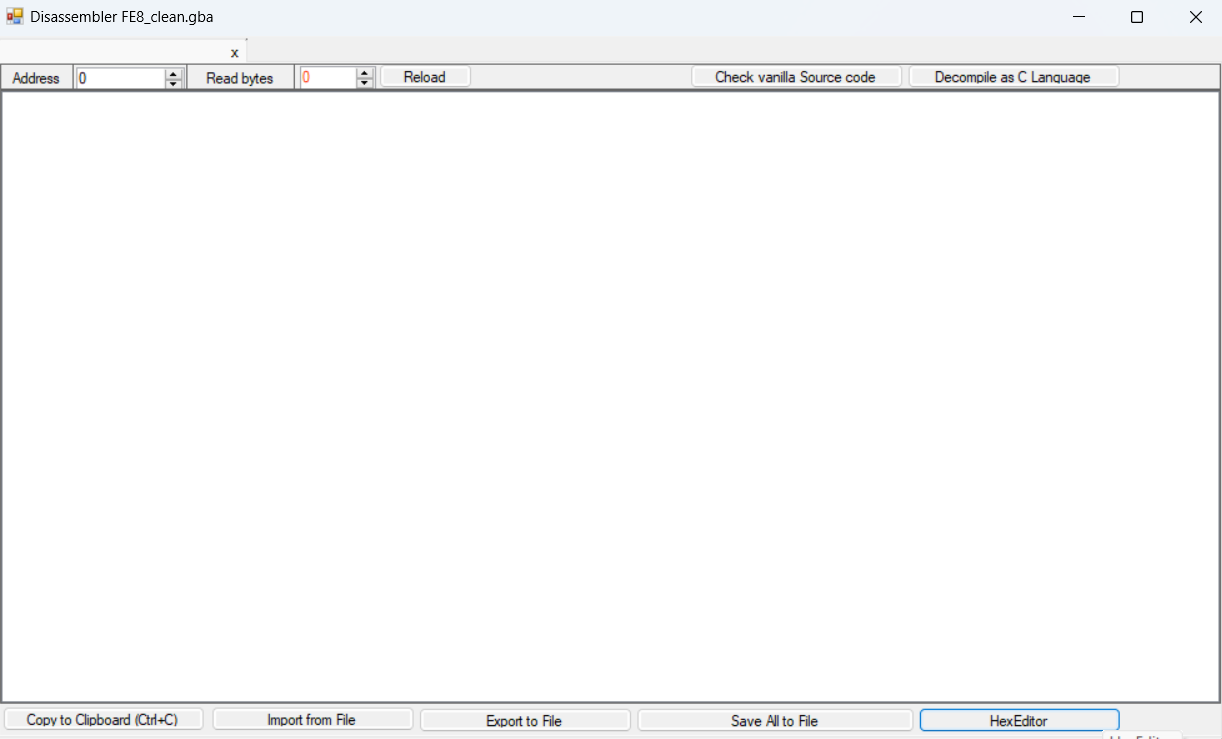
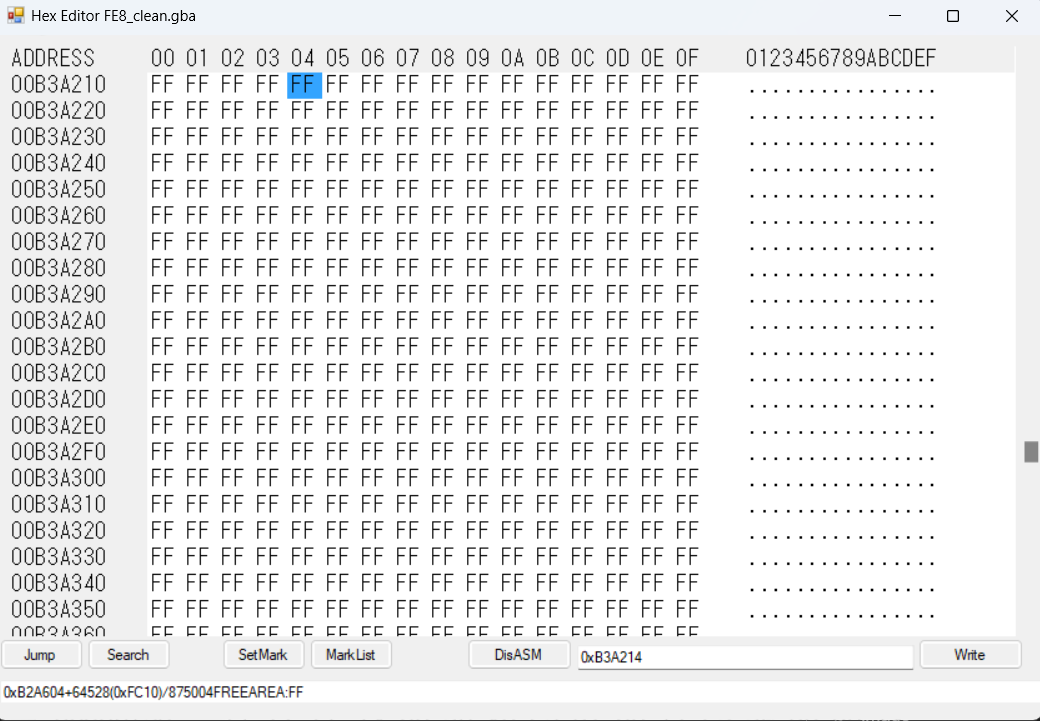
3 Likes
Is my computer too old to run FEBuilder? The program is slow and laggy and crashes every third or fourth command. These are my computer specs, and if that’s not the obvious problem, are there other troubleshooting tips I should use?
| Device name | MSI |
|---|---|
| Processor | Intel(R) Core™ i7-10750H CPU @ 2.60GHz 2.59 GHz |
| Installed RAM | 32.0 GB (31.8 GB usable) |
| Product ID | 00325-81917-02716-AAOEM |
| System type | 64-bit operating system, x64-based processor |
| 1Tb hard drive, 400Gb available. |
Which version of FEBuilder are you using?
It’s supposed to work even in Windows XP, so unless somehow your computer has an older OS than that with those specs, then that shouldn’t be the problem.
1 Like