FEBuilder has a feature for defining “custom pointers” that can override the vanilla offsets where it loads various data from.
If you create a file in your folder called <rom_name>.custom_pointer.txt, and add the following content, FEBuilder should be able to locate the correct location of the support conversation table.
support_talk_pointer 0x7AEC8
As far as I can tell, this works because in vanilla FE6 it looks like FEBuilder is following a pointer to the support table from somewhere inside a function called StartAvailableSupportEvent (FE6:0x806AFD0) in the FE6 decompilation.
For the FE6 localization patch, there is a different function at 0x807AE9C that has a reference to the support table. FEBuilder can use that pointer to locate the support table (and repoint it as needed if you need to expand it).
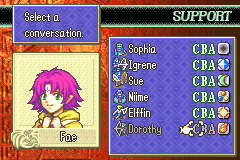
I haven’t tested this extensively but from a basic test I was able to expand/repoint the table and add a new entry that I could then see in the support viewer:
(I just realized you may be talking about creating one entirely from scratch, in which case I have no idea! Lol if so, disregard the following)
are you using FE builder?
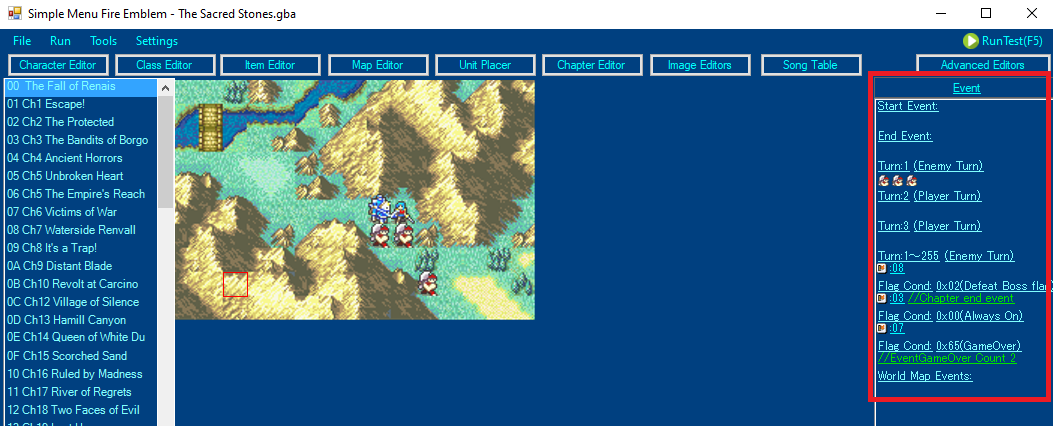
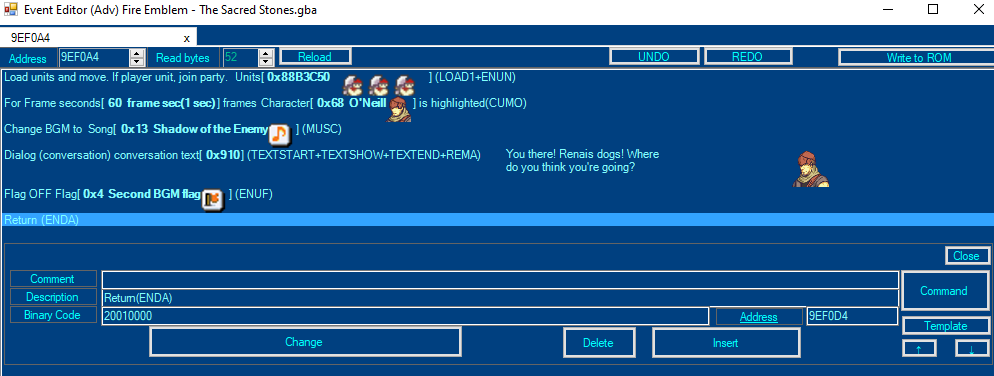
If you want to make a Chapter Start or Chapter End event, just click the corresponding link on the far-right of Simple Menu. Delete everything vanilla except one line, double click that line, and hit Command to choose something new, and then Change to overwrite and save. To add to it, double click it and hit Insert, which will duplicate the previous line, then rinse and repeat.
To make a Turn Event, click Event at the top-right of Simple Menu.
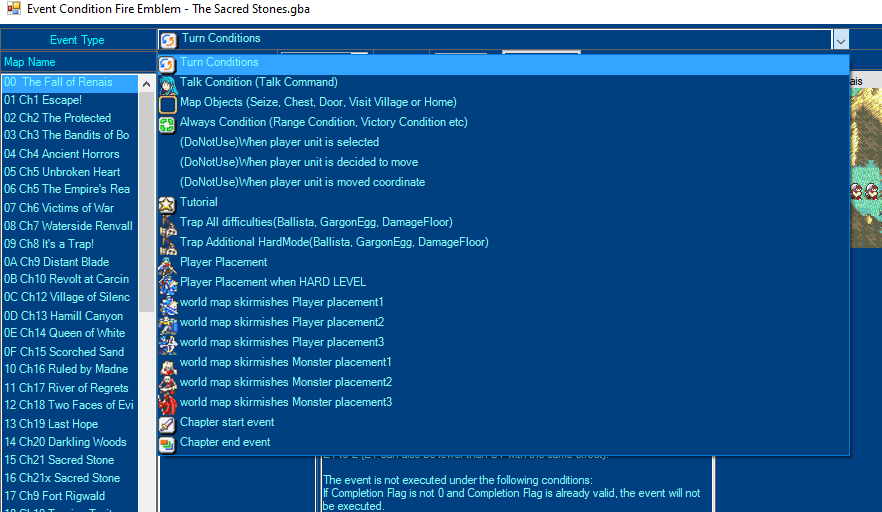
If you then click on the dropdown box at the top, you can see all types of events. If you want to add a new event, click “Data Expansion” on the bottom (not shown on the screenshot).
I recommend at the very least checking Vesly’s making a chapter in 16 minutes video in the first post of this thread, as it includes creating an event to load units like you want.
So, in the final chapter, there are 2 maps. When you beat the first map, it loads the second one without you saving. How do you set this up outside of endgame?
There is a command for it- go to next chapter without saving or something along those lines-, so you use that in your end event instead of the regular go to next chapter command
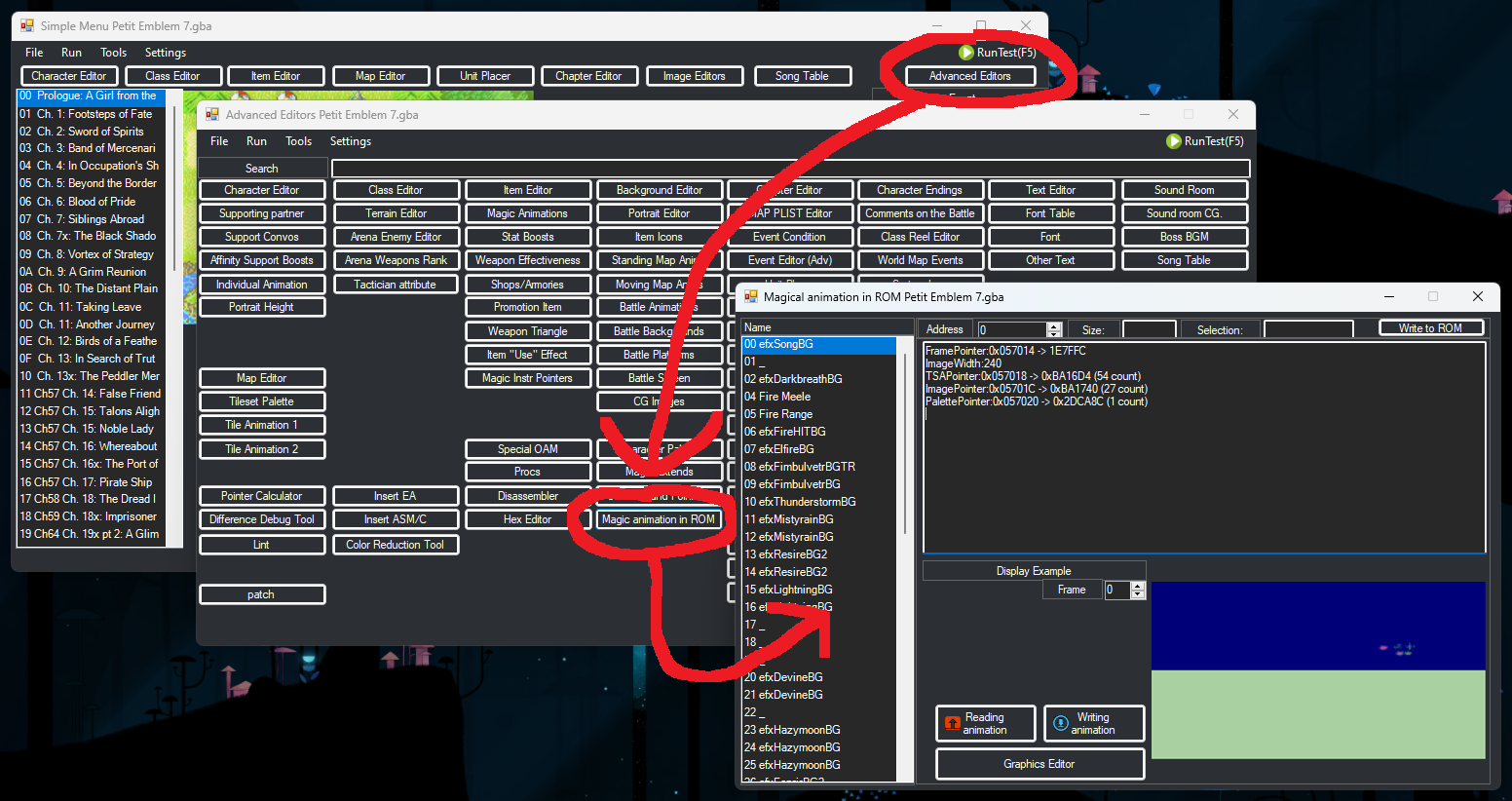
How can I change all magics animations colours ? On FEBuilderGBA when I click on « Advanced Editors » then on « Magic animation in ROM », I only can edit a few magic (and not entirely, for instance, I can edit the ascending part of Divine, but not the descending part)
So I would like to know how to find these animation (some of these are in FE6/FE8 but not in FE7 data in the builder, so that mean it’s possible)
I’m having a bit of trouble with using this thing, (not even 3 hours into it and I’m already messing up lol), And It gave me an error for probably not installing Huffman when I tried to change the description of Erika so I can make my OC, which is weird, Do I have to reinstall this thing just to avoid it?
I’m trying custom AI to get enemies to stop attacking and move to a certain tile once they enter a certain range. The enemies never stop attacking currently, regardless if in range. If anyone knows what the problem is please let me know.
You do need to apply the anti-Huffman patch to edit text through FEBuilder. The anti-Huffman patch is technically not required, but the short version is that we don’t need to subject ourselves to not using it. If you want more specific information, search about Huffman Coding.
Zomg!! Thanks for the Tips and for Responding, I actually just restarted the entire project (didn’t get far other than changing names) and it worked when I allowed the Anti-Huffman thingy, But Still, Thanks for responding!! ^^
So, something that I’ve noticed when starting work on my rom, is that for some reason, units can use any promotion items and promote before level 10. I didn’t change promotion items to work this way, but it somehow happened. Is there any way I can fix this?