FEBuilder got stuck on the wrong language, how do I change it back?
The buttons are still in the same place even if you can’t ready them, so follow along with these images.
-
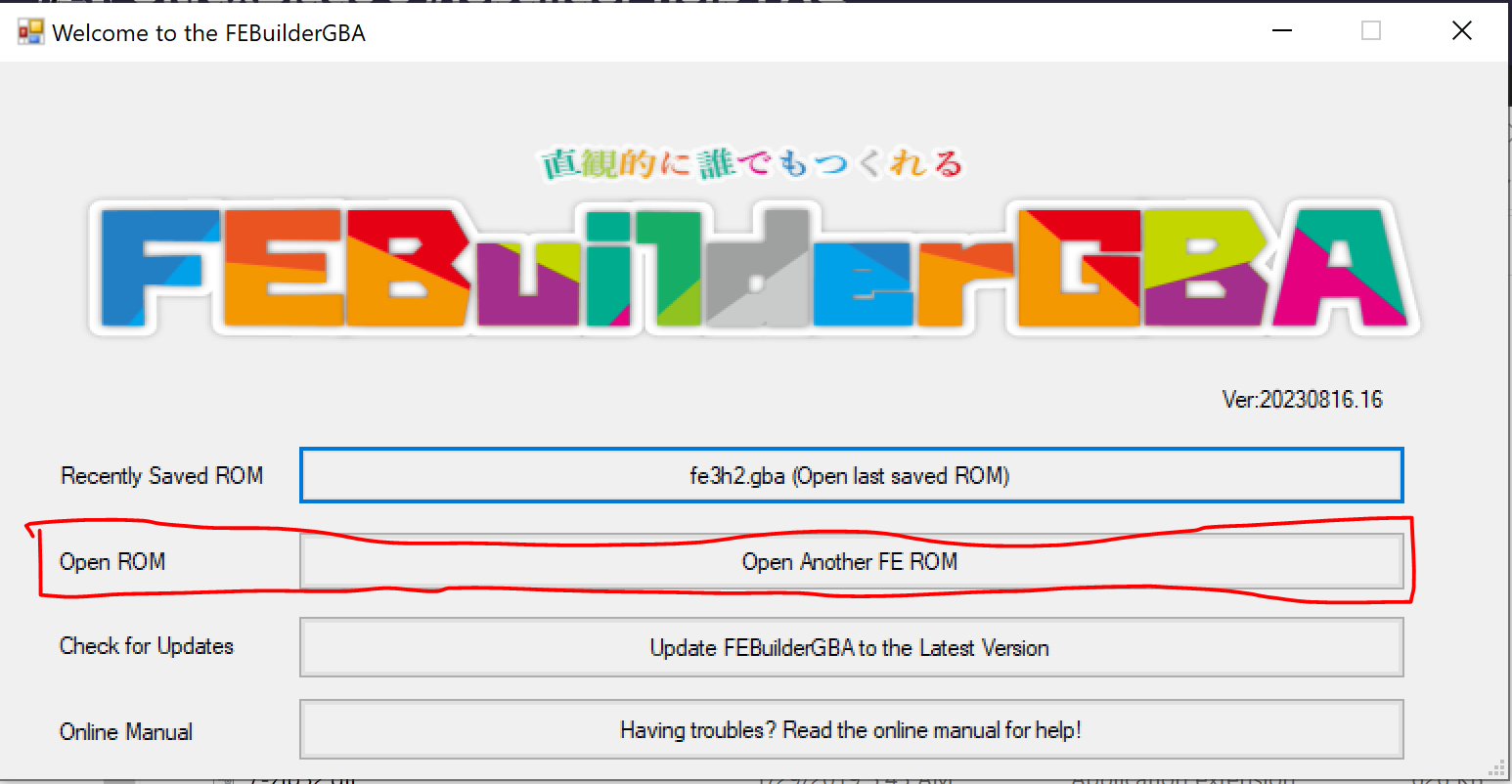
Open FEBuilder and open a ROM. If you’ve already done this before, you know which button to press even if you can’t read it, but if this is your first time you’ll want the second button on the launch screen, which will prompt you to choose the ROM file with your computer’s file explorer (which should already be in your language):
-
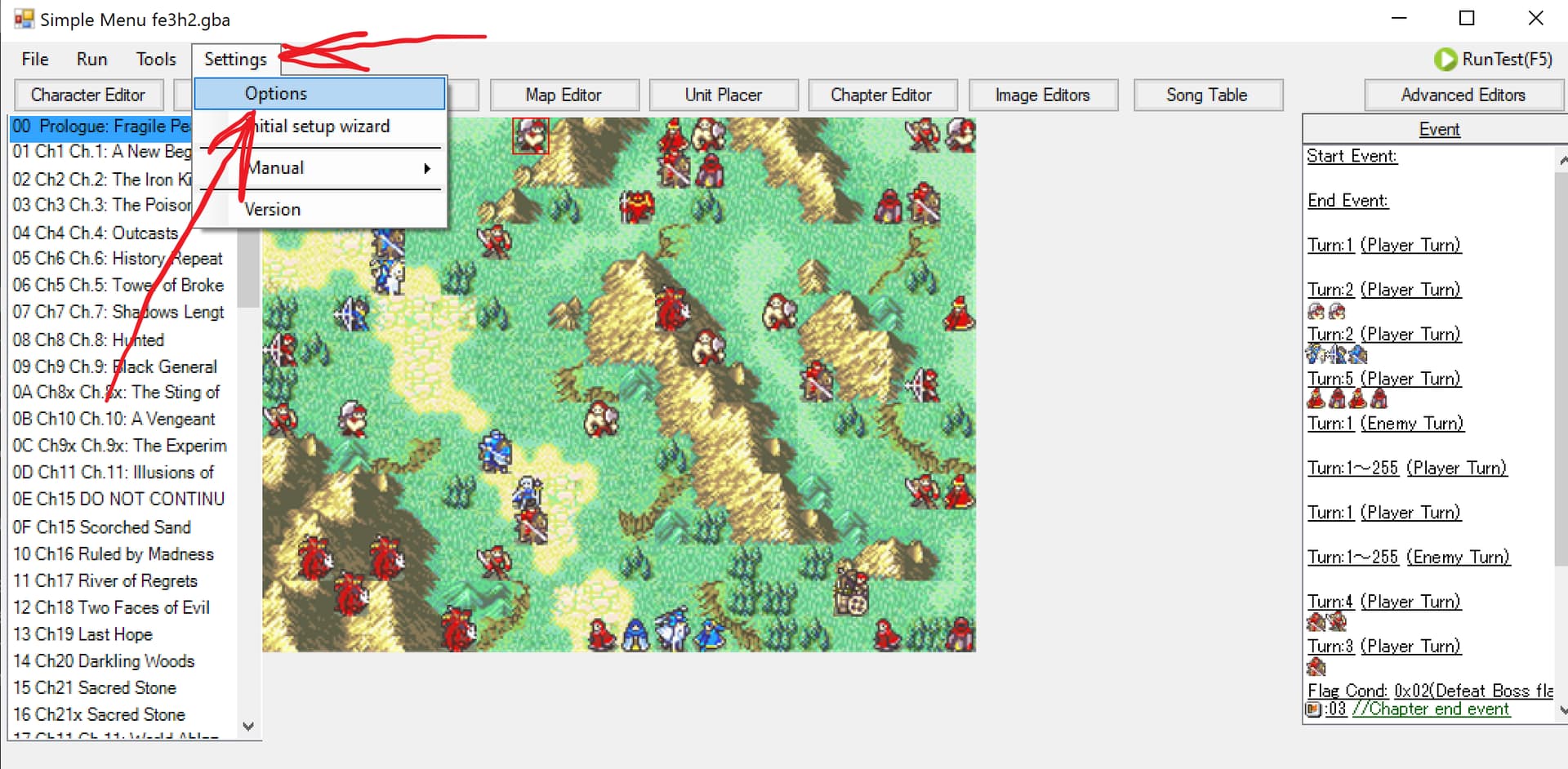
On FEBuilder’s main menu, navigate to the Options window from the Settings dropdown. Settings is the last of the four menus at the top of the screen, above the top row of buttons, and Options is the first choice in it:
-
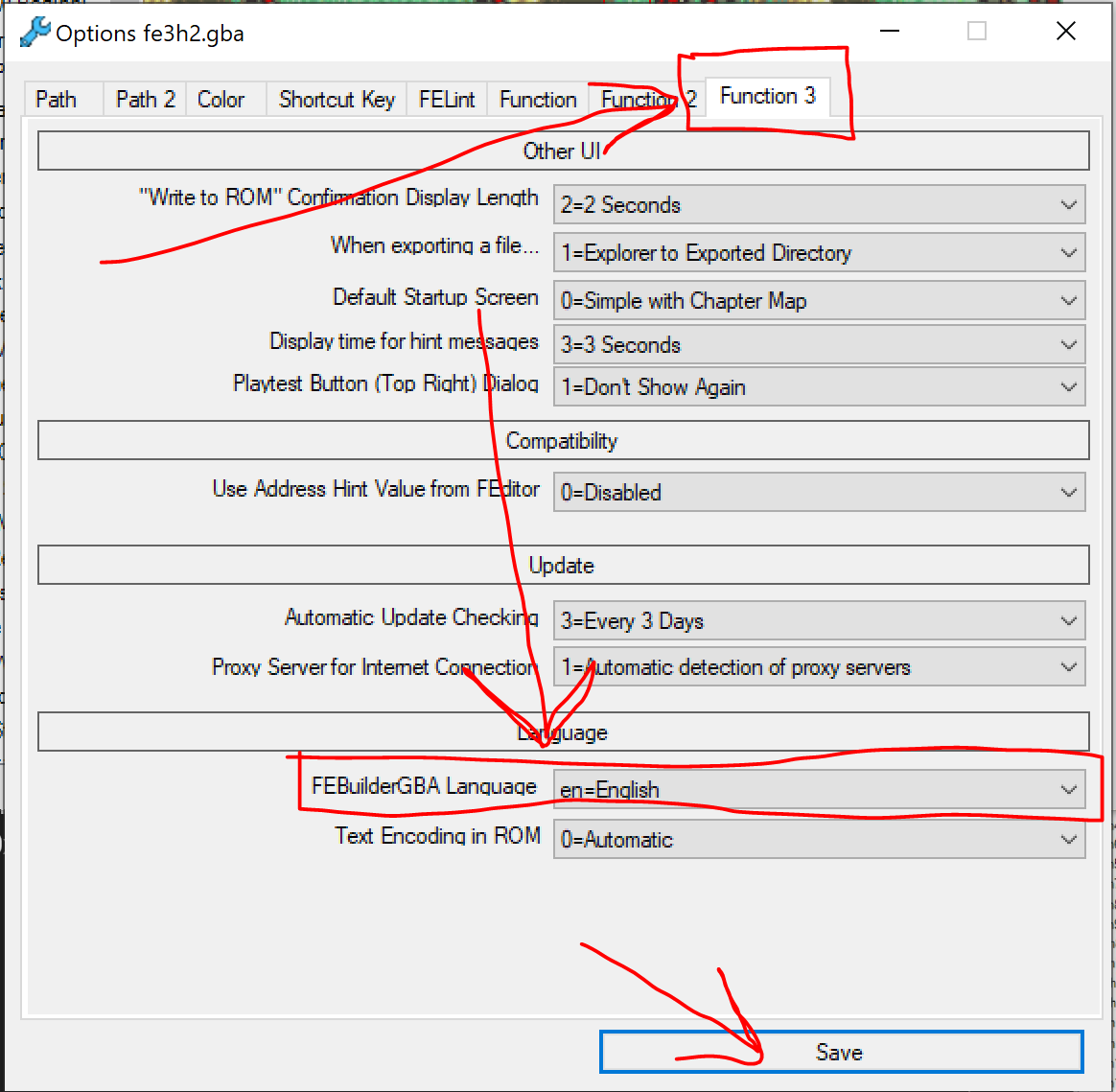
In Options, go to the final tab, Function 3, where you’ll find the setting for FEBuilder’s display language as the first choice in the bottom section. Change it to your preferred language, then click the save button at the bottom:
-
Close and reopen Builder for the change to take effect.