How do I change music (or run other events) in the middle of a conversation? The heck is a [LoadOverworldFaces]?
In Builder’s Event Templates, you should be able to find “execute events side-by-side during a conversation to change music”, which is the most basic such structure. Just start typing it out to search the list.

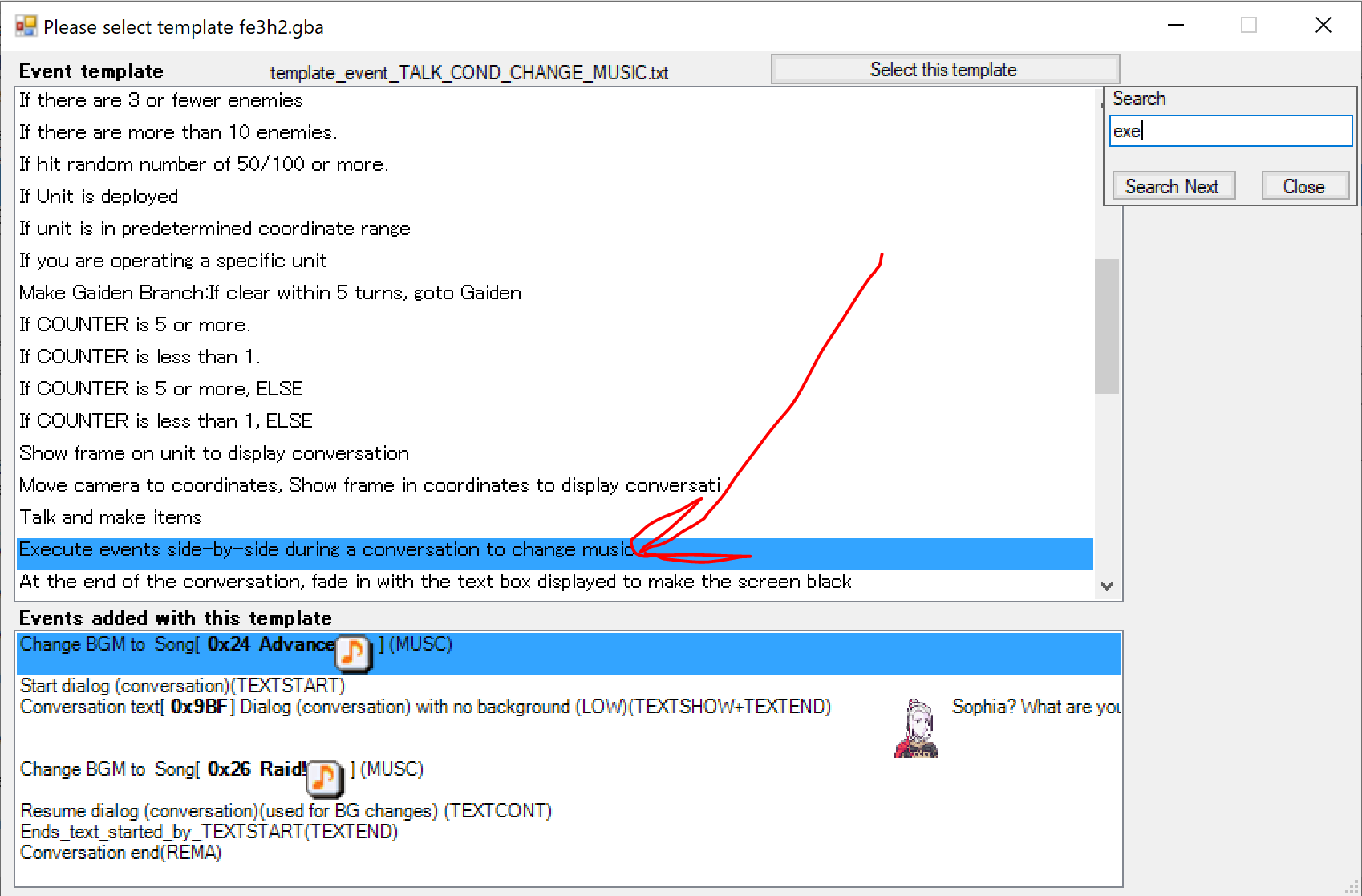
It should give you something that looks like this:
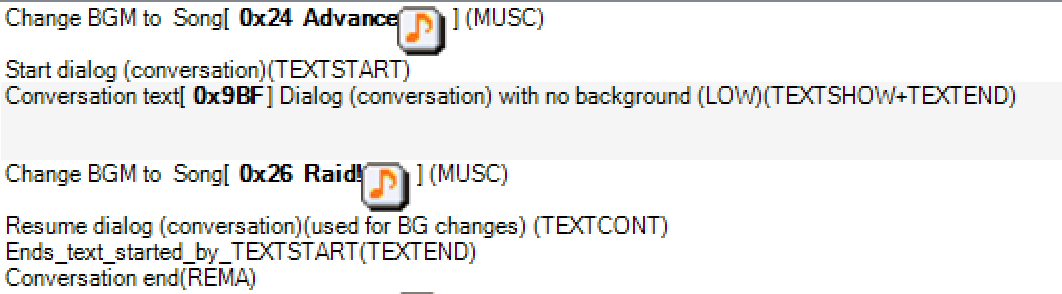
To make a conversation where the music changes once, use that template. Set the text entry to the one you’re using, set the music to what you want before the change and after the change, and in the conversation text, add [LoadOverworldFaces] where you want the music to change.
To change music more than once in the same conversation, here’s a more detailed explanation of how it works.
[LoadOverworldFaces] is a text command, included in text, like [A] or [ToggleSmile]. What it basically means is “stop the conversation here and continue the running event”. You combine it with certain structures in the event, such as the one in the template, to make things happen during the conversation.
The normal dialogue command is actually multiple commands in one: TEXTSTART, TEXTSHOW, TEXTEND, and REMA, in that order.
TEXTSTART tells the game “get ready to start a dialogue conversation” (as opposed to a textbox with TUTORIALTEXTBOXSTART or other text display)
TEXTSHOW makes the text actually appear.
TEXTEND is where the event pauses and waits for the text to finish, either by reaching the end or by reaching a [LoadOverworldFaces].
And REMA is what clears the text/portraits/etc from the screen.
There is, however, one other command: TEXTCONT, continue/resume text, which resumes an active conversation that was paused by [LoadOverworldFaces].
The general structure of an event with a conversation using [LoadOverworldFaces] is as follows:
events before conversation
TEXTSTART
TEXTSHOW [Text ID]
TEXTEND
event after first [LoadOverworldFaces]
TEXTCONT
TEXTEND
event after second [LoadOverworldFaces]
TEXTCONT
...
TEXTEND
REMA
events after conversation
Each time you hit a [LoadOverworldFaces] in the conversation, it returns to the event at the next TEXTEND, and then goes back to the conversation at the next TEXTCONT
When the conversation’s finally over, you put REMA after the last TEXTEND as always to clear the conversation from the screen.
The “execute events side-by-side during a conversation to change music” template is this, set up for one [LoadOverworldFaces]. The first time the conversation stops, it changes the music then resumes it. The next time it stops, it ends the conversation and clears the text.
If you don’t get all that, just stick to using the template. All you have to know with the template is “put [LoadOverworldFaces] in the conversation where you want the music to change”.