Give me a battle sprite and I will make it a shadow warrior.
Already done:
myrmidon
fighter
warrior axe
mercenary
archer
sniper
ranger sword&bow
Paladin axe, sword, and lance
Great knight axe, sword, and lance
soldier
knight
general lance
Wyvern rider
Wyvern knight lance
Wyvern Lord sword and lance
pegasus knight
Falco knight
cavalier sword and lance
brigand
berserker
thief
rogue
assassin
demon king
maybe more?
2 Likes
fomortiis
i don’t see the reason to clog the repo up with all black recolors when people can do that on their own by changing the palette already
10 Likes
I’m doing it for fun, I suppose. It might save you 3 minutes.
1 Like
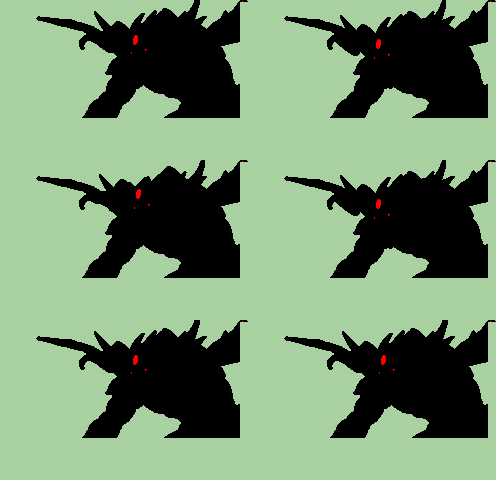
pick your poison (both are SHYUTERz)

3 Likes
the second one is definitely more menacing.
1 Like
ranger sword
Ranger sword is already done. you can find it on the repo. Anyway…

This is a fun idea, but these really don’t need to be entirely separate battle animations in the game data. It’d be way more space-efficient to just make… honestly just one palette where every color but the transparent one is identical to the outline tone and assign it to the specific unit slot/class ID combos you want to use for shadow warriors.
3 Likes
how do I do that? make a universal palette, I mean.
It’s not anything special. If you have FEBuilderGBA, just create a palette like normal, and then assign it to any unit slots you want to use for Shadow Warriors. This is a little different between FE8 and the Elibe games; in the latter, just set both the promoted and unpromoted palettes for the relevant unit slots to the all-black palette. In FE8, due to branching promotions, palettes are assigned by unit + specific class combination rather than just unit + promotion tier, and this has its own tab in FEBuilder. You can only assign palettes to up to seven classes per unit slot, though, so you may have to use more unit slots depending on how varied you want Shadow Warriors to be in terms of the classes they show up in.
There are no restrictions on how many unit slots you can assign the same palette to, nor technically on which classes you can assign a palette to. A palette, strictly speaking, is just a collection of sixteen colors (counting the transparent and outline colors) that are applied to a battle animation “paint by numbers” style; it’s just that different classes’ battle animations allocate their “numbers” differently, so a palette meant for one class will likely look ugly on most others. This isn’t an issue if you just want the animation to be one solid color, though, since it doesn’t matter what order colors are listed in on either end if they’re all the same anyway.
1 Like
What if I don’t have febuilder gba?
Then you can find it here!
I’m not really experienced with editing GBAFE games via other means, and FEBuilderGBA is by far the best and easiest tool for doing so unless you want to make really advanced, fundamental changes to the game’s engine. I’d highly recommend it.
Thanks, I’ll check it out later!
1 Like
Step 1:

Step 2:
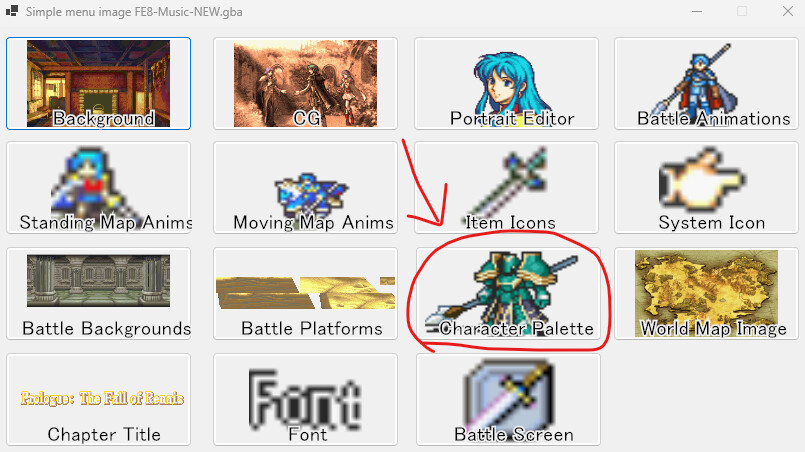
Step3:
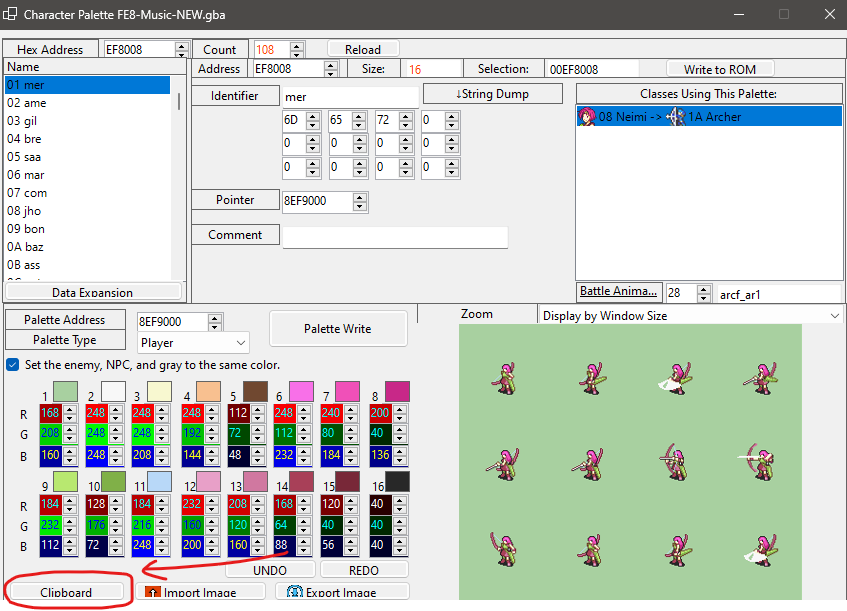
Step 4: paste this number in the box
5553A514A514A514A514A514A514A514A514A514A514A514A514A514A514A514
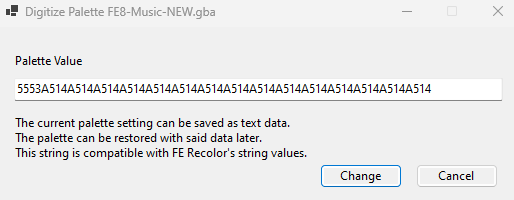
This will act as a full black palette. It will work for every animation. Since the 1st color is always the transparent one, it doesn’t need to also be black.
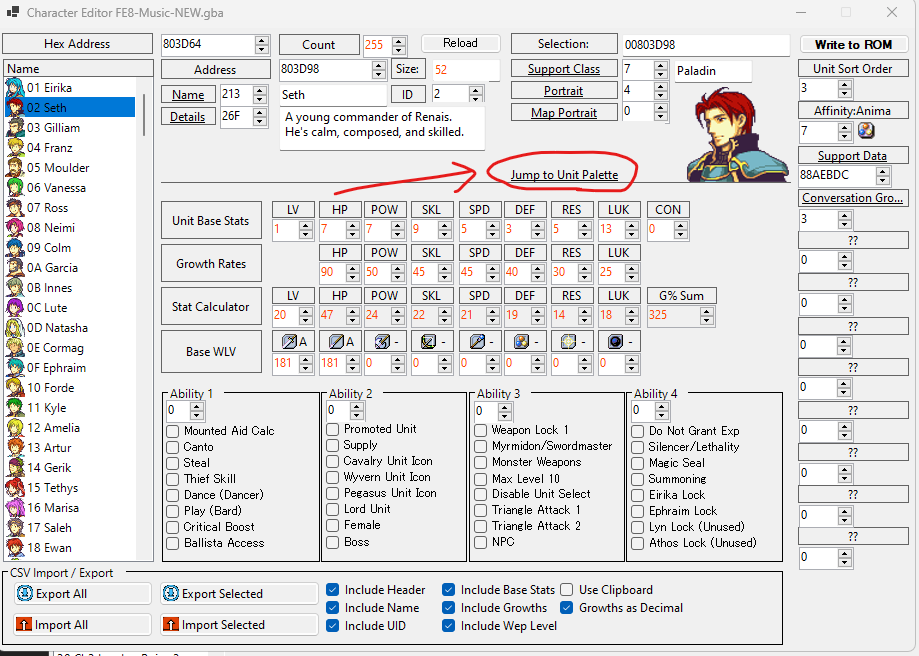
Also. Remember that this is only to edit existing palettes. To reassign palettes to specific character IDs, use this button in Character editor
3 Likes