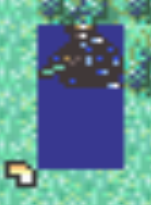
I’m trying to import the FE5 dismounted cavalier into FE8 but the sprite looks all weird and doesn’t animate correctly. Does anyone knows how to fix this?
2 Likes
maybe it’s because the transparency?
1 Like
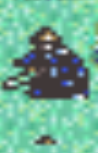
I managed to fix the transparency, but it’s stilll glitchy
2 Likes
That seems to be an issue with the animation pointer. Where is this map animation located?
1 Like
Like, what it replaces? I’m replacing Ephraim’s sprite. Using FEBuilder GBA btw.
1 Like
Import the AP from the Myrmidon class, perhaps?
1 Like
Now he’s sinking into the ground.

1 Like
I think it has to do with the way I arranged the sprite. This is how I did it.

1 Like
Yeah, that’s the issue. Arrange it like the other hovering map sprites in vanilla.
1 Like
Now he’s just flashing in and out of existance. I would send a gif, but I don’t know how to.
This is what how I re-arranged it.

1 Like
Make your image 16x48 and put all three frames on top of one another with no empty space in-between. It doesn’t look like it needs more than 16x16 pixels for each frame because that sword is not getting raised over the head so you don’t need all that empty space. Also be sure to tell the game that the map sprite is only 16x16 so it isn’t trying to animate something larger.
2 Likes
To do that I’ll need to make the sprites smaller and I don’t know a way do it without making them a pixelated mess.
1 Like
Thank you, it worked.


1 Like

FE5 map sprites don’t have active map animations, so they’re just the standing ones here.
1 Like
Thank you, I’m really greatful.
I have a bunch of formatted FE5 map sprites laying around, if you need them.
1 Like
Oh thanks for the offer, I think I’ll want them.
1 Like
Thanks a lot!