Installing ASM / C using Insert EA
I wrote this for my coding thread and thought it might be useful to share, as it applies for other people’s coding threads, too.
Prerequisite (only need to do this once)
ColorzCore.exe
-
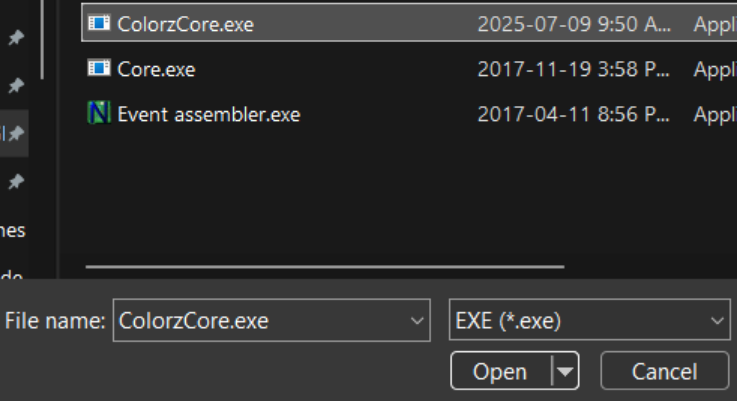
Download ColorzCore.exe.

-
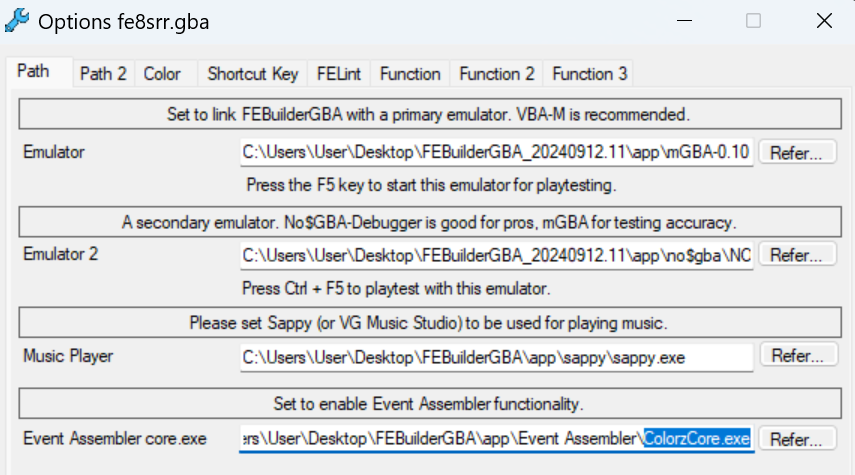
In FEBuilder → Settings → Options → Path, set the path to ColorzCore.exe for EventAssembler.

Note: Colorzcore.exe must be placed into your eventassembler folder.
General Installation Instructions:
Installation

or
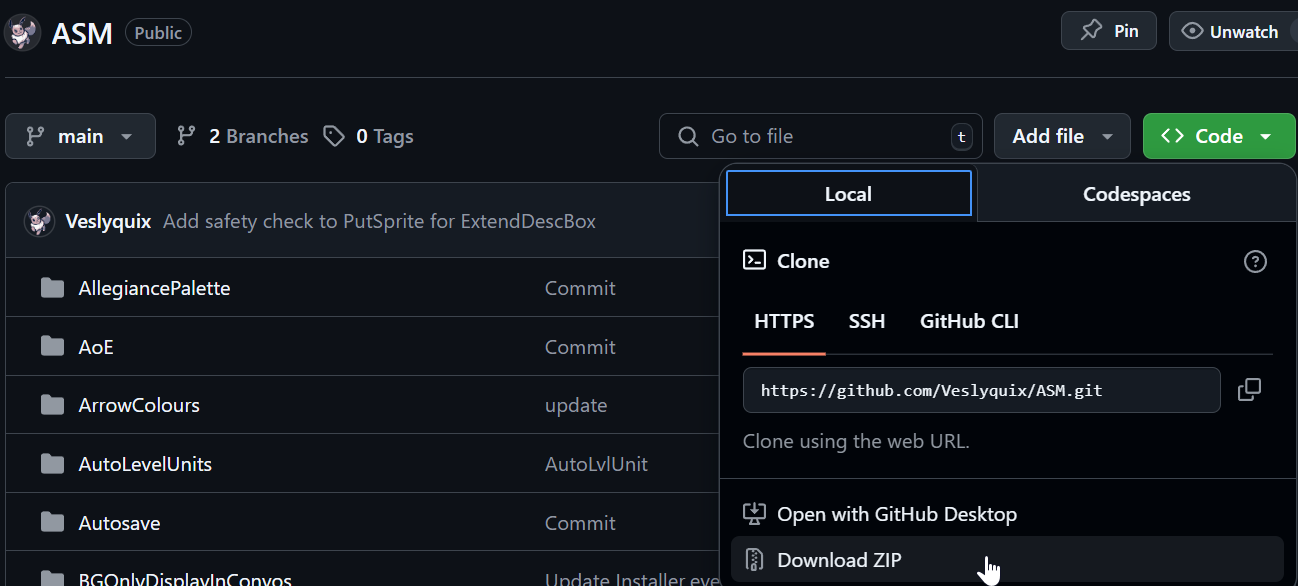
- b) download the whole repo.
-
The
.eventextension is a.txtfile to be used with EventAssembler (EA). Locate and openInstaller.eventorHackName.eventwith notepad / notepad++.

-
Read through the file, and look for configuration options (usually found at the top).

#define THIS_WILL_HAPPENcan be commented out with//if you don’t want that to happen.#define SomeFlag 0x128allows you to choose which global flag toggles the patch on/off.
ShakeIt:
WORD 1 // 0 for false
- Often a true or false, or just a numeric choice to make.
If you are unsure about what a config option does after reading, try installing with different configs and test ingame, or ask for help on discord.
-
If you have a previous version of this patch already installed, it’s safest to uninstall it first, though it may not matter most of the time.

-
In FEBuilder → Advanced Editors → Insert EA, click
Select File, chooseInstaller.eventorHackName.eventfrom the folder you downloaded, and clickLoad Script.Free Areais determined automatically when you open theInsert EAwindow, so there is no need to change it. There is no need torecompile the updated program, but it doesn’t usually matter if that’s checked or not.
-
FEBuilder makes a .sym file in the folder with your rom.gba, which is a
.txtfile with the new addresses to save. You usually only need this if an ASMC / event command was added that you want to use. If desired, rename this.symfile and put it somewhere safe.

This is the same data as theInstaller.eventyou inserted.




You’re done! 
Now go test it ingame to see if it works as you expect it to.
Hope this helps people who’ve never installed something outside of FEBuilder’s included patches.

