TL;DR at bottom
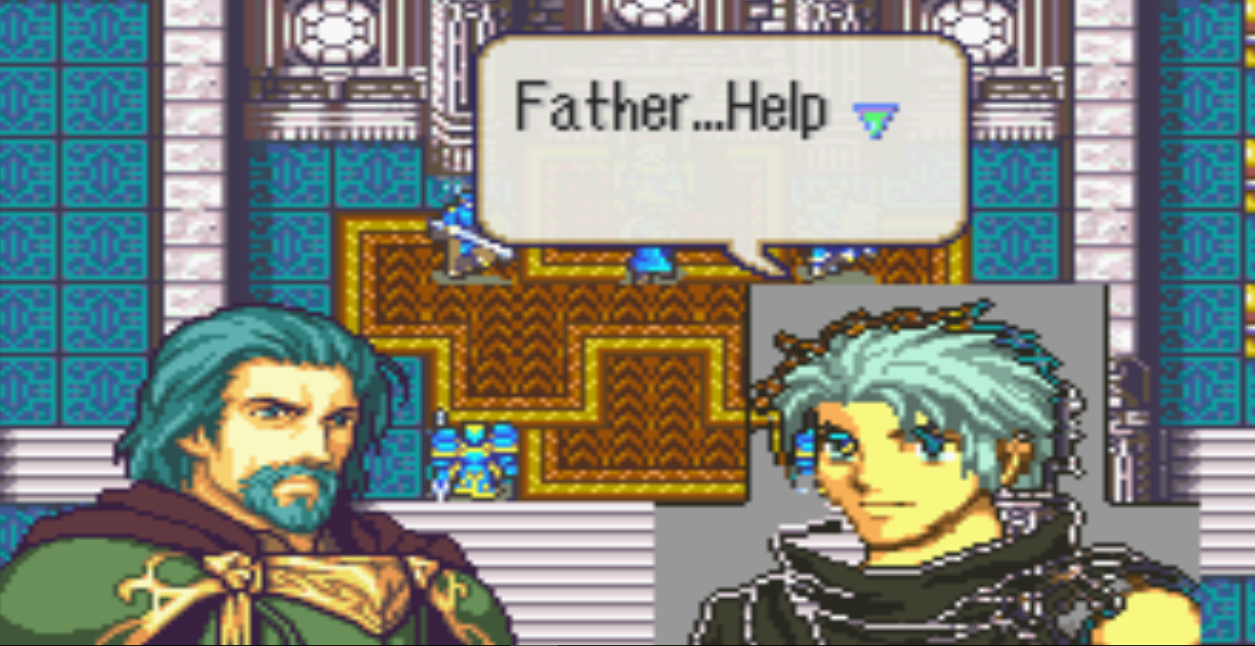
I’m trying to familiarize myself with tool to eventually make a romhack. Given that sprites are very important I figured “why not learn the formatting and stuff so I can work on it” which is a sensible goal i thought. First i needed a custom sprite which i made using the .jar portrait builder. I tried the best i could and made a decent sprite though it needs to be refined pictured here: With this man conceptualized I moved to the next logical step of putting him in the game. The result was awful at first but after a few attempts it got worse. I’ve done all the mug formatting(except the mini portrait) and it seemed to be going well until i tested it. I put him over Erika for less that stellar results:
I am in no way an expert. With that restated I don’t think he should be in a pocket dimension. Everything is in place and is formatted right(usenti is great) but the background isn’t transparent. All of this to say that he cant blink or speak so can anyone help. Heres the sprite and stuff.
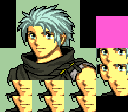
OG image:
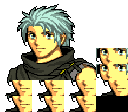
Reformatted(by me!)/w (unfinished) Mugs:
TL;DR
I need help, tried to do it on my own for testing but it came out poorly. Can [Literally anyone better than me] fix this also if you’re really kind can you refine the sprite a bit(for free) something looks off about.( aside from the fact that he is just Eliwood with a Ziess wig and Matthew’s clothes. The .jar file is good for concepts not much else and I’m no spriter Much appreciated and if you’d like more valuable appreciation i can compensate you but i’d also ask that you fix and mug the other 4 that i have to round out the set.
PS: if you guys wanna hear the info about the romhack feel free to ask. I’ve yet to post about it but there I can probably answer any questions.
Your palette isn’t using multiples of 8s for the RGB values, and the pure black is being turned transparent. And, yeah, you’re using too many colors.
Honestly, that tool is great for creating a concept for a mug, but it’s terrible for actually making ones to insert since it doesn’t take into account the actual limitations that the sprites need. Not to mention it doesn’t really do shading or anything very well (note how there’s a straight line across where the hair meets the forehead, making it look very unnatural).
Most pallets use 16 yeah? I knew the GBA had limits but it was just for testing so i figured it be fine. Moreover I’m not great with sprite images and their creation either, so any in-depth palette
fixing is beyond me
http://www.feshrine.net/ultimatetutorial/ Chapter 41, it looks like - I don’t use Usenti myself, so if this doesn’t help, you’ll need to wait for someone that does use it to come around
But, in the end, you’ll need 15 colors that are used in the sprite plus one color that is used for the background transparency.
Like you said that tool is concept based, I now fully realize that thanks to the abomination onscreen. As far as fixing any abnormalities in the sprite that’s just something I’m probably gonna end up paying for. Do people charge less if you have a concept for the character? I’ve never none this
I’m working on my own stuff right now so I don’t have the time to rework it,
but I can at least make it insertable.
For the future:
The mug can only have 16 colours in it for it to work ingame.
If you are using usenti then the first colour should be the background colour.
What I did was use the reaquaintize option and reaquaintize the colours to 16,
then I used the paint dropper to select the background, and colour swapped the green background colour to slot 0. (each row has 16 colours, the first row are numbered 0-15)
I would suggest opening some of the portraits from the base games and get a feeling for how the colours are laid out.
0: the background
1-4: skin colours
5: Another skin colour, but stays the same for every character in a given game(12,9,9 in SS)(14,11,11 in the older two)
6: outline (7,4,8 for sacred stones) (11,8,12 for blazing blade/ sealed sword)
7-9: Hair
10-14: Clothes
15: whites of the eyes
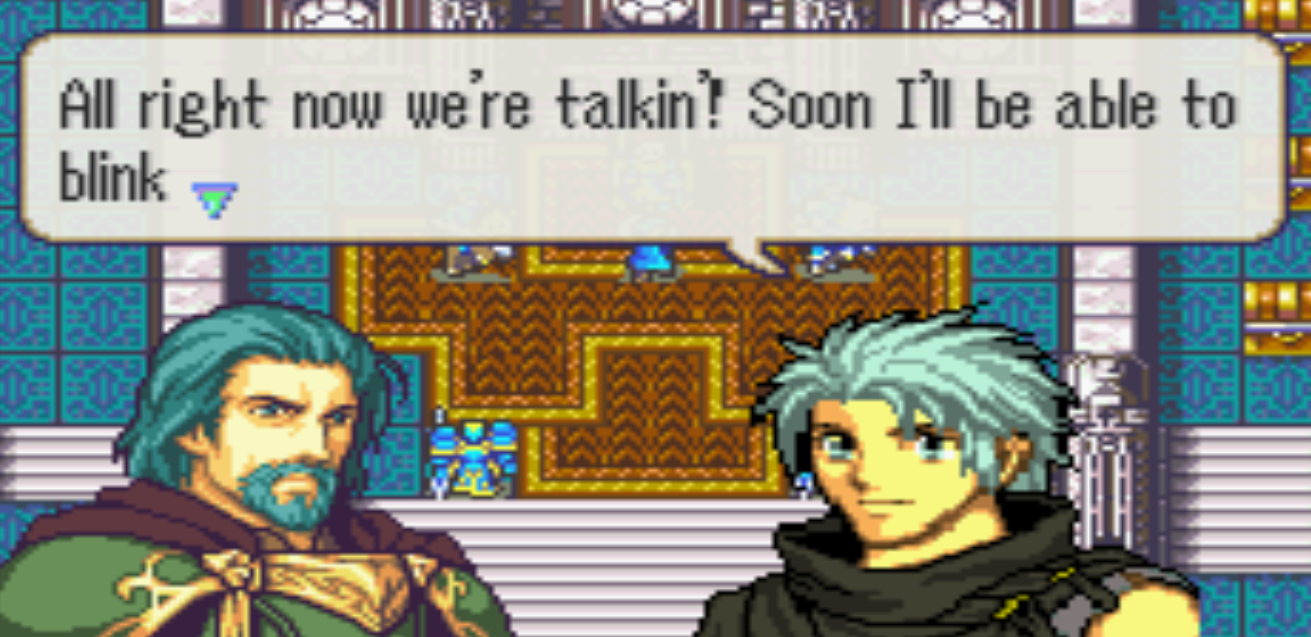
It helps a lot thanks. Thanks for the reference and tips. after a bit of messing around with Usenti and reacquaintize i found my problem. For my original reference i used Erika’s portrait and the standard hack box but I couldn’t get the colors so thanks a whole bunch.
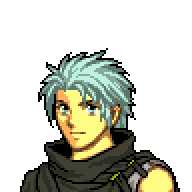 With this man conceptualized I moved to the next logical step of putting him in the game. The result was awful at first but after a few attempts it got worse. I’ve done all the mug formatting(except the mini portrait) and it seemed to be going well until i tested it. I put him over Erika for less that stellar results: