That’s nice to hear! Can you teach me how to do that?
Did you read the README? There is more information there. If you have read it, is there anything unclear about the instructions?
2 Likes
I did read the README, but I actually think I managed to figure by myself out how to swap out the MNC2/3 in the event file, so it does work now. Now I just need to change the background (as also detailed in the README).
I’m trying to insert the Augury into C Skill System.
I’ve gotten the preparations window to properly display the tactics options, but it just leads to the objective screen when selected
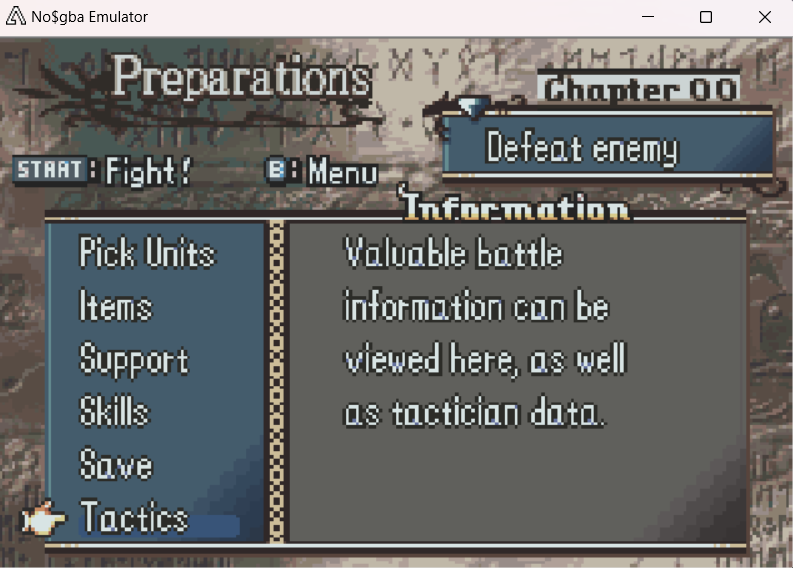
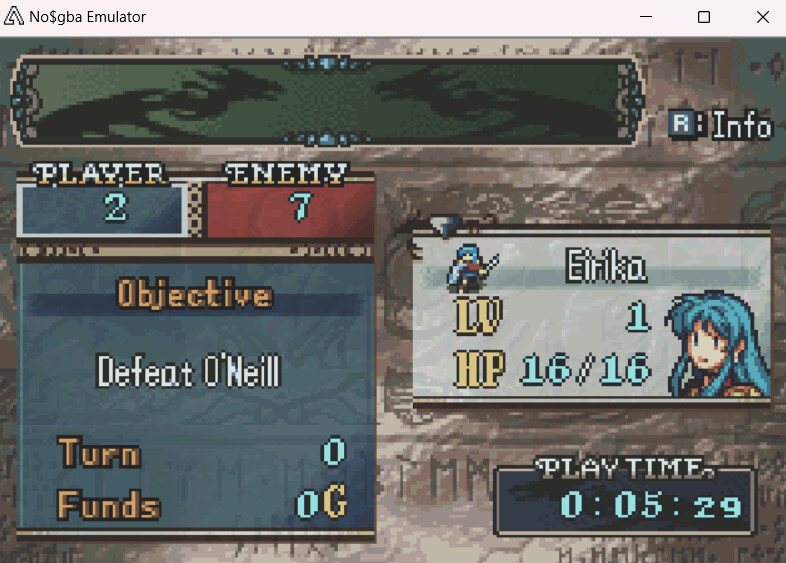
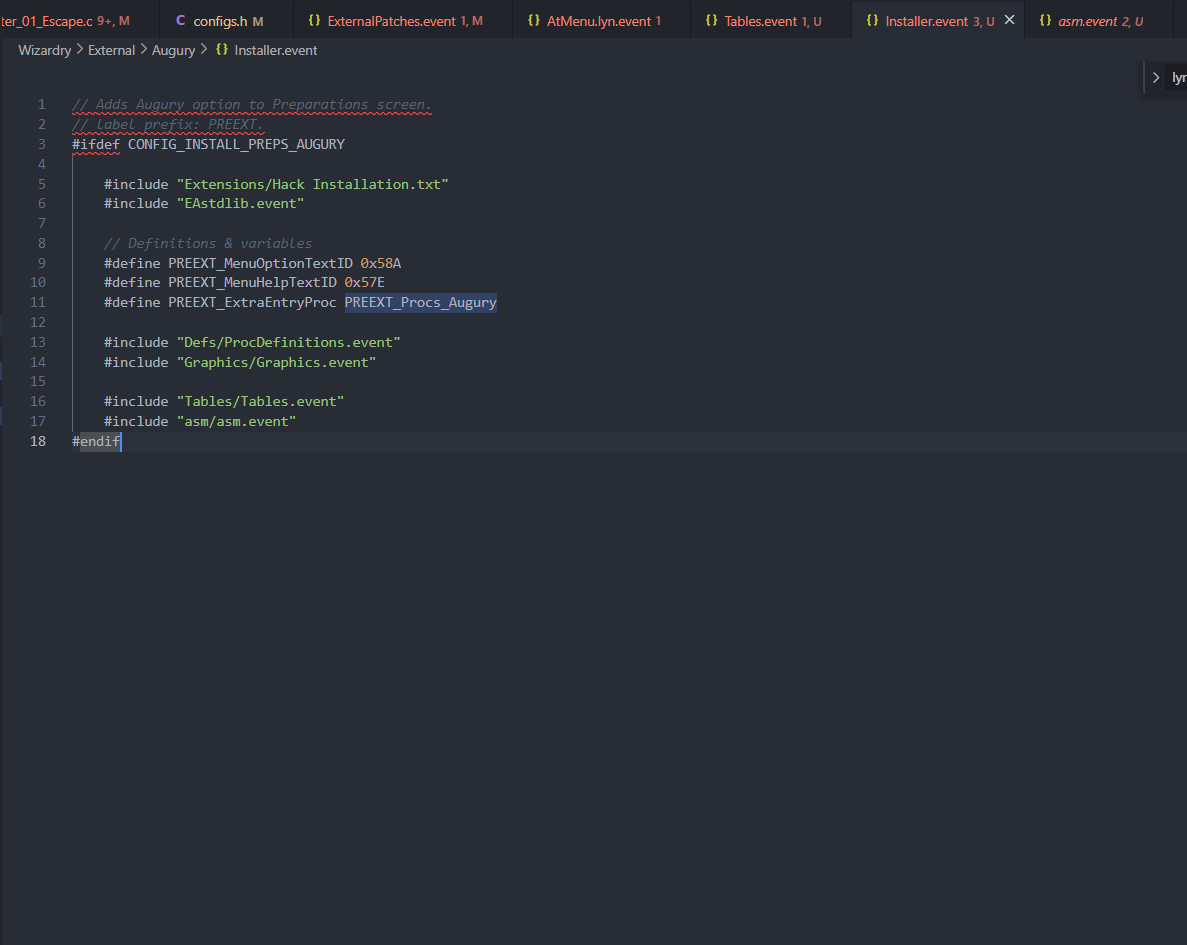
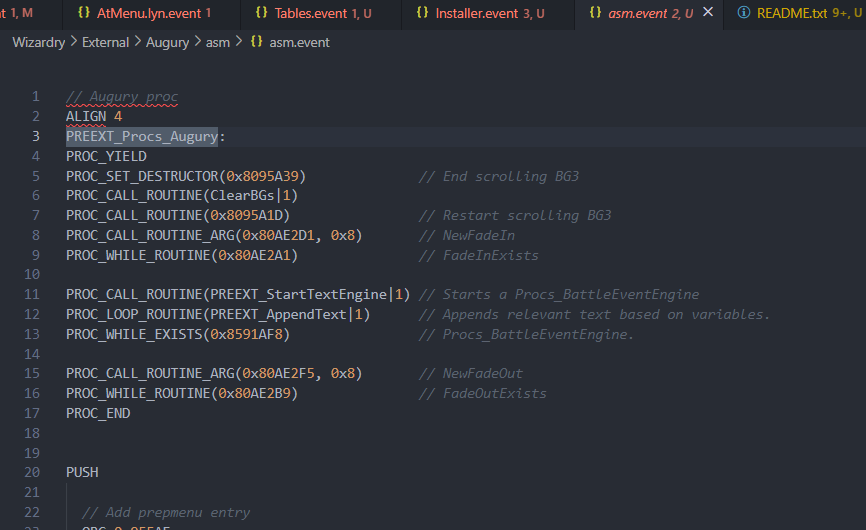
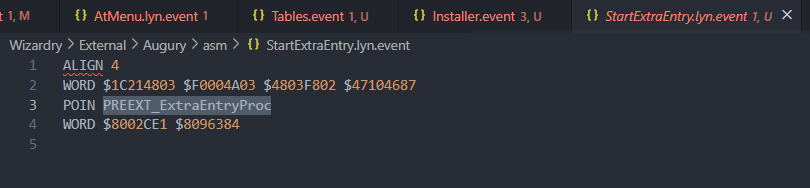
EDIT: I think because C Skill System hooks into AtMenu_StartSubMenu (presumably to display the skill option) it’s causing some conflicts.
Tracing back, it seems ORG 0x96350 POIN PREEXT_StartExtraEntry in asm.event doesn’t actually do anything (maybe the functionality is being overwritten)? By default the region 0x9631c + 0x74 is protected in the skill system, which I had to turn off to make it install in the first place.
EDIT 2: Case 5 in AtMenu_StartSubMenu, calls function sub_808E79C which displays the objective screen and what seems to be overwriting the Augury. But I’m not sure how to fix it 
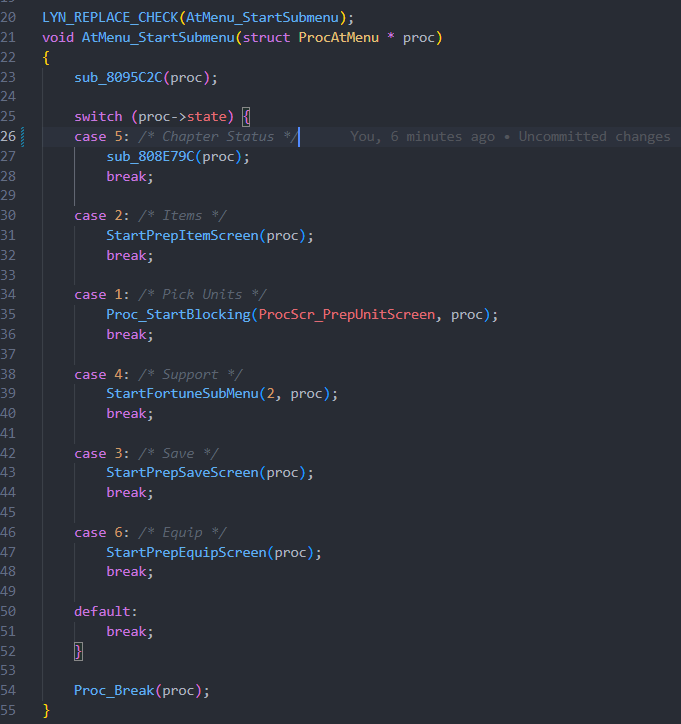
EDIT 3: FWIW, I did get it to work by commenting out that AtMenu function and everything in that folder, so I suppose it’s up to me to try and get them to work in tandem.
2 Likes
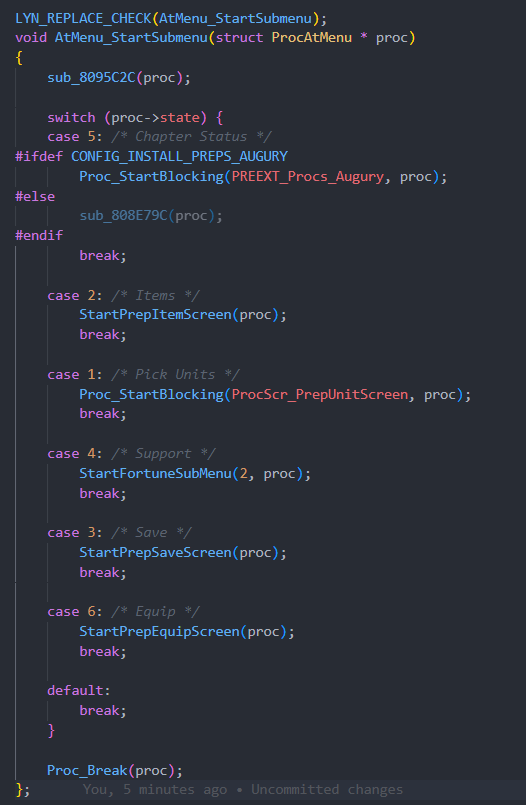
Thanks to Vesly, I’ve been made aware of a surprisingly simple fix to get the Augury to behave with C Skill System.
Create a declaration in a header file somewhere for the Augury proc e.g. extern const struct ProcCmd PREEXT_Procs_Augury[];, include that in AtMenu.c and then in case 5 of AtMenu_StartSubmenu make an ifdef so you can toggle it with the vanilla behaviour like so:
3 Likes
I want to know, how does this work
Why is there an error in the installation
There are nine mistakes
If there’s an error, feel free to share what the error is. It’ll be hard to fix if you don’t.
output:
Finished.
9 errors encountered:
File: Install Text Data.event, Line: 13: File .TextEntries\TextBuildfileLoremIpsum.fetxt.dmp not found.
File: Install Text Data.event, Line: 17: File .TextEntries\TextBuildfileWLC_menuCommandText.fetxt.dmp not found.
File: Install Text Data.event, Line: 21: File .TextEntries\TextBuildfileWLC_menuHelpText.fetxt.dmp not found.
File: Install Text Data.event, Line: 25: File .TextEntries\TextBuildfileFMU_exitMenuCommandText.fetxt.dmp not found.
File: Install Text Data.event, Line: 29: File .TextEntries\TextBuildfileFMU_exitMenuHelpText.fetxt.dmp not found.
File: Install Text Data.event, Line: 33: File .TextEntries\TextBuildfilebaseConvoGarciaCh2.fetxt.dmp not found.
File: Install Text Data.event, Line: 37: File .TextEntries\TextBuildfilebaseConvoLarachelCh2.fetxt.dmp not found.
File events.event, Line 3, Column 1: No code named CHECK_CHAPTERID found.
File events.event, Line 4, Column 1: Incorrect parameters in code SADD Atom Atom Atom
That’s the meaning
And what am I supposed to do with this
You seem to be missing text entries. You should be able to generate these by executing the file AssembleText.bat in the text directory. If you’re on windows, double clicking the file should execute it, and hopefully generate the text entries.
The last two errors might be due to our versions of EA/Core being different, you could try using the latest version, obtainable here.
Let me know if you still run into errors, and what those errors are.
Thank for your qustions and answers,
There are no more than nine mistakes but to.
How you fix one more
Such as
output:
Finished.
2 errors encountered:
File events.event, Line 3, Column 1: No code named CHECK_CHAPTERID found.
File events.event, Line 4, Column 1: Incorrect parameters in code SADD Atom Atom Atom
No data written to output.
1 warnings encountered:
File: PLISTSplit.event, Line: 10, Warning: Redefining EventPointerTable
I don’t know how to do that, but would you like an example
I have now upgraded my EA/Core version to 11.3
But unfortunately, it still doesn’t work
Seems the most recent version of EA/Core doesn’t recognize certain language raws & formats for language raws. I updated the offending language raws, so if you download the newest version of bases, v2, re-run text/AssembleText.bat and then run WMLoadChapter.event through EA again, the error messages should be gone. You’ll most likely still get the File: PLISTSplit.event, Line: 10, Warning: Redefining EventPointerTable warning, but feel free to ignore it.
Let me know if that works.
Okay,there will be minor issues after ignoring it
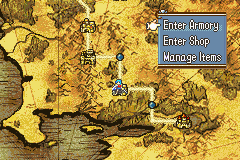
The game menu map cannot enter the village
There is also no Enter Base function
Everything else can be used
As shown in the figure
Did you set the flag for the chapter where you want to enter the base?
If you add this macro WLC_baseChapterAvailable(5) to an event block (such as the endingScene of chapter 5), the menu option should appear for node 5.
So Where did WLC_baseChapterAvailable(5) come from or can you demonstrate it for me
i just searcher for what you said, but I couldn’t find where WLC_baseChapterAvailable(5) is
This is really cool. Like what you did for the map.
It’s a macro. I defined the macro in this file. You basically use it like you would an ASMC event. If you’re not sure what that is I’d recommend reading up on how events work and how to use them in a tutorial, such as Sme’s FE8 EA Eventing Guide.
Thank you for telling me , but it’s a shame
After I changed ASMC event, it still doesn’t work
It’s still the same as this picture, I don’t know what I did wrong
even if FEbuilderGba Menu Commands work, But it stll doesn’ work in game testing

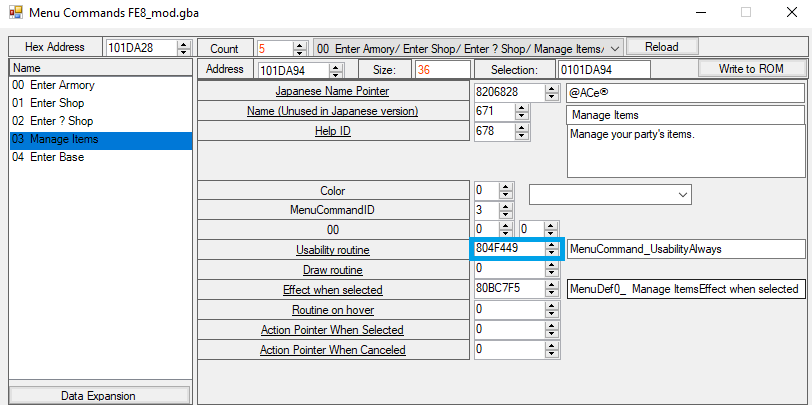
If you don’t mind every chapter having the option of enter base available, you could try replacing the usability routine with one that always returns true. If you copy the value, 804F449 from here:
And paste it in area highlighted in red here:
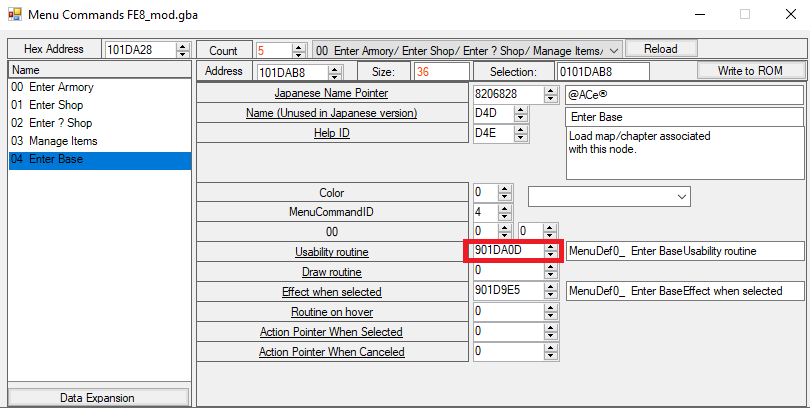
Then press the
Write to ROM button in the upper-right corner, it might fix your issue.
Thank you. What would you say
After copying this,have you ever felt like entering a place is a black screen
Even after playtesting
Probably when I tested it
After passing the eighth level, there was a conflict in the ninth level
It means returning to the game menu
Hey. I’m having trouble understanding how to implement the Adaptitive BGM. The explanation is too technical. Could you do a tutorial sometime, please? Like a VERY in-detail tutorial. Because the current explanation is just confusing.