Oh, okay. That clears up enough for me to start exploring. Thanks! 
1 Like
Question!
Does this hack make it so the Mini Box ises the same palette as the rest of the UI tiles? Located at:
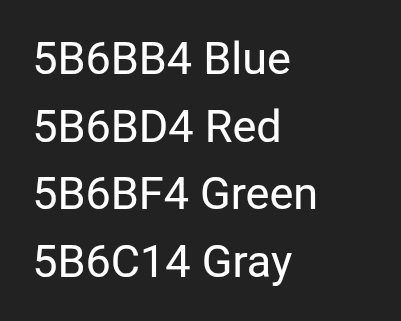
Or… does it overtake the Vanilla Mini Box palette, located at
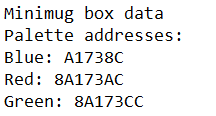
…and make it the same as the UI palette, while adjusting the color to match the Game Option?
If it does the former and not the latter, i would suggest making it do the latter, because this makes it more versatile. If its the former, that just leaves 3 palettes completely unused.
This is bizarre and nonsensical logic.
3 Likes
This hack uses the former method, but I don’t understand your suggestion. Technically I am leaving 3 palettes unused, but so what? There are already 4 UI palettes corresponding to the four window color options, and all this hack does is make MMB also point to them. I don’t see how unifying the palette means sacrificing versatility.
4 Likes
Alright, so I finally made progress on my custom minimug box itself, but I can’t seem to get your hack to work with changing the background color to match the rest of the UI. I managed to get the numbers and number palettes to change correctly, but not the background (it’s still white).
I installed MMBWindowPalette.event using EA in FEBuilder to change the numbers. I tried the .lyn event both with and without the other event installed and it didn’t seem to do anything. What am I doing wrong?
1 Like
If it’s white, that’s not something this hack will change- you need to change the UI itself from using the while tiles to using the variable palette tiles.
Because what if someone wants to make it so that the Mini Box still has a different palette, while still making it change based on UI color option instead of Faction?
The way you have it set up, it’s not possible. That’s why im saying it’s less versatile. It would be better if it worked with the separate Mini Box palettes, and if someone wants it to be the same as the UI, they can simply overwrite the palettes.
I still do not understand this logic. What if someone wants to make the terrain window use a different palette instead of the MMB? What if they want it to be the objective window instead? What if they want any number of different things outside of the scope of this hack? They are free to write such a thing themself. It seems you’d have to do such a thing anyways to do as you request, given that there are 3 pre-existing faction-based palettes yet 4 different window options.
2 Likes
I don’t know how to be clearer that the point of this hack is that the MMB uses the same palettes as the rest of the UI.
If the user wants to use a different set of colors still indexed by menu option, that’s outside the scope of this hack. My code is open source and available to reference anytime.
Near the top of the installer you’ll see this giant chunk of numbers. These numbers correspond to specific tiles that the MMB displays. If it’s a little intimidating to look at, don’t worry.
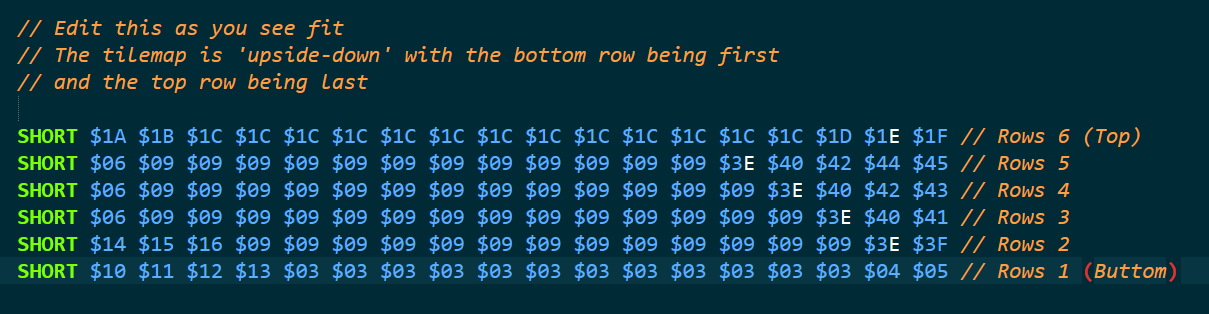
In the MMB folder you’ll see a file called TilemapIndexes.png. Opening it, you can see which tiles correspond to which numbers. The white tiles will be white no matter what, but the blue tiles will have the variable palette my hack changes.
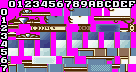
In your rectangle, change the numbers to the tile that looks identical but is blue. Luckily I did this myself just yesterday so the numbers are still fresh:
$0E -> $09
$0B -> $06

$17 -> $14
$18 -> $15
$19 -> $16

$50 -> $3E
$51 -> $3F
$52 -> $40
$53 -> $41
$54 -> $42
$55 -> $43
$56 -> $44
$57 -> $45
Technically there’s a tool that makes this process more intuitive, but it requires more setup and I haven’t tested it personally yet. Still, hope this helps!
1 Like
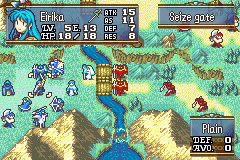
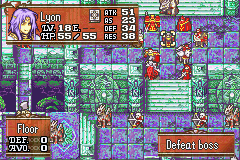
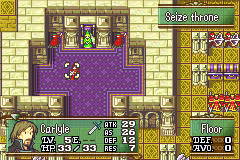
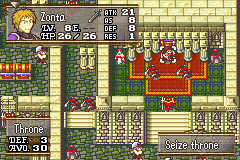
Well, YOUR examples are adding completely new functionality. While what I’m suggesting is to keep some of the vanilla functionality rather than taking it away.
I don’t know how else to put it. It’s pretty self explainatory.
I’m not sure I fully understand the discussion, but the linked code is like 6 lines long and even without editing it, you could just replace the last line in the .lyn.event file with the addresses for the 4 palettes you want to use.
WORD $85B6BB4 $85B6BD4 $85B6BF4 $85B6C14
1 Like
I’ve been trying to apply this and can’t seem to get it to work.
It looks like this snippet in MMBDrawTileMap.s is overriding it.
@ fetch palette based on allegiance

	mov		r1, r4
	mov		r0, #UnitDeploymentNumber @ allegiance byte
	ldsb	r0, [r1, r0]
	mov		r1, #0xC0
	and		r0, r1
	ldr		r1, MMBTilemapPaletteIndex
	ldr		r2, =GetPaletteByAllegiance
	mov		lr, r2
	bllr
EDIT: I should mention I have the numbers working, but I still have the black name text as well.
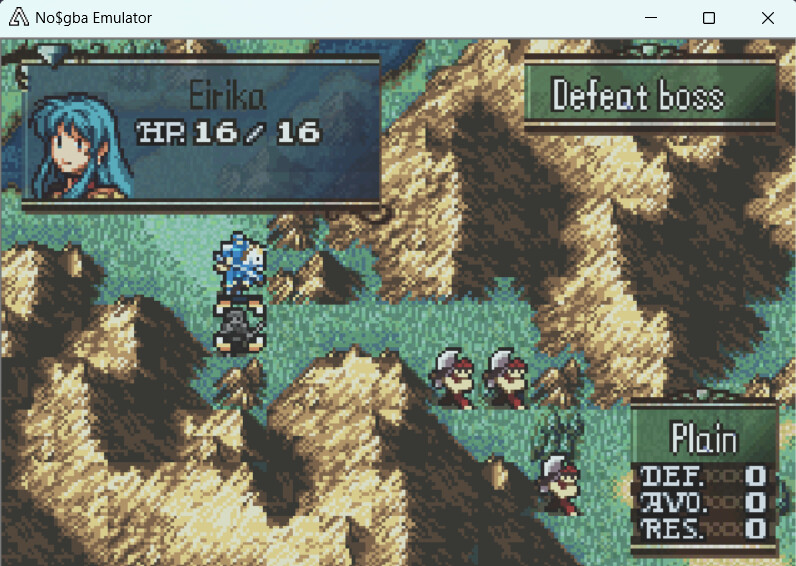
1 Like
The palette being overridden is strange, I didn’t have to touch any of MMB’s internals for my version to work. The same was true for Kurayamiblack earlier in the thread so there must be something else in your setup causing the error.
And the color of the name is a definition in the installer itself.
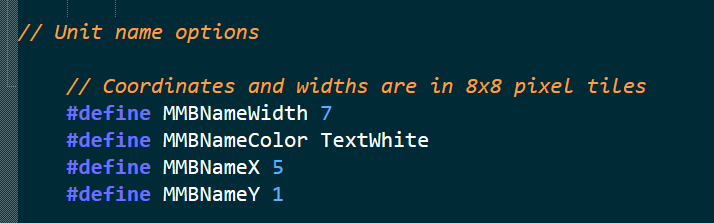
1 Like
Thanks.
I guess my only option would be to rewrite your hack in ASM and replace the chunk I’ve outlined 
EDIT: Okay I’ve got it working in ASM. For anyone who may be facing similar issues:
- Navigate to
MMBDrawTileMap.s - Comment out this chunk of code:
    mov		r1, r4
	mov		r0, #UnitDeploymentNumber @ allegiance byte
	ldsb	r0, [r1, r0]
	mov		r1, #0xC0
	and		r0, r1
	ldr		r1, MMBTilemapPaletteIndex
	ldr		r2, =GetPaletteByAllegiance
	mov		lr, r2
	bllr
- Replace it with this:
	@ fetch palette based on window color
	ldr		r0,=#0x202BCF0  // Struct - gPlaySt
	add 	r0, #0x41		// Config window color byte
	ldrb 	r0, [r0]		// Load the contents of the byte

	cmp 	r0, #0
	beq 	LoadBluePalette
	cmp 	r0, #4
	ble 	LoadRedPalette
	cmp 	r0, #8
	ble 	LoadGreenPalette
	cmp 	r0, #12
	ble 	LoadGreyPalette

	LoadBluePalette:
	ldr		r0, =#0x85b6bb4
	b 		End

	LoadRedPalette:
	ldr		r0, =#0x85b6bd4
	b 		End

	LoadGreenPalette:
	ldr		r0, =#0x85b6bf4
	b 		End

	LoadGreyPalette:
	ldr		r0, =#0x85b6c14
	b 		End

	End:
	mov 	r1, #0x60
	mov		r2, #0x20
	ldr		r3, =#0x8000DB8 // CopyToPaletteBuffer
	mov		lr, r3
	bllr
- Compile and enjoy

Is there a label somewhere for the forward slash (on its own) that seperates the current and max HP values?
I’m trying to make MMB compatible with my expanded HP hack (up to a maximum of 255 HP).
Nope. Modules that draw HP do this.
Nice, thanks for pointing that out.
I took another swing at this as I’m developing an MP system to be used in conjunction with Gaiden Magic in C Skill System.
I’ve defined MMBMP as well as MMBMPX as 5 and MMBMPY as 7 at THIS LINK
I modified a copy of MMBDrawHP.s into MMBDrawMP.s
I’ve included MMBDrawMP.lyn.event at MMBCore.event
No matter what I do though the numbers and slash do not show.
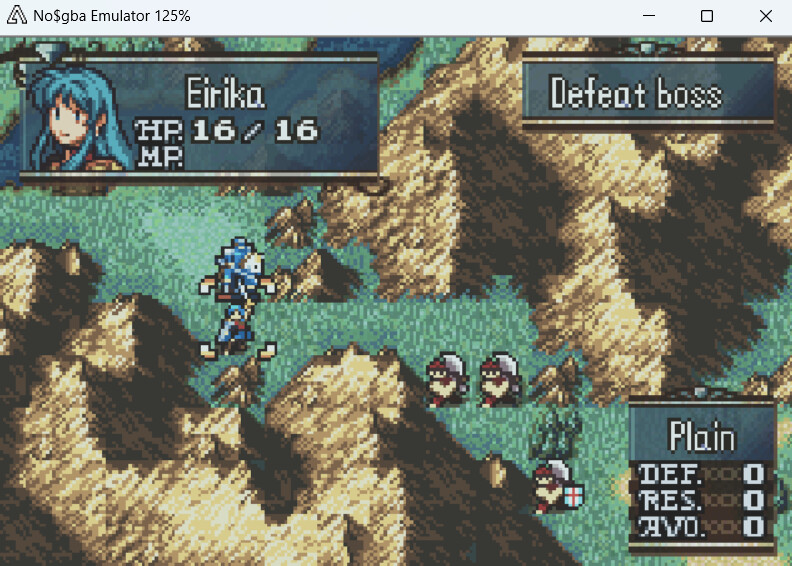
However I also made getters for MP at MMBCurrentMPGetter.s and MMBMaxMPGetter.s and those do work, but lack the slash.
EDIT: All good now. Vesly made me take a second look at it and I realized I had an unconditional branch that was skipping the actual drawing of the numbers.
1 Like