Good evening everyone! Tonight’s kind of a big one that I’m really excited to share.
Introducing the Lord Split Menu Plus.
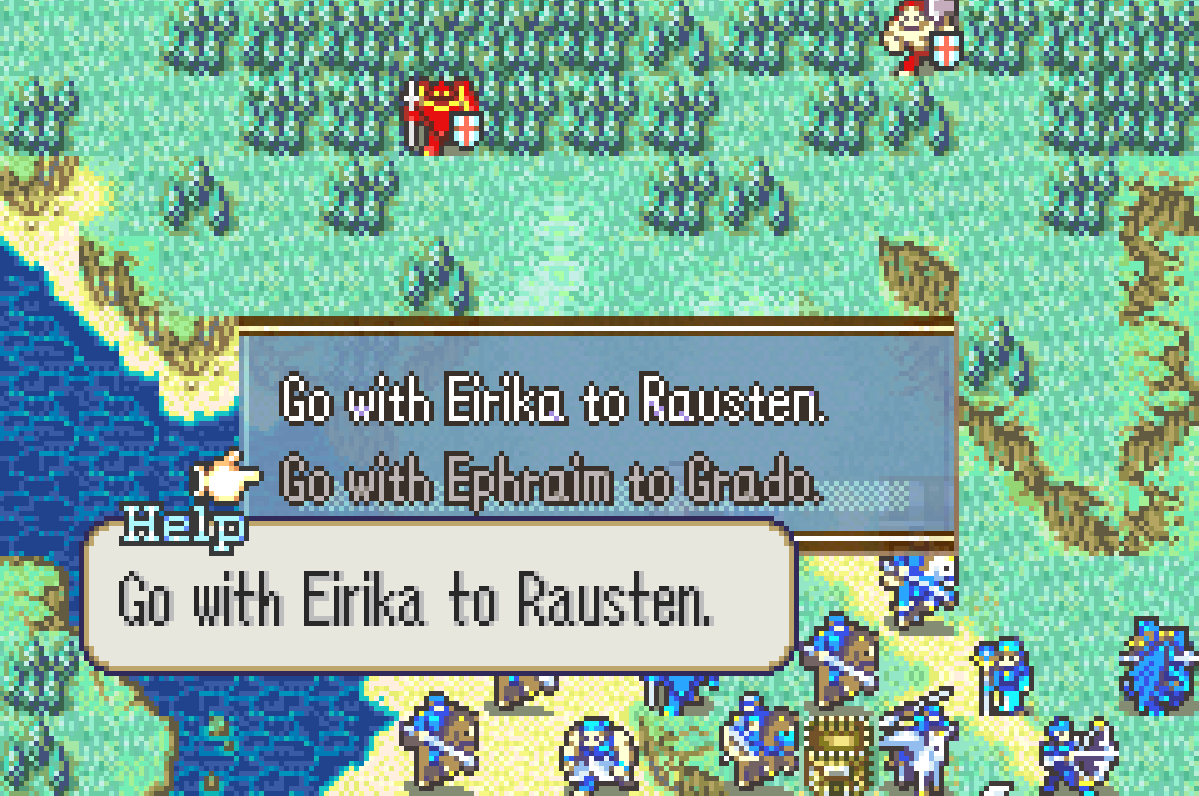
The Lord Split Menu is one of the most powerful tools hackers have access to in unique campaigns, entirely due to Nat’s excellent documentation on and modularization of the mechanic. But while Nat’s thread is a godsend, it’s not quite as comprehensive as it could be:
- The thread leaves out several elements of menu options that could be useful to a modular Lord Split Menu, namely R-text for menu options and the ability to make some options unselectable under certain conditions.
- The end of the thread presents all of the code as assembled hex data, which is completely unreadable and discourages users from potentially editing the source code.
- Each menu defined through Nat’s method requires a unique ASMC to call it. They recognized this and left generalizing the ASMC as an exercise for the reader at the end of the thread, an exercise I’m sure no one but me has done.
My version opts to fix each of these. It includes functionality for R-text and conditional usability, it’s entirely written in C, and all menus are called using the same CallMenu() event macro.
Download link: asm/LordSplitMenuPlus at main · GigaExcalibur/asm · GitHub
Usage notes:
- This hack does not hook any existing functions and is thus inherently compatible with everything!
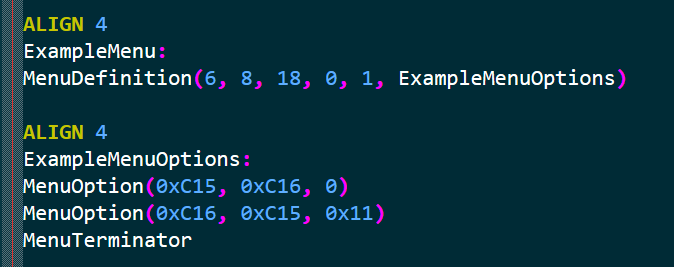
- Define menu structure with the macro
MenuDefinition()under a label. You can define a menu’s x-position, y-position, width, height, tileset, and its set of menu options. - Define menu options with the macro
MenuOption()all under one label. You can define an option’s name, description, and the flag that must be set for the option to be selectable. A flag of 0 will make the menu option always enabled. - Call your new menu with the event macro
CallMenu(menu), wheremenuis the label defined in step 2. FEBuilder users will likely need to substituteCallMenu(menu)withSVAL s1 menu|0x8000000; ASMC CallChoiceMenuASMC|1. - When done,
#include LordSplitMenuPlus.eventin your buildfile or Insert EA with FEBuilder.
That should be all! I’m actually really proud I was able to do this and hope someone makes use of its extra features and streamlined elements. Thank you so much for reading, and have a wonderful night!