For the first problem: This was fixed with a recent commit. Just clone from the master branch until the next release is available (It will probably be available tomorrow). For the second problem: As far as I am aware it is not possible to use update data with LayeredFS (Correct me if I am wrong). It seems like you can use hactool to join NCAs though: https://gbatemp.net/threads/manually-updating-romfs-bin-for-backups.509834/
@Nick2d2 I mentioned LayeredFS. This method basically tells the switch to load contents from another location. By keeping a modified clone of game data on your SD-Card you can redirect to the modified data and therefore load romhacks.
Cheers for the reply! Damn. I was hoping I was misremembering that, I’ve got a supernag for the update, can’t load the game without redownloading it. Considering it has its own title key, I wonder if you could get the data.bin file from there and patch that…? Here’s to hoping that’ll work I suppose…
Oh shit, i never thought of that.
you could use goldleaf to use transfer JUST data1.bin, and use checkpoint to backup all your saves in case something goes wrong and you need to reinstall.
I’m not sure if I’m doing this properly or not - but has anyone managed to get crests/spells working? I think growths are, but can’t be sure. I don’t have the updates, or the DLC and I’ve got my edited data1.bin in atmosphere/titles/titleid/romfs, after a lot of trial and error. But spells are still the originals, no new crests are showing up, and any immediate class & stat edits, like Byleth to merc, or mag up to 13 aren’t showing up either. Anything would be helpful at this point.
I’m also wondering how to get the toolkit to run. Not sure of any of the file types really. Also will this toolkit work for 1.0 version of 3H? Don’t have a 1.20 on hand and would still like to mess around with the toolkit.
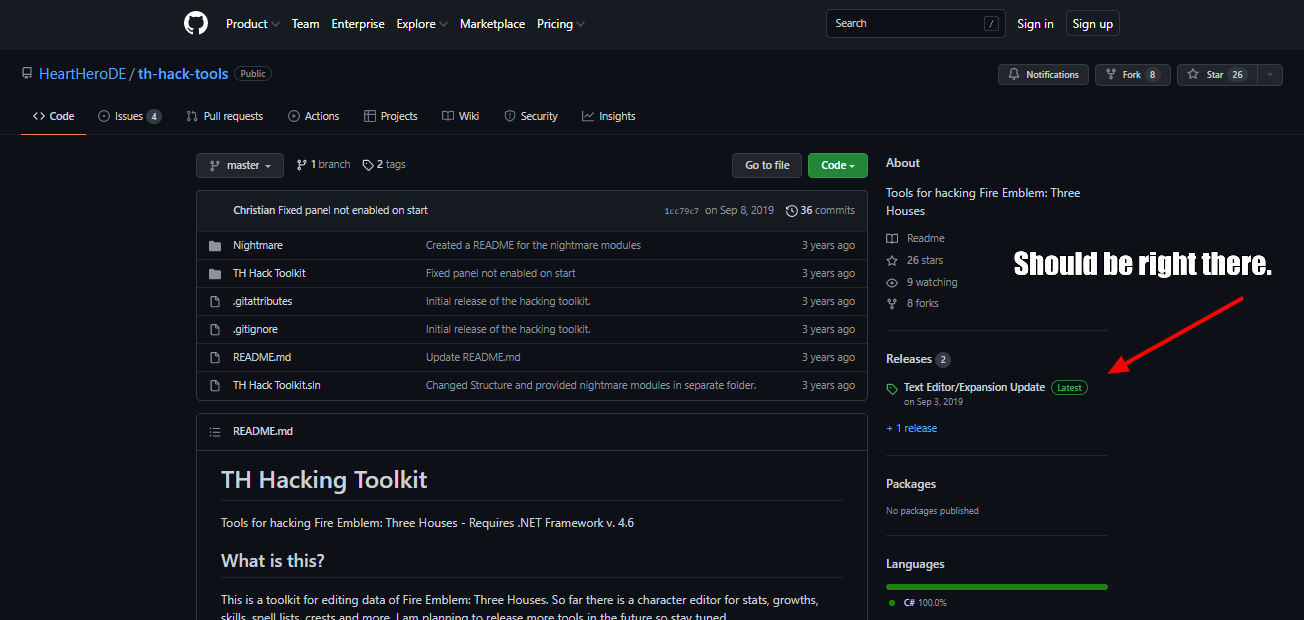
Make sure you download from the releases in the github, it’s on the right side under the about section.
If you still don’t see it, which you likely do, unless it’s different for you: Feel free to click “More Info”
More Info
It says releases in green on the right with a green tag on the left.
(or if it’s pre-release, which isn’t important for this, it’s yellow/orange)
NOW THAT I’M LEVEL 1 (Technically 2 but shh) GUESS WHO CAN POST LINKS, THIS GUY!
Anyway here’s that image I was talking about, went through like three iterations but this is the original.
The .exe is pre-compiled there. Thought I’d help out as I saw the same message like three times, so I hope that helps for anyone else coming along or anyone returning. Have a good rest of your day.