I don’t know man been trying to import this one wind animation I saw in FErepository cause I thought it would be cool to add and this just isn’t going right, I been trying to maybe download a zip file but they don’t come in Zip files and just to make it sure it wasn’t that animation, I tried others and it is a user error idk what to do man. Because it asks me to import in a .txt. so I do that and I still get this message what am I doing wrong? It says “there is no file” but there is it is on my PC, do I need to change the text itself, what is it?
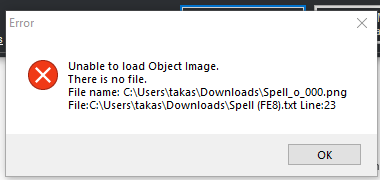
It looks like something went wrong on line 23 of the text file, could you post line 23 so I can have a look at it?
#######################################################
#When importing to FEditorAdv delete # and after each line.
#######################################################
/// - Start Animation
C00 #NOP
C00 #NOP
C00 #NOP
C00 #NOP
C00 #NOP
C00 #NOP
C00 #NOP
C00 #NOP
C00 #NOP
C40 #Scrolls the screen from being centered on the attacker to being centered on the defender
C00 #NOP
C00 #NOP
C00 #NOP
C00 #NOP
C00 #NOP
C00 #NOP
C061029 #Background brightness and opacity XX
O p- Spell_o_000.png
B p- Spell_b_001.png
3
C012248 #Sound 290 SE:Fimbulvetr wind
O p- Spell_o_000.png
B p- Spell_b_002.png
3
C061029 #Background brightness and opacity XX
O p- Spell_o_000.png
B p- Spell_b_003.png
3
C081029 #Background brightness and opacity XX
O p- Spell_o_000.png
B p- Spell_b_004.png
3
C0A1029 #Background brightness and opacity XX
O p- Spell_o_000.png
B p- Spell_b_005.png
3
O p- Spell_o_000.png
B p- Spell_b_006.png
3
O p- Spell_o_000.png
B p- Spell_b_007.png
3
O p- Spell_o_000.png
B p- Spell_b_008.png
3
O p- Spell_o_000.png
B p- Spell_b_009.png
3
C0C1029 #Background brightness and opacity XX
O p- Spell_o_000.png
B p- Spell_b_010.png
3
O p- Spell_o_000.png
B p- Spell_b_011.png
3
O p- Spell_o_000.png
B p- Spell_b_012.png
3
O p- Spell_o_000.png
B p- Spell_b_013.png
3
O p- Spell_o_000.png
B p- Spell_b_014.png
3
O p- Spell_o_000.png
B p- Spell_b_015.png
3
O p- Spell_o_000.png
B p- Spell_b_016.png
3
O p- Spell_o_000.png
B p- Spell_b_017.png
3
O p- Spell_o_000.png
B p- Spell_b_018.png
2
O p- Spell_o_000.png
B p- Spell_b_019.png
2
C081029 #Background brightness and opacity XX
O p- Spell_o_000.png
B p- Spell_b_020.png
2
O p- Spell_o_000.png
B p- Spell_b_021.png
2
C1A #Required before 1F or miss termination branch
C1F #Play a hit tone (requires 1A just before)
~ #miss terminator
C51 #Show brief white flash animation
O p- Spell_o_000.png
B p- Spell_b_001.png
5
C061029 #Background brightness and opacity XX
O p- Spell_o_000.png
B p- Spell_b_022.png
2
C040A29 #Background brightness and opacity XX
O p- Spell_o_000.png
B p- Spell_b_023.png
2
C020A29 #Background brightness and opacity XX
O p- Spell_o_000.png
B p- Spell_b_024.png
2
O p- Spell_o_000.png
B p- Spell_b_001.png
5
C012A #Background display during battle YY
/// - End of animation
This is the whole thing
Are the frames in the same folder as the txt file?
I only have the txt file, I thought the frames were in the text folder do I need to download every fame and put it into a folder? because it didn’t come in a folder, it came individually if so I can do that in the morning and see
Yeah, I think you need to have all the frames in the same folder as the txt file. There’s isn’t a file path along with the names of the image files, so I would guess this script assumes the frames are in the same folder as the txt file itself.
thanks, mind if I keep you updated if I do get around to it
Yeah let me know, I’m not very familiar with importing animations but I’d like to know how it goes.